
Missed-call forwarding
Conditional call forwarding routes calls to Phonable only when you do not answer, while answered calls continue through your normal phone service.

Phonable is an iPhone voicemail app that handles unanswered calls with custom greetings, automatic caller texts, and in-app voicemail transcripts and AI summaries. It keeps your existing number, SIM, and phone while adding modes for situations such as meetings, driving, and scheduled time away.
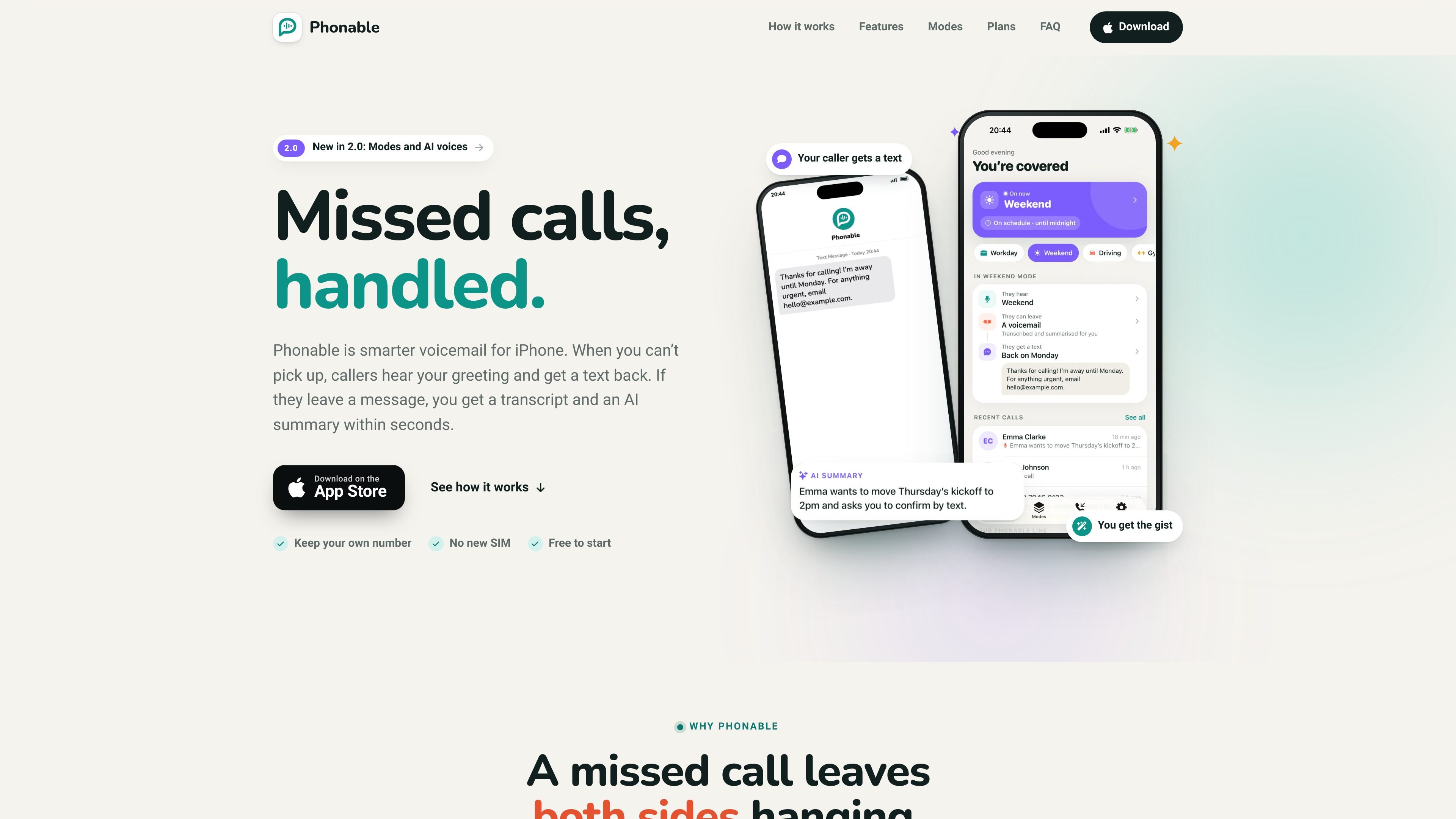
Phonable is an iPhone voicemail app that replaces a carrier’s standard voicemail experience for missed calls. It uses conditional call forwarding, so your existing number, SIM, and phone remain in place; calls you answer connect normally, while calls you do not answer are routed to a Phonable line.
For missed calls, Phonable can play a selected greeting, send the caller a text, and present any voicemail in the app with its recording, transcript, and AI-generated summary. Its modes combine greetings and caller texts for contexts such as meetings, driving, gym sessions, and weekends, with options for temporary or scheduled activation.
Conditional call forwarding routes calls to Phonable only when you do not answer, while answered calls continue through your normal phone service.
Callers can hear a recorded greeting or a greeting generated from typed text with an AI voice. The service offers multiple voices and tones.
After a missed call, Phonable can send a short, custom text explaining what happens next. Modes can pair different greetings and text messages for different situations.
Voicemails appear in the app with the recording, a full transcript, and a one-line AI summary. The summary can also arrive as a notification.
Create modes such as Workday, Driving, Gym, or Weekend, then switch them manually, keep one active temporarily, or schedule automatic changes.
Calls and voicemails are shown in one timeline, with options to call back or send a message from a voicemail. Contact names remain on the iPhone rather than being uploaded.
Activate a Workday or meeting mode so callers hear an appropriate greeting and receive a text indicating when you expect to respond, while you review urgent messages from summaries.
Use a Driving mode to tell callers you cannot answer safely, then review the transcript or summary once you are available instead of dialing into voicemail.
Set a Gym or other temporary mode for a defined period, pairing a context-specific greeting with a caller text without changing your main number.
Schedule a Weekend or travel mode for recurring days and hours, giving callers consistent information about your availability while missed messages remain accessible in the app.
Use the missed-call timeline and one-tap callback or messaging to triage calls when you receive many interruptions, while the one-text-per-caller-per-hour rule limits repeated notifications to callers.
No. Phonable uses conditional call forwarding, so you keep your existing phone number, SIM, and iPhone. Callers continue to dial your normal number.
When you answer, the call connects normally and Phonable is not involved. It handles calls that you do not answer, including calls declined, missed while busy, or missed when you are unreachable.
After setup, the app guides you through enabling conditional call forwarding with your carrier. The site says the process takes about a minute and can be switched back at any time.
Yes. You can create and switch between multiple greetings. A greeting can be recorded in your own voice or generated from typed text using an AI voice, with selectable voices and tones.
Yes. After a missed call, Phonable can send a custom SMS even if the caller hangs up without leaving a voicemail. Each caller receives at most one text per hour, and messages use the SMS credits in your plan; texts are not sent to landlines or unsupported countries.

Tactiq is an AI note taker for Google Meet, Zoom, and Microsoft Teams that transcribes meetings live and turns them into summaries, action items, and follow-up outputs. It is built around a Chrome extension and supports team workflows through sharing and integrations.

Notewarp is an AI note-taking tool that turns voice notes, uploads, or pasted text into cleaner notes, transcripts, summaries, and action items. It helps people capture rough ideas quickly and then edit, export, or share the result.

Scripta is a privacy-first AI notetaker that records, transcribes, and summarizes meetings directly on your device. The public site currently shows a Mac beta download and a Windows waitlist.

QuickQuill is a macOS dictation and transcription app that runs locally on the device. It helps users record meetings, transcribe audio, generate summaries, and export notes without using a cloud service.

Crates ist ein persönlicher Workspace zum Speichern und Entdecken, um Links, Screenshots, PDFs, Bilder und mehr zu organisieren und in Sammlungen zu durchsuchen.

Ein KI-gestütztes Tool, das PDF-Dokumente schnell und effizient zusammenfasst, klare Einblicke bietet und es den Benutzern ermöglicht, mit den Inhalten zu interagieren.