
Site health and priorities
Assigns the site a 0–100 health score and orders tasks by impact, helping users decide which SEO work to address first.

Simha Digital is an SEO analytics workspace that combines search, analytics, technical audit, page-speed, and AI-search visibility data. It helps site owners and SEO practitioners prioritize fixes, investigate traffic and query changes, and track GEO/AEO readiness.
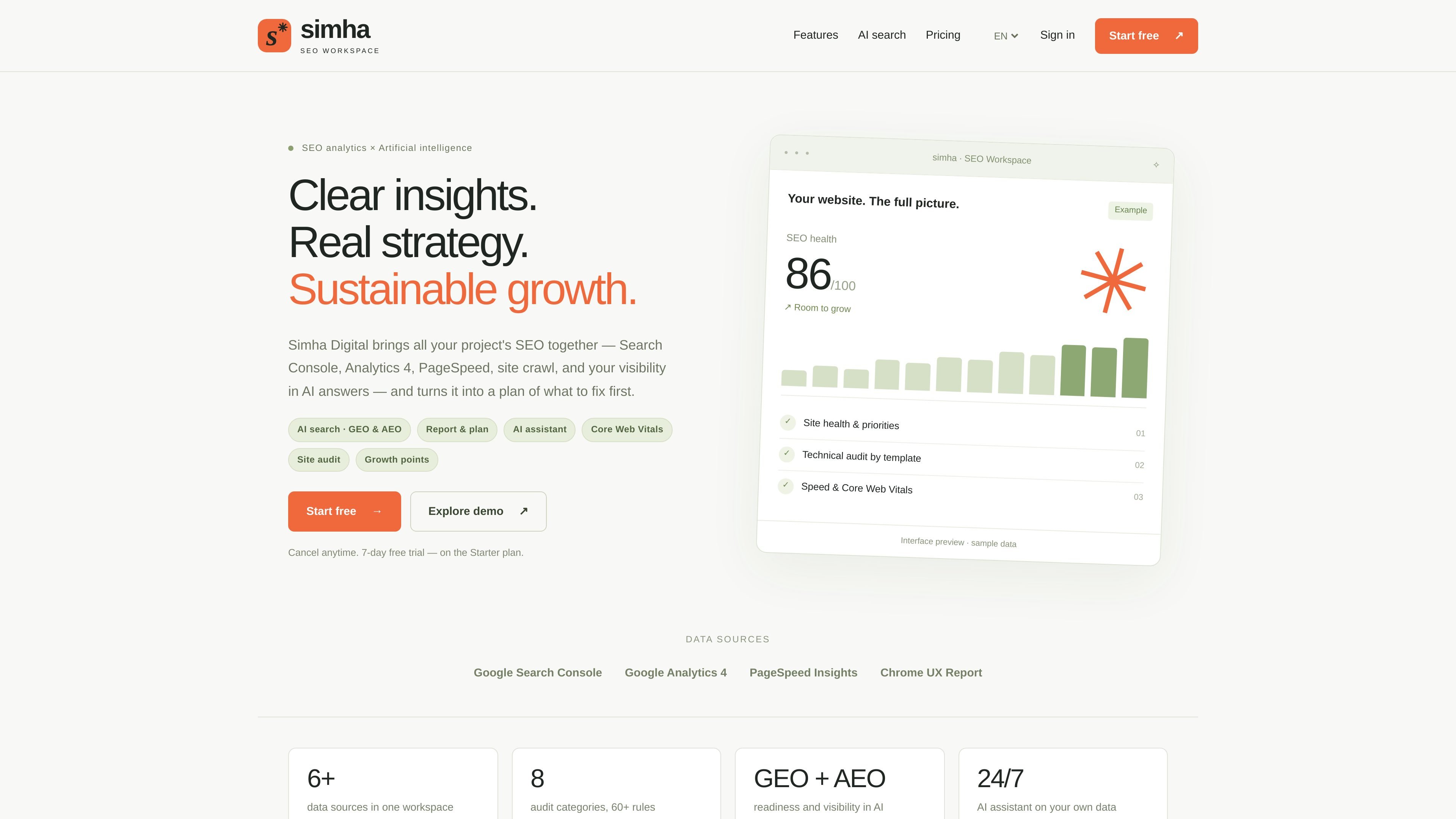
Simha Digital is an SEO analytics workspace for bringing search performance, web analytics, technical audits, page-speed measurements, and AI-search visibility into one project view. It is designed to move from disconnected measurements to a prioritized list of work, rather than presenting SEO data without an action plan.
The product combines Google Search Console, Google Analytics 4, PageSpeed Insights, Chrome UX Report data, a site crawler, and GEO/AEO checks. Users can review site health, technical issues, Core Web Vitals, organic growth opportunities, and visibility in AI answers, then ask an AI assistant questions based on their own connected audit, query, and traffic data.
Assigns the site a 0–100 health score and orders tasks by impact, helping users decide which SEO work to address first.
Crawls a site, groups issues such as duplicate titles, missing H1s, broken links, and canonical problems into root causes, and shows affected URLs with suggested fixes.
Combines PageSpeed Insights and real-user Chrome UX Report data for key pages, covering LCP, CLS, and INP alongside explanations of what slows pages down.
Evaluates AI-search readiness through crawler access, llms.txt, schema.org markup, headings, and answer-oriented content, with a readiness score and page-level fixes.
Tracks appearances in AI Overviews and AI answers, including relevant queries, impressions and clicks as described on the site, and cases where competitors are cited instead.
Produces period-based reports with problems, solutions, growth points, and an AI summary of changes; its assistant answers questions using the connected audit, query, and traffic data.
Connect search, analytics, crawl, and performance data to establish a site health baseline, then use the impact-ordered task list to choose the first technical fixes.
Use template-level grouping and affected-URL lists to investigate recurring problems such as duplicate titles, missing H1s, broken links, and canonical issues across a larger site.
Review queries close to page one, organic traffic, leads, and revenue from Analytics 4 to identify SEO opportunities and connect optimization work with business outcomes.
Check whether AI crawlers can access and understand the site, address llms.txt, structured-data, heading, and quotable-content findings, and monitor whether AI answers cite the site.
Ask why traffic changed or which queries may be easier wins, using the assistant’s access to the project’s audit, query, and traffic information to guide investigation.
Simha Digital combines Google Search Console, Google Analytics 4, PageSpeed Insights, Chrome UX Report data, site crawling, and AI-search checks in one workspace. The homepage also states that the product supports more than six data sources, although the collected content does not enumerate all of them.
Add a website, connect its data sources, run an audit, review the prioritized opportunities, and use the AI assistant to investigate questions or decide what to address next.
The product checks crawler access, llms.txt, structured data, headings, and quotable answers, then provides a 0–100 readiness score and page-level fixes. It also describes tracking visibility in AI Overviews and AI answers, including queries and competitor citations.
The homepage lists a 7-day free trial on the Starter plan and says users can cancel anytime. It lists Starter at $19.90 per month for up to five projects, Pro at $39.90 per month for up to 10 projects, and Turbo at $79.90 per month for 20 projects with an additional $3.59 per project; plan details should be confirmed before purchase because the dedicated pricing URL was unavailable in the collected evidence.

PromptScout tracks how ChatGPT, Gemini, Google AI Overviews, and Perplexity mention your brand or competitors, then pairs those results with source analysis and website audits. It helps teams decide what to fix in content, positioning, or site readiness next.

ClayHog ist eine KI-Sichtbarkeitsplattform für die Suche, die zeigt, wie Marken in ChatGPT, Gemini, Perplexity, Claude und Google AI Overviews erscheinen.

beehiiv is a newsletter platform for creators, publishers, and brands that want to build, grow, and monetize email newsletters and websites from one place. It offers a free Launch plan, plus paid tiers for more advanced growth, monetization, and support features.

Scribeist is an AI-powered writing platform with dedicated workspaces for novels, blogs, essays, and notes. It combines project-aware AI, fiction continuity tools, SEO-focused blog tools, and publishing integrations.

findloc.ai publishes public AI reports for local markets and checks individual business websites for AI visibility signals. It helps owners, marketers, and agencies see which businesses AI assistants recommend and what their own site may be missing.

LoupeKit is a browser panel that inspects live web pages for stack details, layout, SEO, accessibility, and AI-generated code smells. It works as an over-the-page extension with a free tier and Pro options for exports, reports, advisories, and server-side readings.