
Single workspace for connected accounts
Connect social accounts in one workspace and reuse those connections across the dashboard, API, CLI, and agent workflows.

SocialClaw is a social media publishing platform for AI agents, developers, and teams. It supports account connection, scheduling, media upload, and publishing through a dashboard, CLI, MCP endpoint, or API.
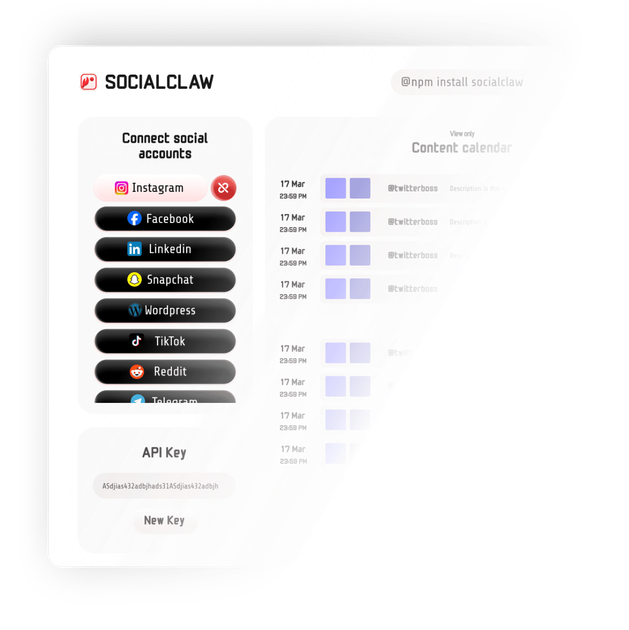
SocialClaw is a social publishing platform built for AI agents, developers, and teams that need one place to connect accounts, schedule posts, upload media, and publish across supported social networks. It presents the same workspace through a dashboard, CLI, MCP endpoint, and HTTP API so the publishing flow can be used in different tools without rebuilding account connections each time.
The product is positioned as a hosted publishing layer rather than a point scheduler. The site describes workflows for AI agents, embedded SaaS products, and internal developer tools, with account connection, schedule validation, publish execution, and post-state inspection handled through the same workspace.
Connect social accounts in one workspace and reuse those connections across the dashboard, API, CLI, and agent workflows.
Create scheduled or immediate publishing runs through the API, including validation and status checks before and after execution.
Upload media assets and have SocialClaw host and deliver them as part of the publishing flow.
Inspect connected account capabilities, publish settings, job status, and run results from the API.
Use the CLI, MCP endpoint, or workspace API key for agent-driven workflows without per-tool setup.
Review analytics where the platform supports it, including post, account, and run analytics endpoints.
Use SocialClaw when an AI agent drafts content, then needs to check what is publishable, validate a schedule, and apply the run through a single workspace key.
Use SocialClaw as the hosted publishing layer inside your product while your own UI handles onboarding and user experience; SocialClaw manages account connection, validation, and publish-state inspection.
Use the CLI and HTTP API when scripts, internal tools, or ops workflows need the same connected accounts and posting controls as the dashboard.
Use the workspace to upload media once and reuse it in scheduled posts across supported channels without manual per-platform handling.
Use the API documentation and endpoints to build integrations that list accounts, validate schedules, apply publishing runs, and check status after execution.
SocialClaw lets you connect social accounts once and then use the dashboard, API, CLI, or MCP/agent workflows to schedule or publish posts from the same workspace.
The source lists support for X, Facebook Pages, Instagram (Business and Creator), LinkedIn profiles and pages, TikTok, YouTube, Pinterest, Reddit, WordPress, Discord, and Telegram.
Yes. The pricing page offers a 7-day free trial, after which you can continue on a paid plan. The page also shows monthly and yearly billing options.
The API docs say the public integration routes authenticate with an Authorization bearer token using your SocialClaw API key.
The use cases page frames SocialClaw for AI agents, embedded SaaS products, and developer tools, so it can be used either directly or as the publishing layer inside another product.

ByteAsk is a terminal-first AI coding agent for C and C++ that edits repositories and verifies changes with the real compiler, debugger, sanitizers, and tests before showing a diff. It offers a free tier plus paid plans, with editor connectors and zero-retention handling described in the source.

CreateOS Sandbox is an isolated compute environment for running code and agent workloads inside Firecracker micro-VMs. It is designed for workflows that need machine-level isolation, private networking between sandboxes, and programmatic control through SDK, CLI, or MCP.

Liam is an AI copilot for managing inboxes, writing replies, prioritizing email, and scheduling meetings. It is offered free for individuals, with custom pricing for teams and enterprise.

hob is an independent workspace for coding agents that keeps agent sessions, terminals, history, and follow-up work organized around the tools and providers you already use. It is aimed at developers who want local control over routing, history, and workspace structure rather than a bundled model stack.

Ably Chat is a chat API platform for building custom realtime chat applications. It supports room-based messaging, typing indicators, presence, reactions, and message updates, with usage-based pricing options for different deployment stages.

Gemma AI is a phone call reminder app that calls you with scheduled reminders instead of push notifications. It helps people who want a more direct way to stay on schedule, with Google Calendar sync and conversational call interactions.