
Trace-based demo rendering
Playwright trace files become narrated, shareable demo galleries. Captions are generated from recorded clicks and assertions without AI in the standard workflow.

Specreel turns Playwright browser flows or deployed-app scenarios into narrated, shareable demos that can be re-run as end-to-end checks. It serves developers and product teams that need demos to stay current, with a local open-source CLI and a hosted Cloud workflow.
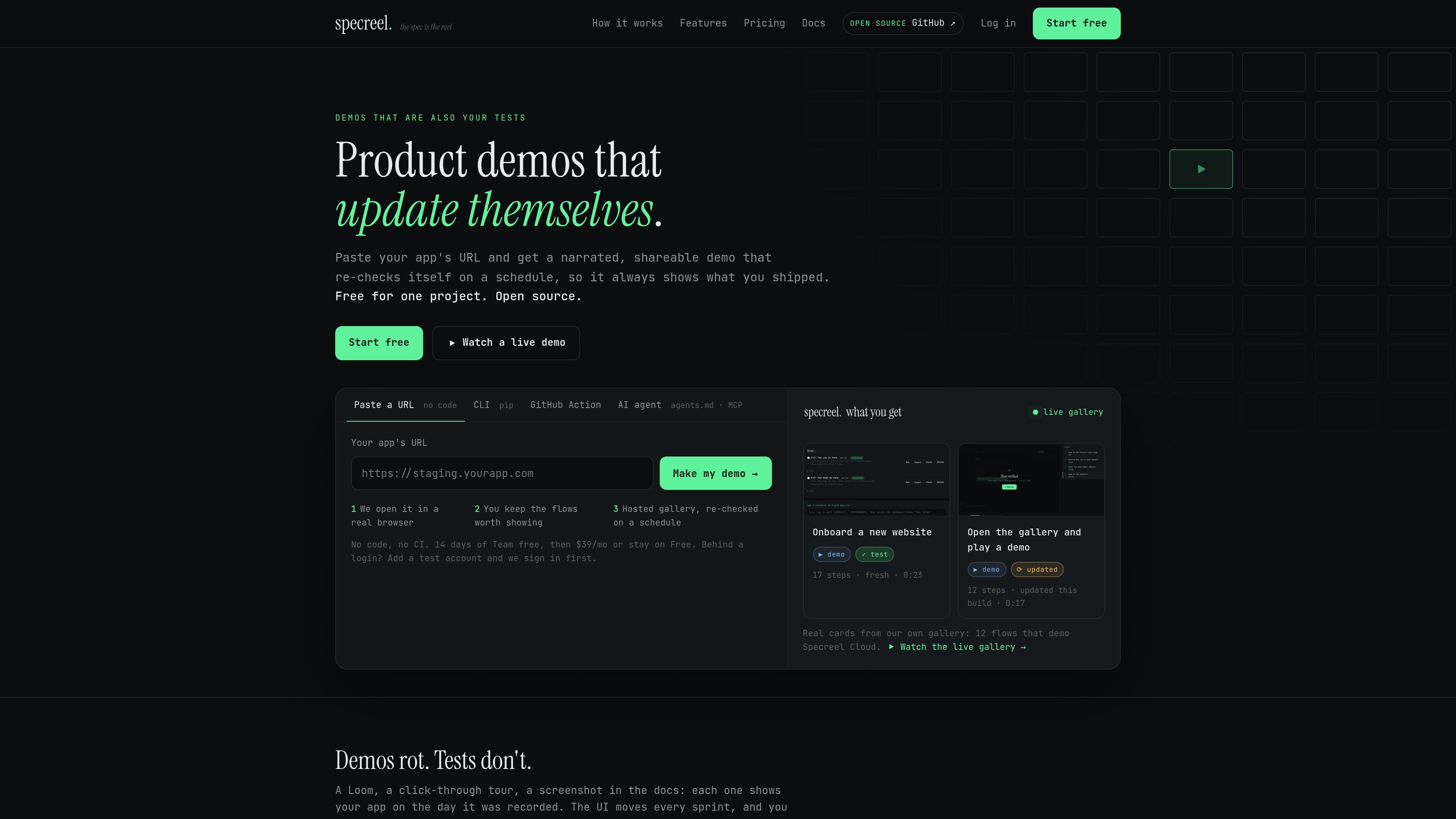
Specreel is a browser-flow testing and demo publishing tool for teams that want product demonstrations to stay aligned with the application. It treats an end-to-end test and a recorded demo as the same artifact: a browser flow that can be replayed, checked, and shared.
The open-source CLI runs locally or in CI and can render Playwright traces into narrated galleries. Specreel Cloud instead starts from a deployed URL, discovers candidate flows, runs them in a hosted browser, and provides a hosted gallery with scheduled checks and break alerts. In either workflow, a changed or failed flow provides a signal before an outdated demo is shared.
Playwright trace files become narrated, shareable demo galleries. Captions are generated from recorded clicks and assertions without AI in the standard workflow.
A GitHub Action can republish the gallery to the same URL after every passing build, keeping the published demo aligned with the latest green build.
The renderer marks flows that changed but still pass with an amber “updated” badge, while a broken flow makes the build red instead of publishing an incorrect demo.
The recommend command crawls a running app, ranks flows worth showing, and scaffolds runnable Playwright scripts. The hosted scanner can create editable scenarios from a deployed URL.
The local tool can create a self-contained gallery.html, publish galleries to a URL, embed them with an iframe, and export an MP4 with real screenshots, captions, and voiceover.
Specreel Cloud provides an MCP server and JSON API for creating projects, configuring sign-in, adding scenarios, running checks, and retrieving gallery results from compatible AI tools or API clients.
Enable tracing in an existing Playwright suite and publish the resulting gallery after passing builds. The demo becomes a visible companion to regression coverage instead of a separately recorded asset.
Point Specreel at a staging or production URL to find forms, search, and navigation flows, then edit the generated scenarios in plain English and run them in a hosted browser.
Use a local bundle, a URL, or an iframe to share a product walkthrough in documentation, sales material, or internal reviews. MP4 export supports contexts that need a video file.
Connect the hosted MCP server or JSON API to an AI coding tool or automation client so it can scan an app, configure access, run scenarios, and return the gallery URL and failed-flow results.
Specreel can use an existing Playwright workflow. Enable tracing so test runs produce trace.zip files, then run the renderer against the test-results directory. The CLI can also scaffold flows from a URL when no tests exist.
For the local workflow, install the specreel and Playwright packages, install Chromium, generate or run flows, and render the resulting traces. A bundled gallery can be produced as a self-contained HTML file.
Yes. The hosted workflow accepts a deployed app URL, scans it for flows such as forms, search, and navigation, and creates editable scenarios. Authentication can be configured with a dedicated test account, a saved session, or a test-login URL; public pages can also be used without sign-in.
The local workflow can create a gallery, a single-file HTML bundle, and an MP4 with a voiceover track. Hosted runs provide a shareable gallery URL, while the local gallery can be published to a URL or embedded with an iframe.
The open-source CLI runs on the user's machine or in CI. Specreel Cloud runs the browser workflow from a hosted service and can schedule checks, send break alerts, and provide hosted galleries; the available hosted capabilities depend on the selected plan.

ByteAsk is a terminal-first AI coding agent for C and C++ that edits repositories and verifies changes with the real compiler, debugger, sanitizers, and tests before showing a diff. It offers a free tier plus paid plans, with editor connectors and zero-retention handling described in the source.

Manta AI is an autonomous web app testing tool for teams that want to map application behavior, catch regressions, and generate tests without writing scripts or maintaining selectors. It works from a URL and supports plain-English test flows, run results with screenshots, and scheduled or deployment-triggered checks.

Epherem is a static security scanner for web apps built with AI coding tools such as Lovable, Bolt, v0, Replit, Cursor, and Claude Code. It checks source files and dependencies for common security mistakes, then provides categorized findings and suggested fixes without running the app.

CreateOS Sandbox is an isolated compute environment for running code and agent workloads inside Firecracker micro-VMs. It is designed for workflows that need machine-level isolation, private networking between sandboxes, and programmatic control through SDK, CLI, or MCP.

GitBot is a local browser-based workspace for creating reusable coding bots powered by Claude Code, Codex, or OpenCode. It helps developers run those agents across repository folders with persistent threads and configurable permissions.

hob is an independent workspace for coding agents that keeps agent sessions, terminals, history, and follow-up work organized around the tools and providers you already use. It is aimed at developers who want local control over routing, history, and workspace structure rather than a bundled model stack.