
Live fixtures
Shows each day’s matches in a live fixture list, with the current matches floating to the top.

SuperGoal is a free Mac app for following the World Cup 2026 from the menu bar. It shows live fixtures, group standings, and team detail views on macOS 14+.
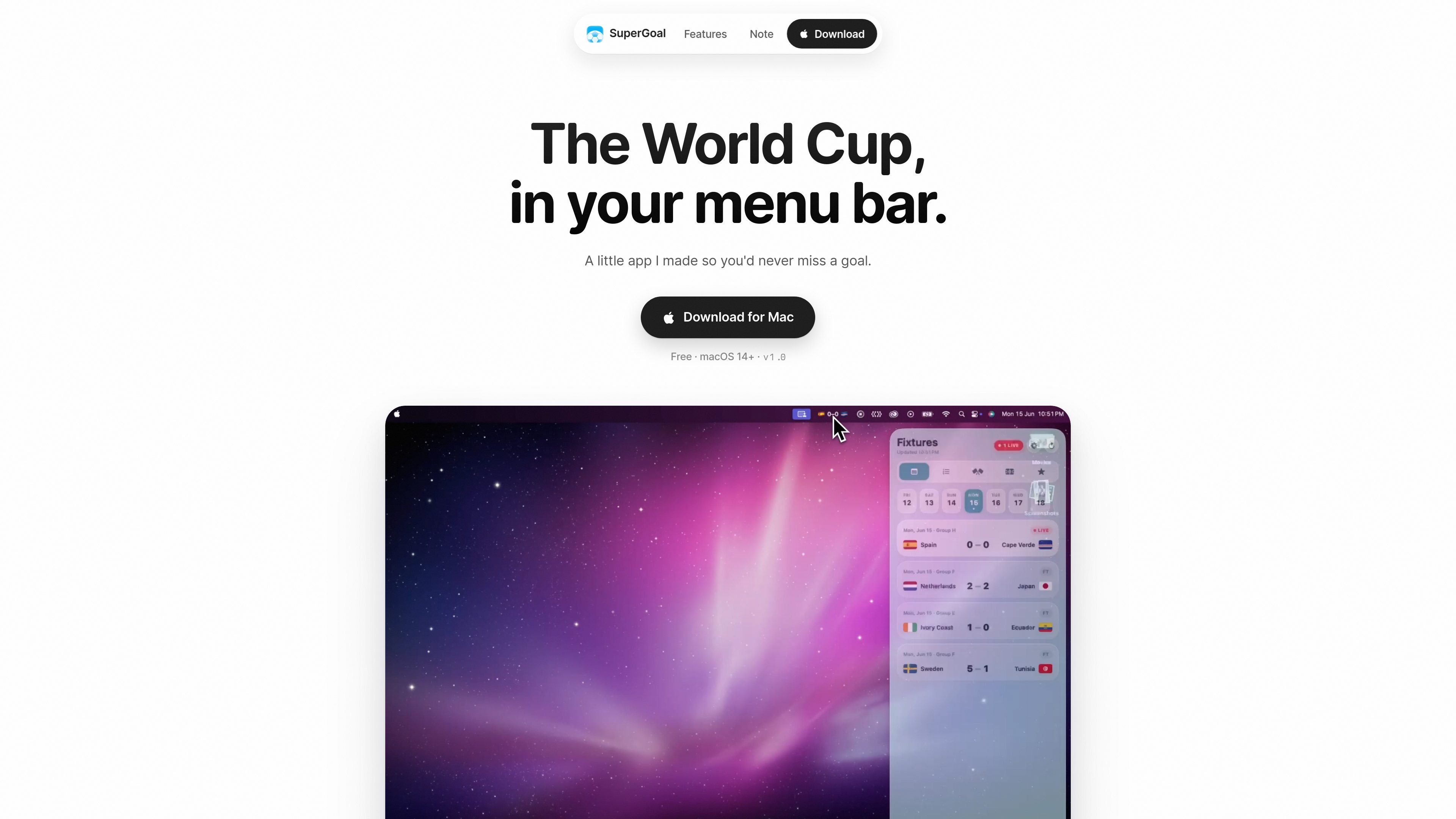
SuperGoal is a small macOS app for following the World Cup 2026 from your menu bar. It is built for people who want quick access to fixtures, group standings, and a chosen team’s progress without opening a separate website or dashboard.
The app’s core job is to keep matchday information close at hand. It surfaces daily fixtures, highlights what is live, shows all twelve groups, and lets you personalize the display with your team’s colors. The site presents it as a free download for Mac and lists macOS 14+ as the platform requirement.
Shows each day’s matches in a live fixture list, with the current matches floating to the top.
Displays standings for all twelve groups so you can scan the tournament state at a glance.
Lets you tap a team and follow that team’s full run through the tournament.
Lets you set the app’s colors to match your favorite team.
Places World Cup information in the macOS menu bar so it stays visible during the day.
Includes a simple first-run unlock flow for macOS when the app is blocked by the system warning.
Use it during matchdays when you want today’s fixtures and live status available without leaving the menu bar.
Use it when you want a fast view of the tournament table across all twelve groups.
Use it when you are following one national team and want a focused view of its path through the tournament.
Use it if you prefer a lightweight companion app over opening a full web page for every check-in.
Use it if you want the interface to reflect your team identity through color customization.
SuperGoal is a small Mac app for following the World Cup 2026 from the menu bar. It shows live daily fixtures, standings for all twelve groups, and a team detail view for tracking one team’s run.
The page says it is a download for Mac and requires macOS 14+.
The site says the app is free.
The home page explains that you can open the app, then follow fixtures, standings, or your team directly from the menu bar. It does not describe any account setup or sync step.
The site notes that the first launch may trigger a macOS warning because the app has not been notarized yet. It instructs users to click Cancel, then open System Settings > Privacy & Security and choose Open Anyway.

Teloframe is an AI-powered football coaching platform for building tactics, editing drills, planning sessions, and managing player development in one workspace. It includes a Free tier plus Pro and Club plans for coaches and analysts who need more collaboration and team features.

LeanUp is an AI calorie tracker and meal-planning app for logging meals, tracking macros, and getting personalized nutrition guidance. It supports barcode scanning, photo-based food recognition, manual search, and recipe reuse.

TrakMac is a voice-first macro tracking app for fitness-focused users on iOS. It estimates calories and macros from spoken meal descriptions, then helps users log food and stay aligned with their training goals.

Padel Chess is a web-based learning platform for improving padel tactical skills through puzzle-based practice. It helps players work on positioning, shot selection, and decision-making in realistic court scenarios.

Pitch Planner is a youth soccer substitution tracker for coaches and team managers. It helps plan lineups, track live substitutions and player minutes, and review match recaps from one phone.

PitchHighway helps singers learn songs with real-time pitch feedback, guided drills, and free browser tools for range testing, warm-ups, key finding, and note practice. It works in the browser and on iPhone and iPad.