
Import activity history
Connect Apple Health or import GPX, FIT, and CSV files to bring in walks, runs, rides, hikes, and older route history.
Tiles is a local-first iPhone app that turns Apple Health workouts and route files into a private map of explored places. It also supports optional iCloud Sync, multiple map views, and shareable stat cards.
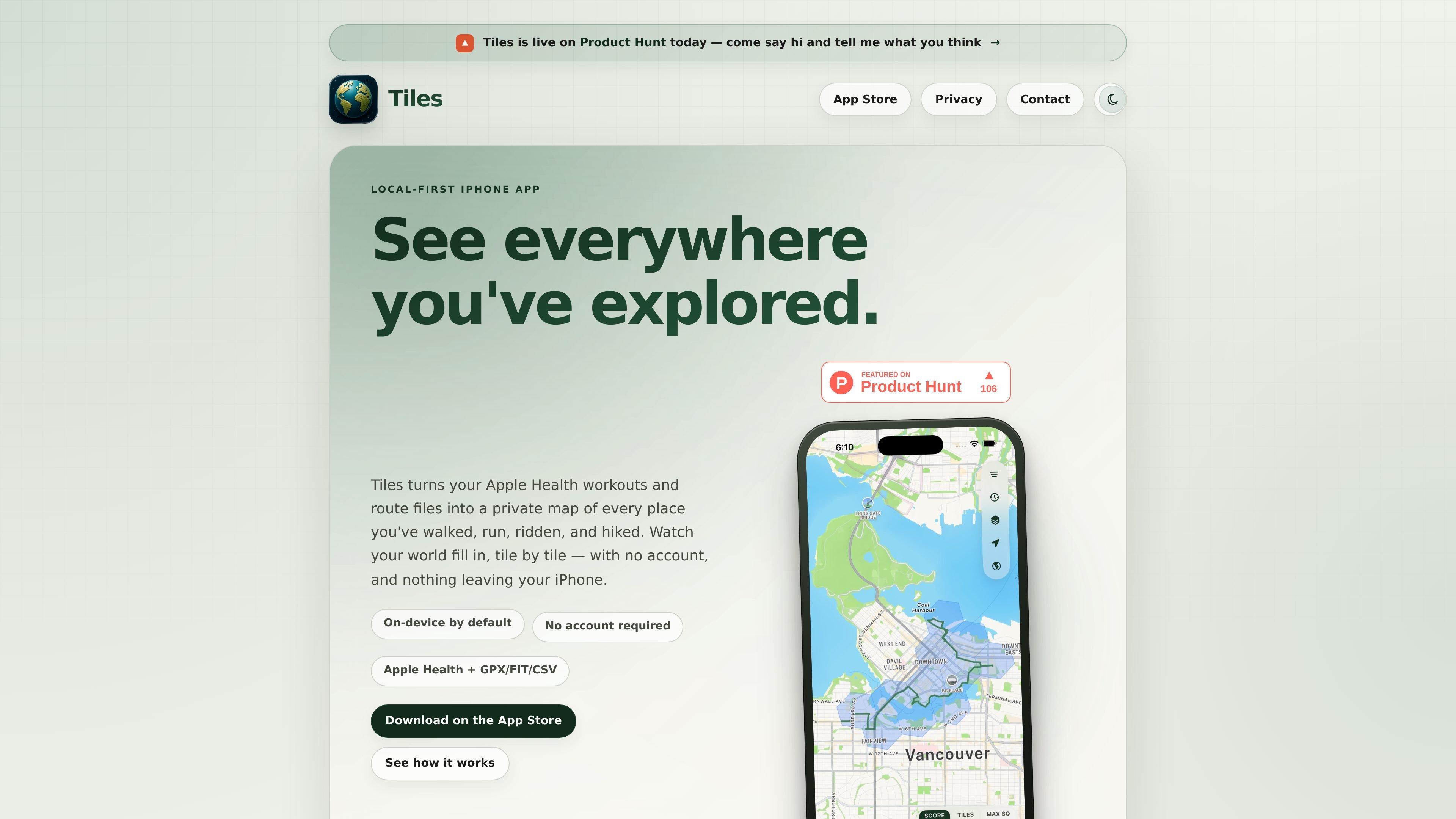
Tiles is a private mapping app for Apple Health workouts and route files. It turns recorded walks, runs, rides, hikes, and imported files into a map of where you have explored, with tiles filling in as your history grows.
The app is built to stay local-first: there is no Tiles account, no ads, and no social feed. Your imported workouts, routes, and map history stay on your iPhone by default, while optional iCloud Sync or Backup can store selected data in your private iCloud container.
Connect Apple Health or import GPX, FIT, and CSV files to bring in walks, runs, rides, hikes, and older route history.
See your explored areas fill in on a fog-of-war map as you move through the world and review where you have and have not been yet.
Switch between fog, heatmap, route, and globe views to inspect the same activity history in different ways.
Track Adventure Score, stamps, achievements, and milestone badges that turn imported activity into progress inside the app.
Create shareable stat cards for milestones and achievements while keeping the underlying route data on your device.
Store data locally by default, with optional iCloud Sync or Backup if you want selected data in your private iCloud container.
Import Apple Health workouts to see a private map of the places you have walked, run, ridden, or hiked over time.
Bring in GPX, FIT, or CSV route files from devices and other apps to keep older activity in one map.
Use the coverage map, heatmap, and route views to inspect where you have explored most and where you still have gaps.
Turn milestones and scores into stat cards you can share while leaving the route data itself on your device.
Use the app without creating an account, then try Demo Mode before connecting permissions or importing personal data.
No. Tiles is designed as a local-first app and does not require a Tiles account to import or view your data.
Tiles imports Apple Health workouts and route files such as GPX, FIT, and CSV. The source also says it can handle geotagged photo journeys.
Tiles is free to download and use, with Tiles Pro offered as an optional upgrade for advanced map modes, deeper metrics, and file and photo imports.
Tiles does not run its own background location tracking. It maps workouts you have already recorded, so it is not meant to track live GPS activity in the background.
Yes. If you enable optional iCloud Sync or Backup, selected app data is stored in your private iCloud container through Apple’s iCloud service, not on Tiles-operated servers.

Teloframe is an AI-powered football coaching platform for building tactics, editing drills, planning sessions, and managing player development in one workspace. It includes a Free tier plus Pro and Club plans for coaches and analysts who need more collaboration and team features.

LeanUp is an AI calorie tracker and meal-planning app for logging meals, tracking macros, and getting personalized nutrition guidance. It supports barcode scanning, photo-based food recognition, manual search, and recipe reuse.

TrakMac is a voice-first macro tracking app for fitness-focused users on iOS. It estimates calories and macros from spoken meal descriptions, then helps users log food and stay aligned with their training goals.

Padel Chess is a web-based learning platform for improving padel tactical skills through puzzle-based practice. It helps players work on positioning, shot selection, and decision-making in realistic court scenarios.

Pitch Planner is a youth soccer substitution tracker for coaches and team managers. It helps plan lineups, track live substitutions and player minutes, and review match recaps from one phone.
PitchHighway helps singers learn songs with real-time pitch feedback, guided drills, and free browser tools for range testing, warm-ups, key finding, and note practice. It works in the browser and on iPhone and iPad.