
End-to-end short-form clipping workflow
Import a local video file or paste a supported link, then move through transcription, moment finding, captioning, reframing, music, rendering, and export in one flow.

UniSin is a Windows desktop video clipping app that turns long videos into captioned short-form clips with reframing, styled captions, music controls, and local rendering. It includes a free tier and a paid Premium plan.
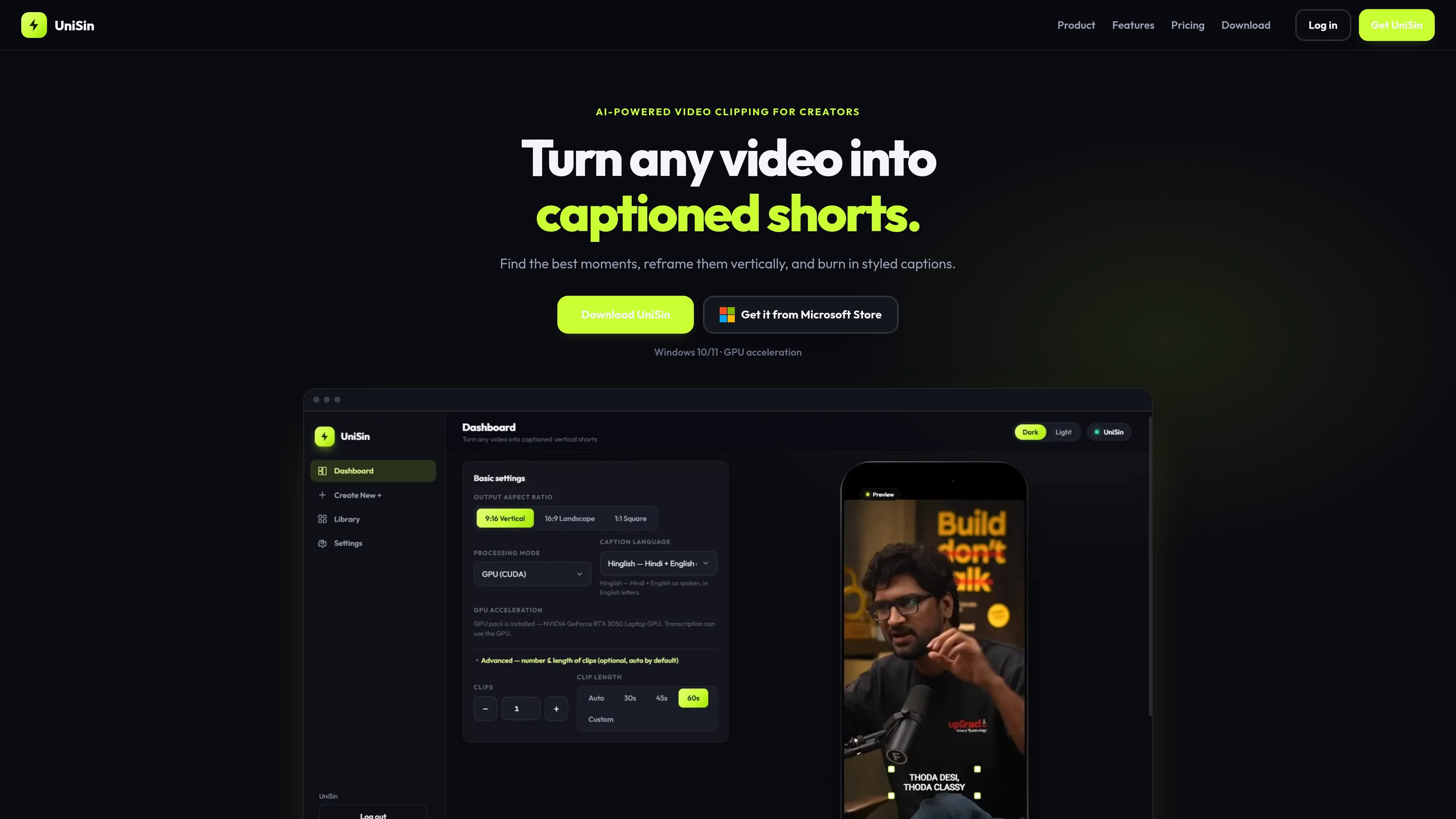
UniSin is a Windows desktop app for turning long videos into captioned short clips. It is built to find strong moments, burn in styled captions, reframe footage for social formats, and render the result on the user’s PC.
The workflow is aimed at creators who want to move from raw footage to a ready-to-post short without rebuilding every edit manually. The site shows import, transcription, moment selection, caption styling, reframing, music, rendering, and export as one sequence, with local rendering and GPU acceleration on supported hardware.
Import a local video file or paste a supported link, then move through transcription, moment finding, captioning, reframing, music, rendering, and export in one flow.
Generate styled captions from a growing library of short-form looks, with typography, highlighting, position control, and presets for customization.
Reframe footage for 9:16, 16:9, or 1:1 output without rebuilding the edit from scratch, with manual reframing and keyframes for finer adjustments.
Use GPU acceleration when a compatible NVIDIA GPU is available, with CPU processing available otherwise.
Add background music, adjust volume, duck music under speech, and align tracks with the beat.
Prepare short clips from longer recordings by importing footage, finding a good segment, adding styled captions, and exporting a polished result.
Convert widescreen footage into a vertical format for social platforms while keeping control over the crop with manual reframing and keyframes.
Produce captioned clips from local files or supported links without moving to a separate cloud editing workflow.
Add background music to a clip, adjust levels, and duck the track under speech so the dialogue stays clear.
UniSin is a Windows desktop app. The source says it can be installed through the Microsoft Store on Windows 10 and Windows 11, and a direct .exe installer is also offered when available.
Yes. The app supports local video files, and it can also accept a supported video or YouTube link where that path is enabled in the app.
Yes. UniSin can export 9:16 vertical, 16:9 landscape, or 1:1 square clips, and it also offers manual reframing and keyframes for more precise control.
Yes. UniSin includes caption presets and a library of short-form caption styles, plus controls for typography, highlighting, position, and preset-based styling.
Finished clips are saved on your computer, for example under Local App Data\UniSin. The source says exports are not hosted on unisin.app.

Zella is a screen recorder and on-device AI video editor for Mac and iPhone. It helps creators record screens or cameras, automatically clean up footage, add captions, reframe clips, and export videos without uploading the core project to the cloud.

Tactiq is an AI note taker for Google Meet, Zoom, and Microsoft Teams that transcribes meetings live and turns them into summaries, action items, and follow-up outputs. It is built around a Chrome extension and supports team workflows through sharing and integrations.

CAMB.AI Streams dubs live audio in multiple languages in real time for broadcasts on platforms like YouTube, Twitch, and X. It plugs into existing live workflows using common streaming protocols and avoids a post-production step.

CAKIE is a Mac app for recording your screen and voice for an AI agent. It adds a transcript and screenshot highlights, then lets you copy a prompt and paste or attach the context in another AI app.

SpeakoFlow is a free, open-source desktop voice-to-text app for Windows, macOS, and Linux. It supports dictation into any app, voice-driven writing with Flow, cleanup, translation, and a screen-aware assistant.

Video Effects SDK adds real-time webcam effects such as background blur, background replacement or removal, denoising, framing, beautification, and color grading. It is built for teams shipping live video experiences on web, desktop, and mobile platforms.