
Inbox splits
Upstream splits the inbox into categories like Needs Reply and Follow Ups so important mail is surfaced separately from noise such as newsletters and other low-priority messages.

Upstream is a messaging app for teams built on top of email. It combines inbox organization, AI reply drafting, follow-up assistance, and team collaboration features.
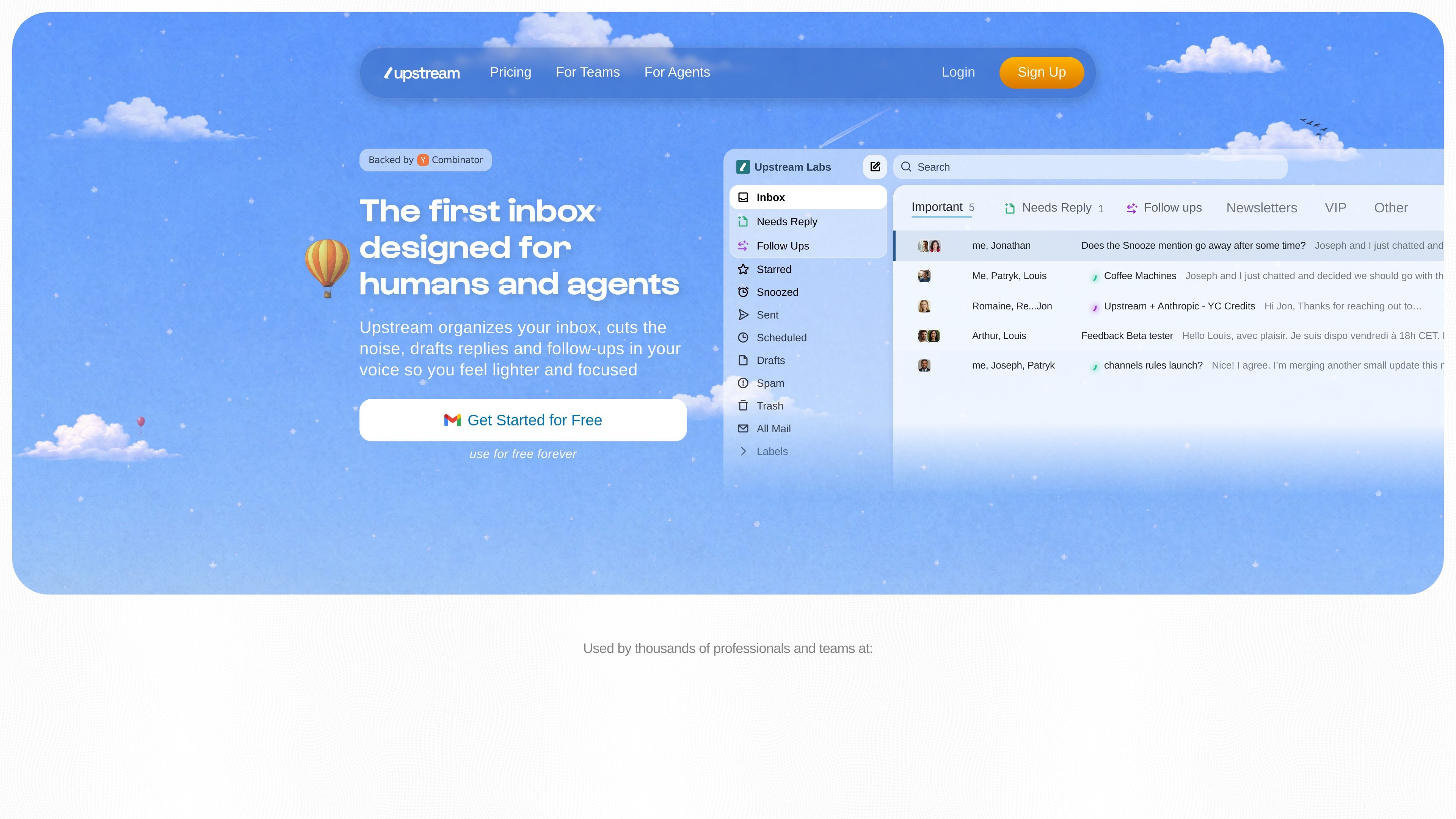
Upstream is a messaging app for teams built on top of email. It reorganizes the inbox into work-oriented splits, adds AI drafting and follow-up help, and gives teams ways to share, comment on, and manage conversations without relying on forwarding.
The product is positioned for both people and agents: the site describes it as an inbox for humans and agents, with separate pages for teams and for agents. Pricing ranges from a free Core plan to paid Pro and Max tiers with additional AI controls, collaboration features, and enterprise support options.
Upstream splits the inbox into categories like Needs Reply and Follow Ups so important mail is surfaced separately from noise such as newsletters and other low-priority messages.
The product drafts replies in the user’s voice and tone, using recipient context, thread history, and past messages to tailor suggestions to the conversation.
Smart Follow Ups helps surface or prepare follow-up activity, with tiered limits shown on the pricing page and higher tiers unlocking unlimited usage.
Team tools include shared channels, private channels, followers, team comments, and channel history so conversations can be discussed without forwarding threads around.
Advanced plans add configurable prompts, AI search, support for all OpenAI and Claude models, multiple accounts, and enterprise-oriented support and onboarding options.
The pricing page also references mobile access and a Granola integration, while the site’s agent-focused pages present the product for human and agent workflows.
For teams handling shared inboxes or customer-facing mail, Upstream helps route conversations, share context, and leave comments without forwarding threads back and forth.
For people who want help replying faster, the AI draft flow produces suggestions in the user’s voice so they can open a thread, adjust the draft, and send it.
For inboxes with a mix of urgent mail, newsletters, and long-running threads, the split inboxes separate follow-ups, starred items, and low-priority messages into distinct views.
For teams that need tighter coordination around specific conversations, channels and followers let people observe or join a thread while keeping access manageable.
For larger organizations, the Max plan is presented as the option for advanced security, AI needs, dedicated support, and onboarding.
Upstream is designed to sit on top of email and organize conversations into inbox splits such as Needs Reply, Follow Ups, Starred, Snoozed, Sent, Scheduled, Drafts, Spam, Trash, and All Mail.
The source describes Upstream for teams and for agents, with team-oriented features like shared channels, comments, followers, and private channels. It is presented as a messaging app for teams built on top of email, rather than a standalone chat platform.
The pricing page shows a free Core plan, a Pro plan billed at $20 per member per month billed yearly, and a Max plan billed at $60 per member per month billed yearly. The pricing page also offers a free trial for Pro and a demo request flow for Max.
The rendered pages mention mobile access and AI features such as drafts, smart follow-ups, AI search, and configurable prompts. They do not clearly list desktop apps, full platform support details, or a complete integration catalog beyond a Granola integration reference.
The site positions the product around email-based team coordination, AI drafting, follow-ups, inbox splits, comments, and shared or private channels. More detailed setup and administration guidance is not shown in the provided source text.

Biji ist eine vielseitige Plattform, die entwickelt wurde, um die Produktivität durch innovative Werkzeuge und Funktionen zu steigern.

Dcyde is a decision log for product teams that captures what was decided, the reasoning behind it, and the source in one shared place. It supports pinning decisions from Slack, Figma, or inside Dcyde and keeps the record searchable over time.

Dirac is an AI email assistant that prepares a morning brief, prioritizes important threads, and drafts replies in your voice. It is positioned for founders and other busy professionals who use Gmail and want to reduce morning inbox triage.

Carbon Voice is an asynchronous voice messaging app for teams and individuals, with transcripts, AI catch-up, and cross-device access. It helps people and agents communicate without needing a live call.

ClawCard gives AI agents a dedicated identity stack: email, US phone number, virtual cards, wallet, on-chain identity, and access to paid APIs. It is built for automated signups, checkouts, credential storage, and machine payments through CLI and REST workflows.

Goldfish is an AI memory app for macOS that helps you reply, write, summarize, and continue using the context already on your Mac. It stores memory locally and writes in your tone.