
Automatic website monitoring
Upvotics can visit competitor websites on a schedule and compare each scan with previous snapshots so changes are detected automatically.

Upvotics is a competitive intelligence platform that monitors competitor websites, detects changes, and turns them into plain-English alerts and reports. It helps teams track pricing pages, product updates, and positioning changes without manual checking.
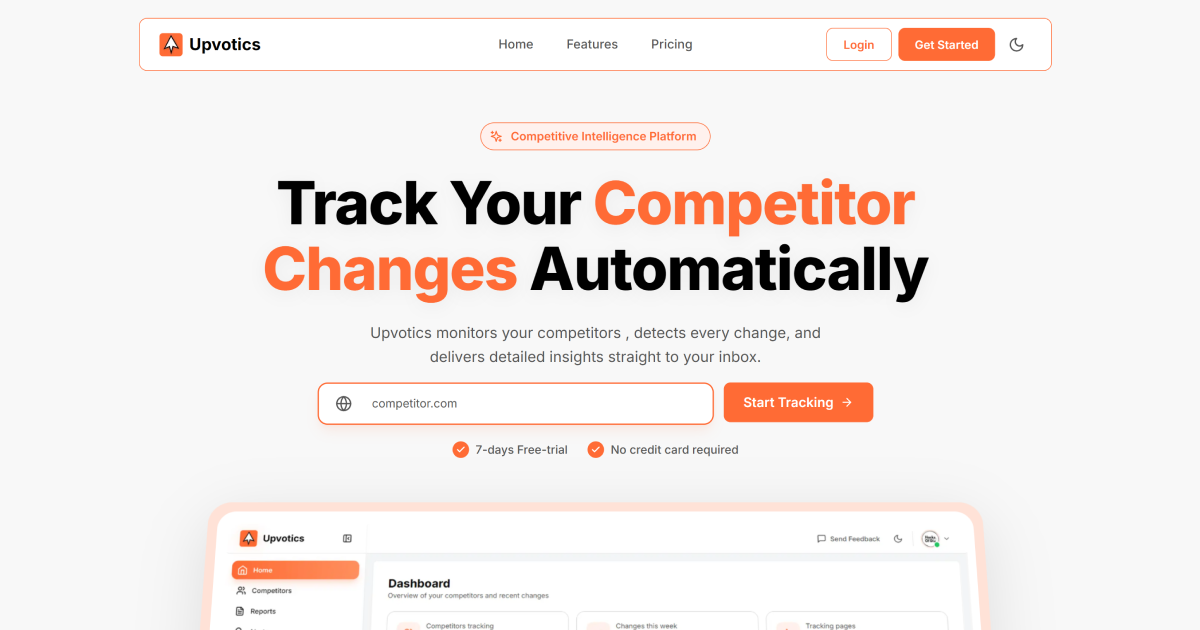
Upvotics is a competitive intelligence platform that monitors competitor websites automatically and turns detected changes into reports, alerts, and plain-English summaries. The homepage says it tracks changes on competitor pages, compares them with earlier snapshots, and delivers insights by browser and email notifications.
The product is positioned for teams that want to follow pricing pages, homepages, changelogs, and other public pages without manual checking. Its public site also includes related research tools for website tech stack detection and full-page screenshots, which fit the same competitive analysis workflow.
Upvotics can visit competitor websites on a schedule and compare each scan with previous snapshots so changes are detected automatically.
The platform turns detected changes into plain-English explanations that describe what changed and what it may mean for the business, instead of raw HTML diffs.
Users can configure which pages to follow, with the homepage, pricing page, and changelog explicitly shown on the site, and choose scan frequency from hourly, daily, weekly, or monthly.
Upvotics sends browser and email notifications when important changes are found so teams do not need to check the dashboard constantly.
The product can generate shareable PDF competitive reports and competitive briefs for strategy reviews, stakeholder updates, and sales alignment.
The site presents Upvotics as a competitive intelligence and analysis platform, and its public pages also include free tools for website tech stack checking and screenshot capture.
Monitor competitor pricing pages, homepages, and changelogs to catch launches, price shifts, messaging changes, and redesigns without manually revisiting each site.
Use the plain-English change summaries and PDF reports to prepare strategy reviews or brief leadership on what changed and why it may matter.
Share competitor reports and battlecards with sales teams so they can respond to positioning changes with current information.
Set up tracking on a company’s own website alongside rivals to compare how product pages, pricing pages, and messaging evolve over time.
Use the free tech stack checker and screenshot tool alongside monitoring to document what a competitor site looks like and which technologies appear to power it.
Upvotics monitors competitor websites automatically and sends browser and email notifications when it detects changes. The site says you can add your own website as a product and your rivals as competitors, then choose which pages to track and how often to scan them.
The contact page says Upvotics replies to contact form messages within one to two business days. For larger deployments or procurement questions, it asks teams to include their company domain and team size so the team can coordinate next steps by email.
Upvotics generates plain-English change explanations, alerts, and shareable PDF reports. The homepage also mentions competitive briefs and report sharing for strategy reviews and stakeholder updates.
The pricing page shows a 7-day free trial and a Pro plan with automatic monitoring, AI-powered change analysis, hourly and daily scan options, and priority support. The site also says the product can be canceled anytime.
The homepage and contact page suggest Upvotics is best for monitoring competitor pages such as homepages, pricing pages, and changelogs, but the public pages do not document a full integrations catalog or every possible workflow.

PromptScout tracks how ChatGPT, Gemini, Google AI Overviews, and Perplexity mention your brand or competitors, then pairs those results with source analysis and website audits. It helps teams decide what to fix in content, positioning, or site readiness next.

Sleek Analytics is a privacy-friendly web analytics tool with real-time visitor tracking, Core Web Vitals, and revenue attribution. It helps site owners understand traffic and conversions without cookie banners or a heavy setup.

Rectify is an all-in-one SaaS operations platform that combines session replay, monitoring, support, code scanning, roadmaps, and changelogs. It is aimed at founders and product teams, especially non-technical SaaS teams working with AI-assisted development.

SaveMRR is a Stripe retention tool for SaaS teams that scans billing data for churn and MRR leaks, then automates recovery through dunning, cancel-save offers, win-back emails, and onboarding nudges. It is built for founders and bootstrapped teams using Stripe.

Hype is a web tool for finding trending YouTube topics by category, time range, and scoring mode. It helps creators spot emerging ideas, inspect source videos, and decide what to cover next.

Struere is an AI-native platform for turning spreadsheet data into structured operational software with dashboards, alerts, and automations. It is aimed at teams that want to replace manual spreadsheet workflows without building custom tools from scratch.