
Code editor
Edit code with syntax highlighting for more than 10 languages, plus autocomplete, find and replace, multiple cursors, and keyboard shortcuts.

Zyntax is a code editor for Android with a terminal, Git, AI assistance, and package management for building on a phone or tablet. It offers a free Lite tier and a one-time paid Full version.
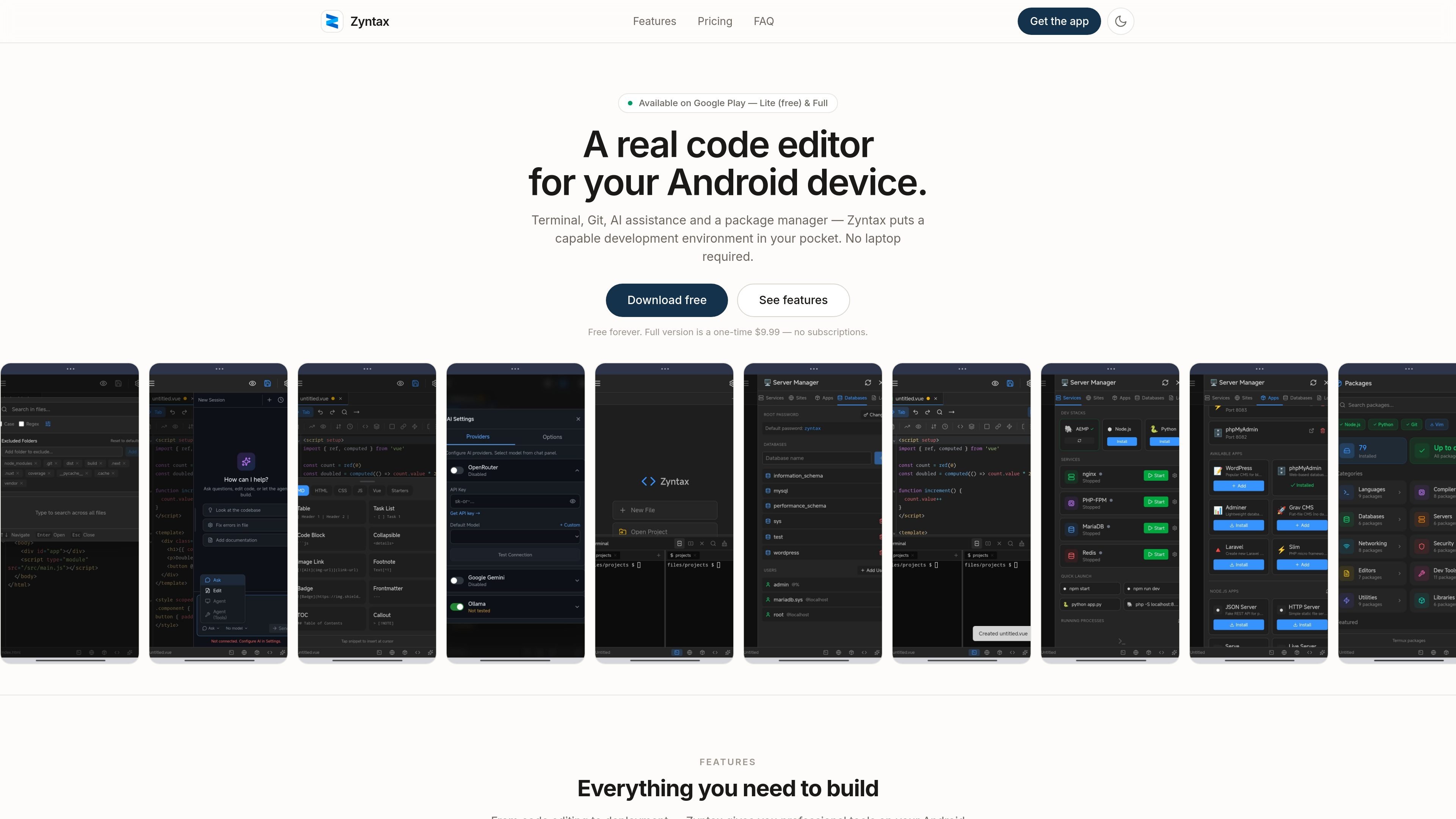
Zyntax is a code editor for Android that combines editing, terminal access, Git, AI assistance, and package installation in one local-first app. It is positioned for people who want to build, test, and deploy from a phone or tablet rather than a laptop.
The site distinguishes between a free Lite version and a paid Full version. Lite covers learning and light development, while Full adds the package manager, server manager, split terminal panes, and a broader development setup for running tools and local services on the device.
Edit code with syntax highlighting for more than 10 languages, plus autocomplete, find and replace, multiple cursors, and keyboard shortcuts.
Use a full PTY terminal with bash and zsh to run scripts and commands directly on Android.
Manage repositories from a visual Git interface with clone, commit, push, pull, branch, merge, and remote sync actions.
Connect your own AI API key to get code-aware help for fixing bugs and writing faster. The site mentions OpenRouter, Gemini, and Ollama.
Install development tools and packages such as Node.js, Python, PHP, Rust, Go, npm, pip, Composer, and Cargo.
Run nginx, PHP-FPM, MariaDB, and Redis on the device for a portable dev server.
Practice programming on an Android device and run code immediately without needing a laptop.
Pull a repository, make a small change, test it in the terminal, and push the update from your phone.
Keep working on side projects during commutes or breaks with editing, terminal, and Git in one place.
Run nginx, databases, and PHP locally for demos, testing, or a portable development server.
No. The product is presented as a complete development environment that runs on Android, so you can write, test, and deploy without a computer.
Yes, but only in the Full version. The package manager is listed as a Full feature and includes tools such as Node.js, Python, PHP, Rust, Go, and hundreds of other packages.
Zyntax supports AI providers such as OpenRouter, Google Gemini, and Ollama. You supply your own API key, which keeps the AI setup under your control.
No. The site says all code stays on your device, with no cloud storage and no data collection.
Lite is free with ads and includes the editor, terminal, Git, and AI. Full is a one-time purchase that adds the package manager, server manager, split terminal, and removes ads.

ByteAsk is a terminal-first AI coding agent for C and C++ that edits repositories and verifies changes with the real compiler, debugger, sanitizers, and tests before showing a diff. It offers a free tier plus paid plans, with editor connectors and zero-retention handling described in the source.

GitBot is a local browser-based workspace for creating reusable coding bots powered by Claude Code, Codex, or OpenCode. It helps developers run those agents across repository folders with persistent threads and configurable permissions.

Ghost ist ein terminalbasierter KI-Assistent für Chats, Code-Generierung und Aufgaben direkt in der Kommandozeile. Mit kostenlosen Modellen, Linux, macOS und Windows. Open Source.

Vi3ecode is a maintained development environment for working with AI coding agents. It keeps project context, terminal, Git, memory, flows, review, and communication connected around the agent you already use.

CreateOS Sandbox is an isolated compute environment for running code and agent workloads inside Firecracker micro-VMs. It is designed for workflows that need machine-level isolation, private networking between sandboxes, and programmatic control through SDK, CLI, or MCP.

hob is an independent workspace for coding agents that keeps agent sessions, terminals, history, and follow-up work organized around the tools and providers you already use. It is aimed at developers who want local control over routing, history, and workspace structure rather than a bundled model stack.