

AutoSend
AutoSend is a lightweight SendGrid alternative for transactional and marketing emails, designed for developers and marketers to create, personalize, and send beautiful emails effortlessly.
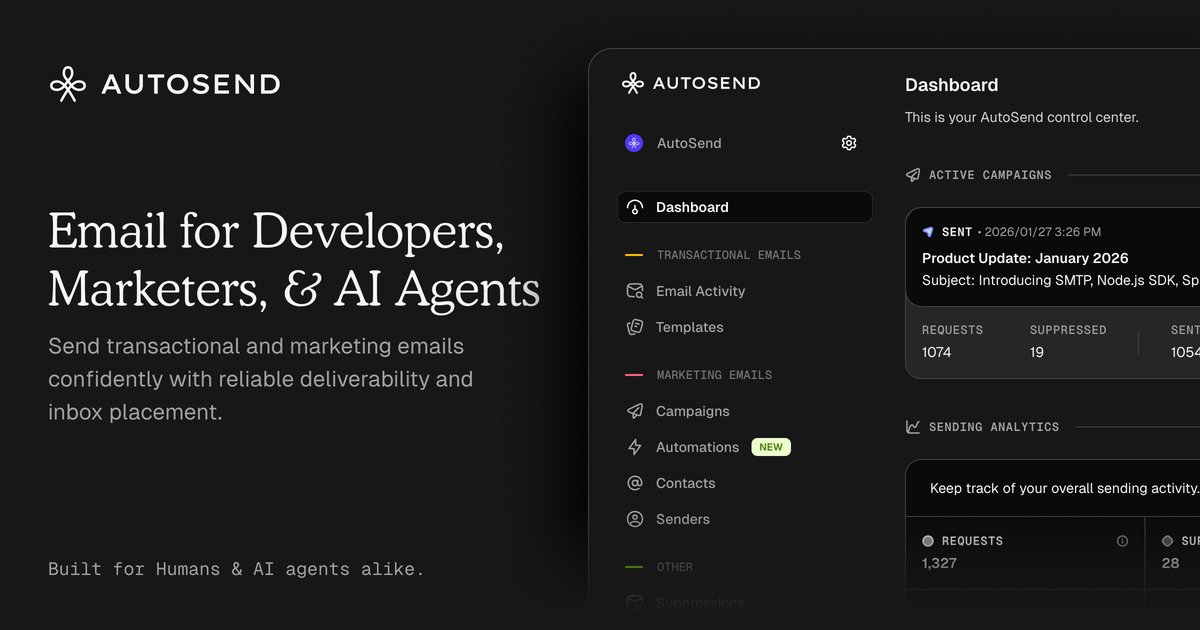
What is AutoSend?
What is AutoSend?
AutoSend is a modern email marketing platform that simplifies the process of creating and sending both transactional and marketing emails. It serves as a lightweight alternative to traditional services like SendGrid, focusing on ease of use and scalability. With AutoSend, users can craft personalized email campaigns that resonate with their audience, from newsletters to product launches, all while eliminating the complexities often associated with email marketing.
The platform is designed for both developers and marketers, allowing teams to focus on their messaging rather than getting bogged down in technical details. Whether it's setting up automated email sequences or analyzing campaign performance, AutoSend provides the tools necessary to engage audiences effectively.
Key Features
- User-Friendly Interface: Create and manage email campaigns without needing extensive technical knowledge.
- Automated Email Sequences: Set up welcome sequences, onboarding flows, and re-engagement campaigns that trigger automatically based on user behavior.
- Real-Time Metrics: Monitor opens, clicks, and conversions as they happen, enabling immediate insights into campaign performance.
- Markdown Support: Write emails in markdown, preview them instantly, and send them out in minutes, streamlining the content creation process.
- Scalability: Designed to grow with your business, accommodating increasing email volumes without compromising performance.
How to Use AutoSend
Getting started with AutoSend is straightforward:
- Sign Up: Create an account on the AutoSend website to access the platform.
- Create Your First Campaign: Use the intuitive editor to design your email. You can write in markdown for easy formatting.
- Set Up Automation: Define triggers for your automated email sequences, such as user sign-ups or specific actions taken on your website.
- Preview and Test: Use the preview feature to see how your email will look on various devices before sending.
- Launch Your Campaign: Once satisfied, send your email to your targeted audience and monitor the performance metrics.
Use Cases
- E-commerce: Online retailers can use AutoSend to send order confirmations, shipping notifications, and promotional emails to boost sales.
- SaaS Companies: Software providers can automate onboarding emails and user engagement campaigns to enhance customer retention.
- Event Management: Organizers can create and send invitations, reminders, and follow-up emails for events, ensuring attendees are well-informed.
- Nonprofits: Charitable organizations can reach out to donors with newsletters, updates, and fundraising appeals, fostering community engagement.
- Content Creators: Bloggers and influencers can manage their subscriber lists and send out regular updates about new posts or products.
FAQ
1. What pricing plans does AutoSend offer?
AutoSend provides various pricing tiers to accommodate different business sizes and needs. Check the website for detailed pricing information.
2. Can I integrate AutoSend with other tools?
Yes, AutoSend supports integrations with various platforms, allowing you to connect your existing tools for a seamless workflow.
3. Is there customer support available?
Absolutely! AutoSend offers customer support through various channels, including email and live chat, to assist users with any inquiries.
4. How does AutoSend handle email deliverability?
AutoSend employs best practices and industry standards to ensure high deliverability rates for your emails, helping you reach your audience effectively.
5. Can I customize my email templates?
Yes, AutoSend allows extensive customization of email templates, enabling you to align your emails with your brand's identity.
Alternatives

PXZ AI
An All-In-One AI Platform that combines tools for image, video, voice, writing, and chat to enhance creativity and collaboration.

Grok AI Assistant
Grok is a free AI assistant developed by xAI, engineered to prioritize truth and objectivity while offering advanced capabilities like real-time information access and image generation.

beehiiv
beehiiv is an all-in-one newsletter platform providing integrated tools for email publishing, no-code website building, audience growth, and monetization for creators and brands.

AI Song Maker
Create royalty-free songs effortlessly with our AI Song Maker and Music Generator.

DeepMotion
DeepMotion offers AI-powered motion capture and real-time body tracking to generate 3D animations from video in seconds.

PaperBetterAI
PaperBetterAI is an intelligent writing tool that generates academic papers and various writing materials in both Chinese and English using advanced AI technology.