

Axel
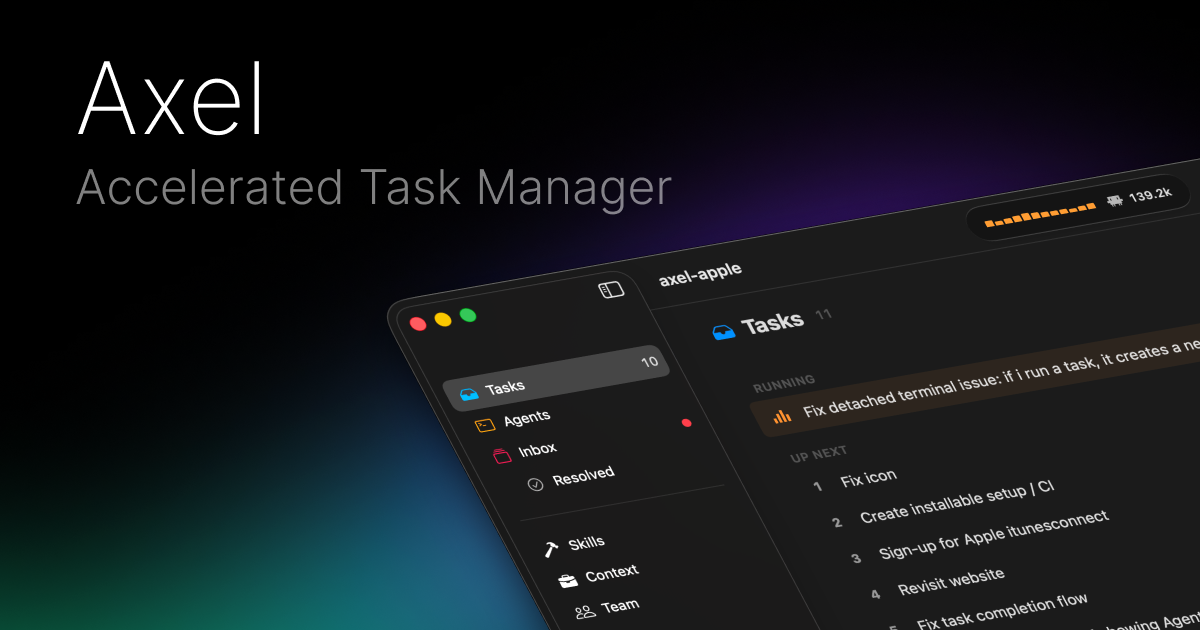
Axel is an accelerated task manager for macOS that queues tasks and dispatches them to various AI agents like Claude, Codex, and OpenCode, all managed from a centralized inbox.
What is Axel?
What is Axel?
Axel is a powerful, native macOS application designed to accelerate development workflows by acting as a centralized, intelligent task manager for AI agents. It allows developers to queue up complex tasks—ranging from code generation and modification to running tests or making API calls—and dispatch them to specialized large language models (LLMs) such as Claude, Codex, and OpenCode. By providing a single, streamlined interface, Axel eliminates the friction of switching between multiple tools or manually managing agent interactions, ensuring that developers can focus purely on the logic and outcome of their work.
This application transforms how development teams interact with AI assistants. Instead of ad-hoc prompts, Axel introduces a structured queue system where tasks can be prioritized, reordered dynamically while executing, and monitored in real-time. Furthermore, Axel integrates deeply with the developer environment, supporting project-specific configurations via AXEL.md files and ensuring that AI skills are portable across different agents, maximizing consistency and efficiency across the entire development lifecycle.
Key Features
- Accelerated Task Queue: Add tasks to a persistent queue, assign them to specific agents (Claude, Codex, OpenCode, Antigravity), and reorder priorities on the fly without restarting execution. Tasks run in parallel for maximum throughput.
- Centralized Approval Inbox: Agents request permission for sensitive actions like file edits, command execution, or API calls. All requests are consolidated in one inbox where users can approve, deny, or set granular auto-approval rules.
- Full Context Previews: Before approving any action, users see the full context, including file paths, detailed diff previews of proposed changes, and command arguments.
- Portable Skills & Configuration: Define project layouts, pane configurations, and skills using a single
AXEL.mdYAML frontmatter file. Skills are stored centrally (~/.config/axel/skills) and automatically symlinked to the expected locations for every agent. - Environment Integration: Seamlessly integrates with Git workflows by spawning necessary worktrees (e.g.,
axel -w feat/auth) and supports persistent terminal sessions using tmux or iTerm2. - Cost and Token Tracking: Provides real-time visibility into resource usage, tracking input/output tokens and estimated USD costs per task, with cumulative totals tracked per session.
- Native macOS Experience: Built with SwiftUI, Axel offers a native menu bar application with deep OS integration, including keyboard shortcuts and macOS notifications for blocked approvals.
How to Use Axel
Getting started with Axel involves setting up your environment and defining your first project workflow:
- Installation and Setup: Download the native macOS application. Configure your preferred AI agents (like setting up API keys for Claude or Codex) within the application settings.
- Project Configuration (
AXEL.md): For structured projects, create anAXEL.mdfile in your root directory. This YAML frontmatter defines your desired layout, pane structure, and which skills should be available for that specific project. - Adding Tasks: Add tasks directly to the queue via the application interface or using keyboard shortcuts. Specify which agent should handle the task (e.g., use Claude for creative writing tasks and Codex for pure code generation).
- Managing Execution: Monitor the queue as tasks execute in parallel. If a task requires file modification or command execution, it will pause and await approval in the Inbox.
- Approving Actions: Review the diff preview and command arguments in the Inbox. Approve the action to let the agent proceed, or deny it. Set up auto-approval rules for low-risk, read-only operations to maintain flow.
- Workflow Persistence: Utilize the integration with tmux/iTerm2 to ensure that even if you close your terminal session, the agent processes and task states persist, allowing you to reattach later.
Use Cases
- Rapid Feature Prototyping: A developer needs to implement a new authentication middleware. They queue the task to "Add JWT validation to auth middleware." Axel spawns the necessary git worktree, the agent drafts the code, and the developer approves the file edit directly from the macOS notification, all while tracking the token cost.
- Complex Refactoring & Testing: When refactoring a large module, developers can queue a series of dependent tasks: 1) Analyze dependencies (Claude), 2) Refactor code (Codex), and 3) Execute full test suite (local command). The queue ensures steps run sequentially only after the preceding step is approved and completed.
- Automated Documentation Updates: For projects requiring frequent documentation synchronization, developers can set an auto-approve rule for small token-limit edits to documentation files (
*.md). Any agent modification to these files is instantly merged, provided the change is minor. - Cross-Agent Skill Deployment: A team uses a specific, custom-built skill for database schema migration. By storing this skill in the central
~/.config/axel/skillsdirectory, any agent launched within an Axel-managed session can immediately access and utilize that skill without manual setup.
FAQ
Q: Which AI models does Axel currently support? A: Axel is designed to be agent-agnostic, supporting popular models like Anthropic's Claude, OpenAI's Codex, and custom models like OpenCode and Antigravity. Support is managed via configuration files.
Q: Is Axel compatible with my existing terminal setup? A: Yes. Axel integrates seamlessly with both tmux and iTerm2, ensuring that your terminal sessions are persistent. You can close your laptop or terminal application and resume your work exactly where the agents left off.
Q: How does Axel handle security and unauthorized changes? A: Security is paramount. By default, nothing runs without explicit user approval. Every file edit or command execution is blocked until you review the full context (including diff previews) in the Inbox and manually approve the action, unless an explicit auto-approve rule is set.
Q: Can I track the financial cost of using AI agents? A: Absolutely. Axel features built-in token and cost tracking. It displays the input/output tokens and the estimated USD cost associated with each executed task, providing transparency over your LLM expenditure.
Q: Is Axel available on platforms other than macOS? A: Axel is currently developed as a native SwiftUI application specifically for the Apple ecosystem, including macOS, with potential for iOS and visionOS integration in the future.
Alternatives

AakarDev AI
AakarDev AI is a powerful platform that simplifies the development of AI applications with seamless vector database integration, enabling rapid deployment and scalability.

Biji
Biji is a versatile platform designed to enhance productivity through innovative tools and features.

Prompty Town
Prompty Town is an innovative platform that allows users to transform their links into virtual buildings, creating a unique and engaging way to share and interact with content.

Planndu: Daily Task Planner
Planndu is an intuitive productivity application designed to help users organize tasks, manage projects, build routines, and enhance focus using tools like AI generation and a built-in Pomodoro timer.

BookAI.chat
BookAI allows you to chat with your books using AI by simply providing the title and author.

Devin
Devin is an AI coding agent and software engineer that helps developers build better software faster.