

Compressor
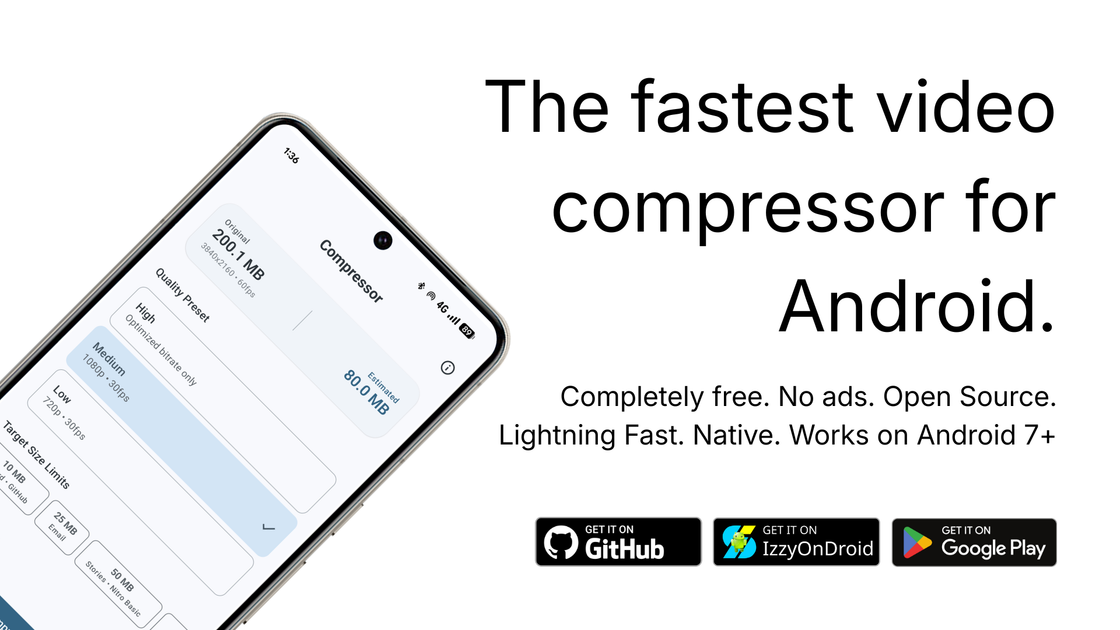
Lightning fast, ad free, super lightweight native video compressor for Android.
What is Compressor?
What is Compressor?
Compressor is a native video compression application designed specifically for Android devices. It offers a fast, efficient, and user-friendly way to compress videos without the hassle of ads or invasive permissions. Built using the native Media3 library, Compressor is optimized for performance and is significantly faster than other compression apps available on the Play Store. With a focus on simplicity and effectiveness, it caters to users who need to reduce video file sizes quickly while maintaining quality.
Key Features
- Lightning Fast Compression: Compressor is faster than any other compression app on the Play Store, utilizing native libraries for optimal performance.
- Ad Free Experience: Enjoy a seamless experience without interruptions from advertisements.
- Lightweight Application: The app is super lightweight, taking up less than 10MB of storage on your device.
- No Third-Party Libraries: Built entirely in Kotlin, Compressor does not rely on bulky third-party libraries, ensuring a smooth user experience.
- Share Sheet Support: Easily share compressed videos directly from the app using the Android share sheet.
- Compatibility: Works on Android 7.0 and up, making it accessible to a wide range of devices.
- Simple, Clean UI: The user interface is designed for ease of use, allowing users to navigate and compress videos effortlessly.
How to Use Compressor
To get started with Compressor, follow these simple steps:
- Download and Install: Visit the GitHub repository to download the latest version of the app.
- Open the App: Launch Compressor on your Android device.
- Select a Video: Use the app's interface to choose the video you want to compress.
- Choose Compression Settings: Select your desired compression settings based on the quality and size you need.
- Compress the Video: Tap the compress button and wait for the process to complete. The app will notify you once the compression is finished.
- Share or Save: You can then share the compressed video directly or save it to your device.
Use Cases
- Social Media Sharing: Perfect for users who frequently share videos on platforms like Instagram, Facebook, or TikTok, allowing for quicker uploads without sacrificing quality.
- Storage Management: Ideal for individuals looking to free up space on their devices by compressing large video files.
- Video Editing: Useful for video editors who need to compress footage before uploading to editing software or sharing with clients.
- Travel and Events: Great for travelers or event-goers who capture high-quality videos but want to save space on their devices for more footage.
- Content Creators: Beneficial for YouTubers and content creators who need to compress videos for faster uploads while maintaining quality.
FAQ
Q1: Is Compressor free to use?
A1: Yes, Compressor is free to download and use. There are no hidden fees or subscriptions.
Q2: What Android versions are compatible with Compressor?
A2: Compressor is compatible with Android 7.0 (Nougat) and above.
Q3: Are there any ads in the app?
A3: No, Compressor is completely ad-free, providing a smooth user experience.
Q4: Can I share compressed videos directly from the app?
A4: Yes, Compressor supports sharing videos directly through the Android share sheet.
Q5: How does Compressor compare to other video compression apps?
A5: Compressor is significantly faster than many other apps, with performance tests showing it can be up to 117 times faster than competitors like Panda Video Compressor.
Alternatives

skyreels
Skyreels is a platform designed to enhance video creation and editing through advanced AI technologies.

Gling
Gling’s AI video editing software is designed for YouTube creators, optimizing workflows by automatically cutting out bad takes, silent moments, filler words, and background noise.

FlexClip
FlexClip is a free online video editor and video maker that allows users to create videos with text, music, animations, and more effects without requiring any video editing skills.

EbSynth
EbSynth is VFX software for creative video transformations, retouching, and rotoscopy.

Merra AI
Merra is an AI-powered video editor designed for automatic and batch video creation, transforming raw content into polished social media videos complete with voiceovers, captions, and music.

Edit Mind
Edit Mind is a web application that indexes videos using AI technologies, enabling semantic search through natural language queries and scene exports.