
CreateOS
CreateOS is a unified execution environment that lets you build, deploy, and scale applications with AI-assisted workflows, ready-made templates, and one-click deployment—without needing DevOps expertise.
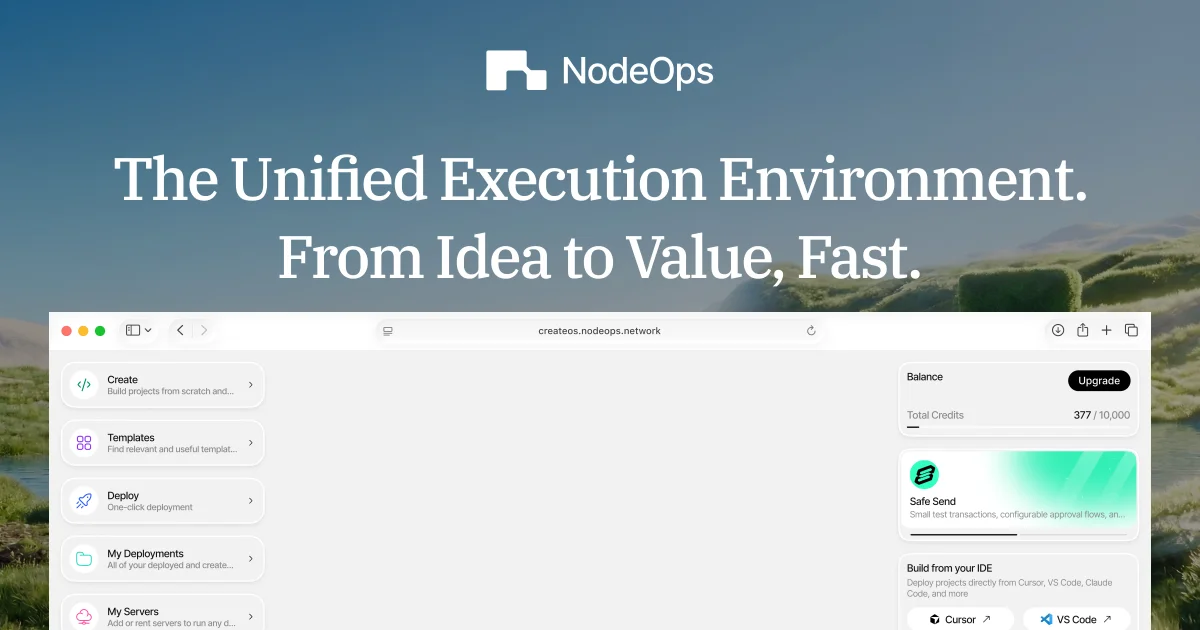
What is CreateOS?
What is CreateOS?
CreateOS is a unified workspace for building, deploying, and scaling modern applications—from the first idea to live production and monetization. It brings together development, deployment, and operations into a single execution environment so you can move from concept to shipped product with minimal friction.
Designed for founders, builders, and teams who want to ship faster without wrestling with complex DevOps setups, CreateOS combines AI-assisted execution, a template marketplace, and one-click deployment. Instead of managing fragmented tools and infrastructure, you can use CreateOS as your central hub to prototype, launch, and grow applications in a streamlined, cloud-native environment.
By abstracting away much of the traditional DevOps complexity, CreateOS makes it easier to focus on product logic, user experience, and business value while still benefiting from scalable, production-grade infrastructure under the hood.
Key Features
-
Unified Execution Environment
Work in a single, cohesive workspace that connects planning, building, testing, deploying, and monitoring. This reduces context switching and saves time compared to juggling multiple separate tools and platforms. -
AI-Assisted Execution
Leverage AI to assist with configuration, setup, and routine operational tasks. AI guidance can help generate boilerplate code, scaffold services, suggest deployment configurations, and automate repetitive workflows so you can focus on core logic and features. -
Template Marketplace
Access a curated marketplace of templates for common application types, architectures, and integrations. Whether you are launching a simple web app, an API service, or a more complex microservice-based system, templates help you start from a proven blueprint instead of a blank slate. -
One-Click Deployment
Deploy your applications to the cloud with a single click, without needing deep DevOps or infrastructure knowledge. CreateOS abstracts away build pipelines, container orchestration, and environment provisioning, enabling quick and reliable releases. -
No DevOps Required
Build and scale applications without having to design CI/CD pipelines, manage Kubernetes clusters, or manually configure servers. CreateOS is designed so product teams and individual developers can deploy production-ready services with minimal operational overhead. -
Scalable Architecture Support
Run applications that can scale as your usage grows. CreateOS is built with scalability in mind, so the same environment that supports your MVP can grow with your user base, helping ensure performance and reliability. -
Monetization-Ready
Move beyond deployment into monetization with built-in or easily integrable capabilities (such as billing integrations, authentication, and usage tracking). This shortens the path from idea to revenue-generating product. -
Collaborative Workspace
Use CreateOS as a shared workspace where teams can collaborate on configuration, application logic, and deployment workflows. Centralized visibility into environments and releases helps keep everyone aligned. -
Modern Developer Experience
Benefit from an environment optimized for modern application development practices—API-first architectures, microservices, and cloud-native deployments—while still keeping the workflow approachable for less DevOps-savvy users.
How to Use CreateOS
Using CreateOS typically follows a streamlined workflow from idea to live deployment:
-
Sign Up and Access the Workspace
- Create an account on the CreateOS platform.
- Log in from a desktop device to access the full workspace experience, including AI tools and template marketplace.
-
Choose a Template or Start from Scratch
- Browse the template marketplace to find a starting point that matches your use case (e.g., web app, API service, internal tool, SaaS starter).
- Alternatively, start from a blank project if you prefer full control over your application’s architecture.
-
Configure Your Application
- Use the AI-assisted execution engine to help set up services, configurations, and environments.
- Define your data models, APIs, and integrations using the guided interface.
- Customize environment variables, secrets, and runtime options as needed.
-
Develop and Iterate
- Implement business logic and UI within the CreateOS workspace or via your preferred local development setup connected to the platform.
- Use built-in tools (where available) for previewing, testing, and validating changes before deployment.
-
Deploy with One Click
- When you’re ready, trigger a one-click deployment to push your application live.
- CreateOS handles building, packaging, and deploying your application to managed infrastructure.
-
Monitor, Scale, and Monetize
- Monitor application status and performance directly from the workspace.
- Adjust configuration or scale resources as usage grows.
- Connect monetization-related services (such as billing or subscriptions) to start generating revenue from your deployed product.
This workflow allows both technical and semi-technical users to go from concept to production without needing to assemble and maintain a complex DevOps toolchain.
Use Cases
1. Solo Founders Launching SaaS Products
CreateOS is ideal for solo founders who want to validate and launch a SaaS product quickly. Instead of hiring a DevOps engineer or spending weeks configuring CI/CD and infrastructure, founders can:
- Pick a SaaS-oriented template from the marketplace.
- Use AI assistance to configure authentication, basic billing, and core service logic.
- Deploy with one click and start onboarding early adopters.
2. Startups Building MVPs and Prototypes
Early-stage startups can use CreateOS to prototype and iterate rapidly:
- Collaborate within a unified workspace that connects product, design, and engineering efforts.
- Spin up multiple experimental services using templates and AI-guided configuration.
- Take successful prototypes to production without rewriting the deployment pipeline.
3. Internal Tools and Automation for Teams
Product and operations teams can build internal tools without deep infrastructure expertise:
- Use CreateOS templates for admin dashboards, reporting tools, or workflow automation services.
- Configure data sources and APIs through guided setup.
- Deploy secure internal tools quickly to support operations, analytics, or customer support.
4. Agencies and Development Studios
Agencies that deliver projects for clients can standardize on CreateOS to streamline delivery:
- Use the template marketplace as a library of starting points for different project types.
- Reduce time spent on project-specific DevOps configuration, focusing instead on custom features and UX.
- Hand off to clients with a simplified deployment and management workflow.
5. Developers Exploring New Ideas and Side Projects
Individual developers can experiment with new product ideas or side projects:
- Create small services or applications quickly using AI-assisted scaffolding.
- Deploy them publicly with minimal effort to test demand.
- Scale successful experiments into more robust applications over time.
FAQ
1. What is CreateOS used for?
CreateOS is used to build, deploy, and scale applications in a unified environment. It’s particularly suited for SaaS products, APIs, internal tools, and other cloud-based applications where you want to move from idea to production rapidly without managing your own DevOps stack.
2. Do I need DevOps or infrastructure expertise to use CreateOS?
No. CreateOS is designed so you can ship production-ready applications without being a DevOps expert. The platform provides AI-assisted configuration, ready-made templates, and one-click deployment to handle much of the operational complexity for you.
3. How does pricing work?
Based on the public messaging, CreateOS offers a way to start free, allowing you to try the platform and build initial projects at no cost. As your usage grows or you require more resources and advanced capabilities, paid plans are typically available. For current pricing details, you should check the official CreateOS website.
4. What types of applications can I build with CreateOS?
You can build a variety of applications, including web apps, backend APIs, internal business tools, and SaaS products. The template marketplace and AI-assisted workflows are designed to support common modern application patterns and cloud-native architectures.
5. Is CreateOS suitable for teams, or only for individuals?
CreateOS supports both individual builders and teams. Teams can collaborate in a shared workspace, use common templates, and manage deployments together, making it well-suited for startups, agencies, and internal product teams.
Alternatives

Rork
Rork builds complete, production-ready mobile apps from your description using AI and Expo (React Native).

Make Real
Draw a UI and make it real using the tldraw SDK.

AakarDev AI
AakarDev AI is a powerful platform that simplifies the development of AI applications with seamless vector database integration, enabling rapid deployment and scalability.

Devin
Devin is an AI coding agent and software engineer that helps developers build better software faster.

imgcook
imgcook is an intelligent tool that converts design mockups into high-quality, production-ready code with a single click.

PromptLayer
PromptLayer is a platform for prompt management, evaluations, and LLM observability, designed to enhance AI engineering workflows.