

HyNote
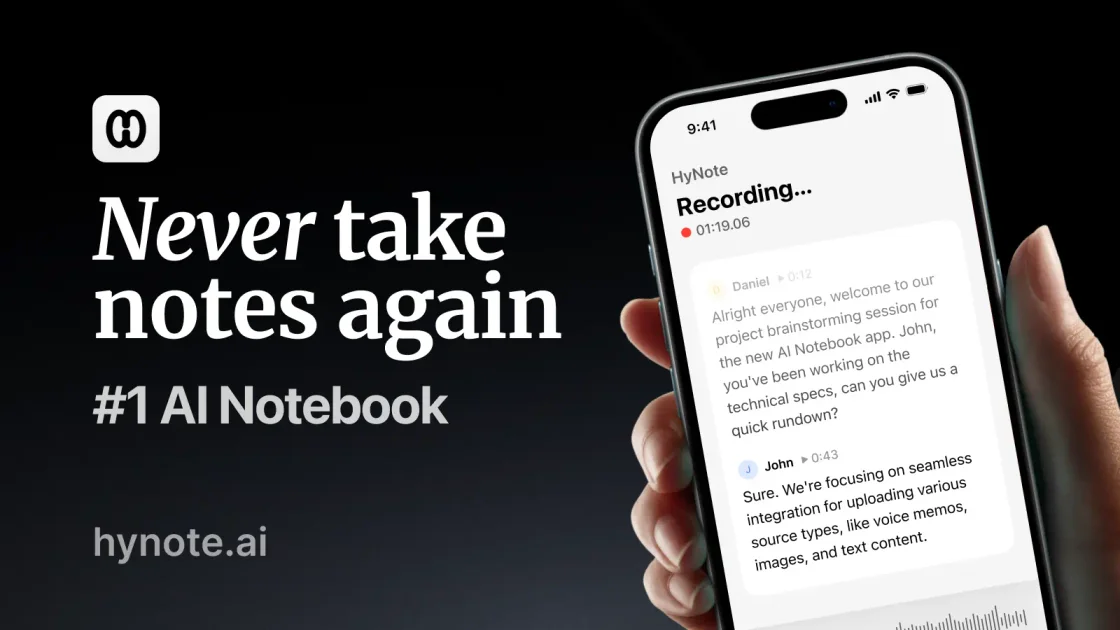
HyNote is an AI-powered note taker that records, transcribes, and summarizes meetings, audio, PDFs, and other content to turn chaotic information into organized, actionable notes.
What is HyNote?
What is HyNote?
HyNote is an AI-powered note taker designed to turn audio, meetings, PDFs, images, and other content into clear, actionable notes. It leverages the HyNote AI Core Engine to transform chaotic conversations and documents into structured insights that teams can act on quickly. With real-time transcription, concise summaries, and secure storage, HyNote is built for professionals and students who want to capture knowledge without slowing down their work. From live meetings to static files, HyNote provides a unified workflow: record, transcribe, summarize, and share. It supports cross-device access across web, mobile, and tablet, and it offers integrations with Google, Notion, and more, including automatic Zoom transcription and ready-made templates to keep notes consistent and actionable.
Key Features
- Capture Everything: Easily record audio, import audio/video, text, YouTube, PDFs, image captures, and web links — then turn them into accurate notes with advanced speech-to-text.
- Smart Summarization: Generate concise meeting summaries, PDF summaries, action items, and reports; speaker identification helps you pinpoint who said what, and templates provide ready-made professional formats.
- Smart Notes & Integrations: Connect with Google, Notion, and other tools to streamline workflows; transcribe Zoom meetings automatically for seamless collaboration.
- Privacy & Security: Encrypted storage and privacy-first design to protect sensitive meeting data and intellectual property.
- Sharing, Export & Collaboration: Share notes instantly with teammates or export to PDF, Word, or other formats to fit your workflow.
- Cross-Device Sync: Stay connected across web, mobile, and tablet so you can pick up where you left off anywhere.
- Real-Time Transcription & AI Insights: Get accurate AI-powered transcriptions and quick insights as conversations unfold, enabling faster decision-making.
- Actionable Next Steps & Templates: Turn notes into concrete next steps, with templates to ensure consistency in reporting and follow-ups.
- Quick Start & Free Access: Start for free and explore the core capabilities before upgrading to higher-tier plans.
How to Use HyNote
- Join a meeting or upload content: Easily record live conversations or upload recordings, documents, audios, images, or reports.
- Capture & Transcribe: Let HyNote’s AI handle real-time transcription with high accuracy for clear notes.
- Generate Summaries & Highlights: Quickly obtain concise takeaways, action items, decisions, and prioritized highlights.
- Share, Export or Sync: Export to PDF, Word, or sync notes with Google/Notion and other tools to keep your team aligned.
- Act on Insights: Convert takeaways into assigned tasks, owners, and due dates to drive execution.
- Access Anywhere: Use HyNote on web, mobile, or tablet with cross-device synchronization.
Use Cases
- Team meetings and standups: Capture decisions, action items, owners, and deadlines, ensuring follow-through.
- Sales calls and client conversations: Extract customer pain points, requirements, and competitive insights for faster proposals.
- Research and academia: Distill complex discussions into structured points, literature references, and research tasks.
- Product development and engineering: Summarize brainstorms, roadmaps, and sprint notes to align teams.
- Design reviews: Capture feedback, iteration plans, and design decisions for faster iteration cycles.
- Board and executive meetings: Track decisions, key metrics, and governance actions with auditable notes.
FAQ
- Is HyNote free to use? HyNote offers a free starter option with the ability to upload and summarize content; higher-tier plans may unlock additional features.
- What formats are supported? You can capture and transcribe from audio, video, PDFs, images, text, YouTube, and web pages.
- Is my data secure? HyNote provides encrypted storage and a privacy-focused design suitable for business needs.
- Which tools does HyNote integrate with? HyNote connects with Google, Notion, and other tools, and supports automatic Zoom transcription.
- On which devices can I use HyNote? HyNote works on web, mobile, and tablet platforms with cross-device syncing to keep content in sync.
Alternatives

Tactiq
Tactiq is an AI meeting assistant that provides live transcription, AI summaries, action items, and custom AI prompts for Google Meet, Zoom, and Teams.

Scripta
Scripta is a privacy-first AI notetaker that records, transcribes, and summarizes your meetings directly on your device, without requiring bot access.

讯飞会议
讯飞会议 is an intelligent A.I cloud conference system developed by iFLYTEK, providing high-definition video conferencing and AI transcription translation services, supporting over 500 participants.

AI PDF Summarizer
An AI-powered tool that summarizes PDF documents quickly and efficiently, providing clear insights and allowing users to interact with the content.

心流AI助手
Xinliu is an AI assistant that helps you efficiently acquire knowledge, whether it's everyday entertainment information or professional academic paper insights, it can easily provide answers.

Wikiwand
AI-driven wiki aggregator created to enhance user experience on Wikipedia by streamlining knowledge consumption.