

Inspector
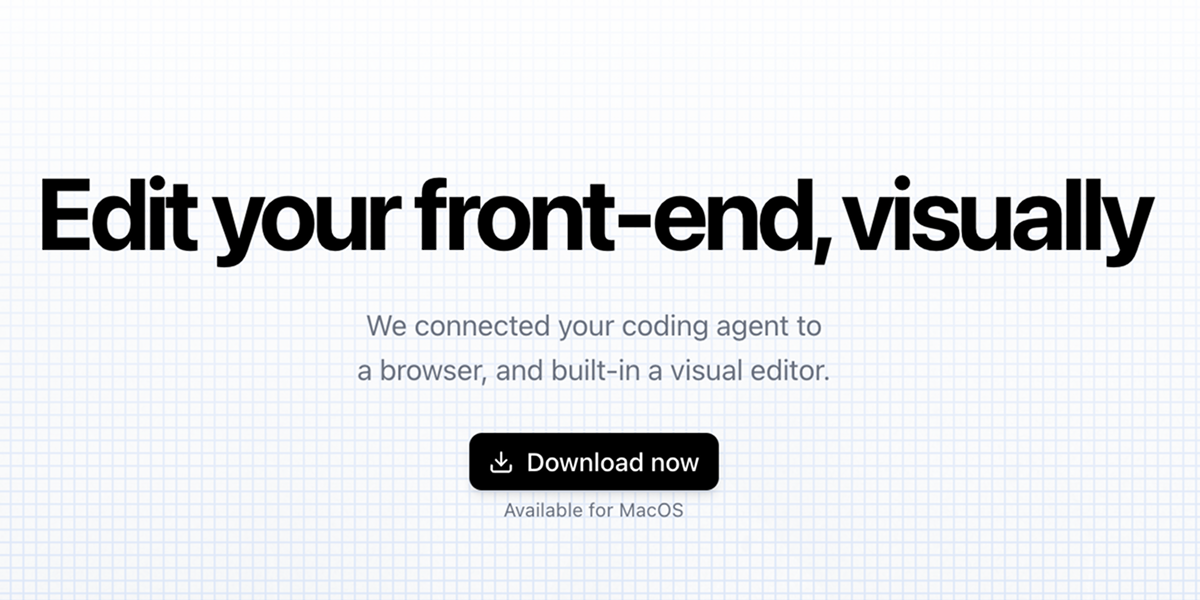
Inspector is a visual front-end editor that connects to your AI coding agent, allowing you to edit text, move elements, and iterate on your React, Next.js, or Vite applications locally.
What is Inspector?
What is Inspector?
Inspector is a revolutionary visual front-end editor designed to streamline the development workflow for modern web applications. It bridges the gap between visual design and code, enabling developers to make direct, intuitive changes to their user interfaces without leaving their preferred coding environment. By connecting seamlessly with popular AI coding agents such as Cursor, Claude Code, and Codex, Inspector empowers you to manipulate your application's front-end elements, edit text content, and reposition components with unparalleled ease. This tool is built with a focus on local development, ensuring that all changes are applied directly to your codebase, providing a secure and efficient way to iterate and refine your user experience.
This innovative platform transforms how developers interact with their projects. Instead of constantly switching between a code editor and a browser preview, Inspector integrates a visual editor directly into your workflow. Whether you're working with React, Next.js, or Vite, Inspector provides a WYSIWYG (What You See Is What You Get) experience for front-end modifications. It's an ideal solution for teams looking to accelerate their development cycles, improve collaboration between designers and developers, and ensure pixel-perfect accuracy in their UIs. Inspector is available for MacOS, making it accessible to a large segment of the development community.
Key Features
- Visual Editor: Directly manipulate UI elements on your screen. Move elements, resize them, and adjust layouts with intuitive drag-and-drop functionality.
- Text Editing: Edit text content directly within the visual interface. Changes are reflected instantly in your codebase.
- AI Coding Agent Integration: Connects with leading AI coding assistants like Cursor, Claude Code, and Codex to leverage AI-powered suggestions and code generation within the visual editing process.
- Local Codebase Connection: Works with any local codebase, ensuring your development environment remains secure and your changes are applied directly to your project files.
- Cross-Framework Compatibility: Designed to work seamlessly with popular JavaScript frameworks such as React, Next.js, and Vite.
- Comment and Collaboration: Leave comments directly on UI elements for team members, facilitating clear communication and feedback loops.
- MacOS Native Application: A dedicated application for MacOS users, optimized for performance and integration with the operating system.
How to Use Inspector
Getting started with Inspector is straightforward:
- Download and Install: Download the Inspector application for MacOS from the official website.
- Connect Your AI Agent: Launch Inspector and connect it to your preferred AI coding agent (Cursor, Claude Code, Codex) through the application settings.
- Open Your Local Codebase: Point Inspector to your project's root directory. Inspector will analyze your project structure.
- Visualize and Edit: Inspector will render a visual representation of your front-end. Use the visual editor to select elements, edit text, move components, or add comments.
- Commit Changes: Once you are satisfied with the visual modifications, Inspector ensures these changes are saved directly to your local codebase, ready for version control.
Use Cases
- Rapid Prototyping: Quickly iterate on UI designs and test different layouts without extensive manual coding, speeding up the initial design phase.
- Content Updates: Marketing teams or content creators can easily update website text and imagery directly through the visual interface, reducing reliance on developers for minor changes.
- UI Bug Fixing: Developers can visually identify and fix front-end bugs, such as misaligned elements or incorrect text, much faster than searching through code.
- Design-to-Code Handoff: Bridges the gap between designers and developers by allowing designers to make direct, visual adjustments that translate immediately into code, improving collaboration and reducing misinterpretations.
- Component Refinement: Easily adjust the positioning, styling, and content of individual UI components within complex applications like React or Next.js projects.
FAQ
Q: What operating systems does Inspector support?
A: Currently, Inspector is available as a native application for MacOS.
Q: Which AI coding agents are compatible with Inspector?
A: Inspector is designed to integrate with Cursor, Claude Code, and Codex. We are continuously working on expanding compatibility with other AI coding tools.
Q: Is Inspector suitable for beginners?
A: Yes, Inspector's visual interface makes it accessible for developers of all skill levels. It simplifies complex front-end tasks, making it easier for beginners to learn and contribute to projects.
Q: How does Inspector handle changes to my codebase?
A: Inspector makes changes directly to your local codebase. It's designed to be non-destructive and ensures that all modifications are saved as standard code, allowing you to use your version control system (like Git) as usual.
Q: Can I use Inspector with any front-end project?
A: Inspector is optimized for projects built with React, Next.js, and Vite. While it aims for broad compatibility, its effectiveness may vary with highly customized or unconventional project structures.
Alternatives

Devin
Devin is an AI coding agent and software engineer that helps developers build better software faster.

imgcook
imgcook is an intelligent tool that converts design mockups into high-quality, production-ready code with a single click.

Radian
Radian is an innovative, open-source design and development library tailored for building high-quality, scalable web applications. Built using React, Radix, and Tailwind CSS, Radian provides developers with a comprehensive set of components, animations, and blocks that streamline the process of creating modern, responsive user interfaces. Its focus on speed, scale, and simplicity makes it an ideal choice for teams aiming to accelerate their development workflows while maintaining design consistency. The library is designed to facilitate seamless design-to-code synchronization, allowing changes made in design tools like Figma to be easily reflected in the codebase. This ensures pixel-perfect accuracy and reduces the time spent on manual adjustments. Radian's modular architecture and high-quality base components enable developers to quickly assemble robust applications without sacrificing flexibility or quality. Whether you are building new projects from scratch or enhancing existing ones, Radian offers a rich ecosystem of components, animations, and design blocks that cater to diverse development needs. Its open-source nature encourages community contributions and continuous improvement, making it a future-proof solution for modern web development.

SkillKit
SkillKit provides a universal set of skills allowing developers to write code instructions once and deploy them across 32 different AI coding agents, ensuring consistency and broad compatibility.

腾讯扣叮
Tencent Kouding is a platform that integrates various programming tools and resources, aimed at helping developers enhance their programming skills and project management capabilities.

CodeSandbox
CodeSandbox is a cloud development platform that empowers developers to code, collaborate and ship projects of any size from any device in record time.