

MathPal
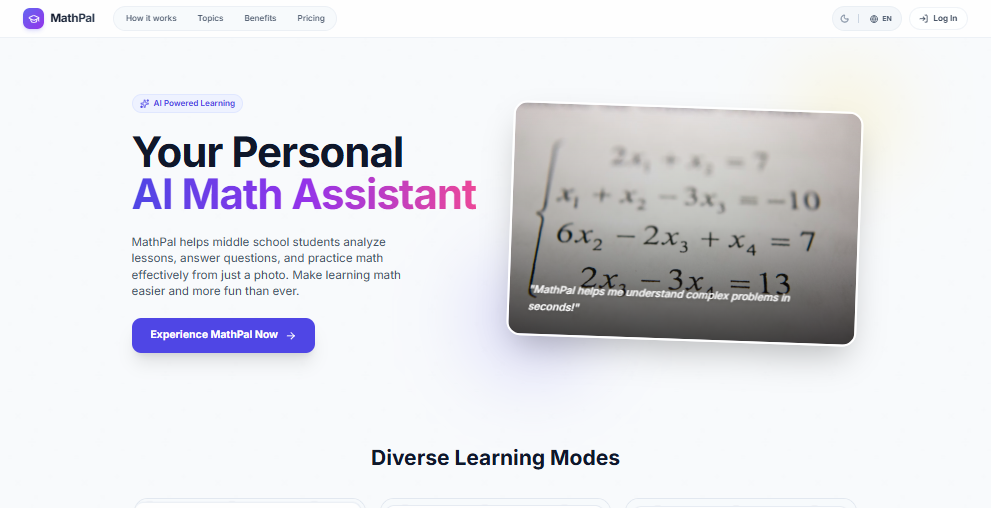
MathPal is an AI-powered math assistant that allows students to analyze lessons, solve complex formulas, and practice problems instantly by simply taking a photo, specifically tailored for grades 6 through 9.
What is MathPal?
What is MathPal?
MathPal is revolutionizing how middle school students approach mathematics. Designed specifically for learners in grades 6 to 9, MathPal acts as a personal, always-available AI math tutor accessible directly through your smartphone camera. Its core mission is to demystify complex mathematical concepts, provide immediate step-by-step solutions, and foster genuine understanding rather than just rote memorization. By leveraging advanced image recognition and artificial intelligence, MathPal transforms physical homework, textbook examples, or lecture notes into interactive learning opportunities.
This powerful tool bridges the gap between classroom instruction and independent study. Whether a student is struggling with algebraic equations, geometric proofs, or understanding unit conversions in science, MathPal offers clarity and tailored support. It moves beyond simple answer-giving by breaking down solutions into digestible, logical steps, ensuring students grasp the underlying methodology required to succeed in foundational math subjects.
Key Features
- Instant Photo Solving: Users can snap a picture of any math problem—from handwritten notes to printed worksheets—and receive an immediate, accurate solution.
- Step-by-Step Explanations: Unlike basic calculators, MathPal provides detailed, pedagogical breakdowns for every solution, explaining the 'why' behind each mathematical operation.
- Targeted Grade Level Focus (Grades 6-9): The AI is specifically trained on curricula relevant to middle school mathematics, ensuring accuracy and appropriateness for pre-algebra, algebra I, geometry basics, and pre-calculus concepts.
- Concept Analysis: Beyond solving, MathPal can analyze entire sections of a lesson or textbook page, summarizing key formulas, definitions, and theorems.
- Practice Generation: Based on areas where a student struggles, the system can generate customized practice problems to reinforce weak areas.
- Intuitive Mobile Interface: Designed for ease of use by students, the application ensures a smooth workflow from photo capture to solution review.
How to Use MathPal
Getting started with your personal AI math assistant is straightforward and designed for minimal friction:
- Capture the Problem: Open the MathPal application and select the camera function. Center the math problem (equation, diagram, or text) clearly within the frame and take a high-quality photo.
- AI Processing: The AI instantly analyzes the image, identifies the mathematical structure, and determines the required solution path.
- Review the Solution: Within seconds, MathPal displays the final answer alongside a comprehensive, numbered, step-by-step explanation detailing every calculation and rule applied.
- Deep Dive (Optional): If a specific step remains unclear, users can tap on that step to request further clarification or alternative methods of solving that particular part of the problem.
- Practice Reinforcement: Utilize the integrated feature to generate similar problems based on the concept just solved, allowing for immediate application and mastery.
Use Cases
- Homework Completion and Verification: Students can quickly check their completed homework assignments for accuracy before submission, using the step-by-step guide to correct any errors they made.
- Self-Study and Revision: Before a major test covering topics like linear equations or ratios, students can photograph old quizzes or textbook review sections to get instant feedback and targeted review material.
- Understanding Complex Diagrams: For geometry problems involving shapes, angles, or coordinate planes, MathPal interprets the visual information to provide the necessary algebraic setup for solving.
- Parental Support Aid: Parents who may not remember advanced middle school math concepts can use MathPal to understand the correct methodology their child needs to follow, enabling them to offer better support.
- On-the-Go Learning: During commutes or study groups away from a computer, students can use their phones to solve urgent problems encountered while reviewing notes.
FAQ
Q: What specific grade levels does MathPal support? A: MathPal is primarily optimized for mathematics covered in grades 6 through 9, encompassing foundational arithmetic, pre-algebra, introductory algebra, and basic geometry concepts.
Q: Can MathPal solve calculus problems? A: Currently, MathPal focuses its advanced capabilities on the middle and early high school curriculum (Grades 6-9). While it handles complex algebra well, it is not designed for advanced calculus or university-level mathematics.
Q: Is MathPal subscription-based, or is there a free version? A: MathPal typically offers a tiered structure. Basic solving and a limited number of daily scans might be available for free, with premium features like unlimited scans, concept analysis, and advanced practice generation requiring a paid subscription.
Q: What if the photo quality is poor or the handwriting is messy? A: The AI is robust, but clarity is key. For best results, ensure good lighting and that the problem fills most of the frame. If the AI struggles, it will prompt the user to retake the photo or manually input the equation.
Q: Does MathPal work offline? A: Because MathPal relies on sophisticated cloud-based AI processing for image recognition and solution generation, an active internet connection is required to use the core solving features.
Alternatives

Talkpal
Talkpal is an AI language teacher that helps users learn languages faster through immersive conversations and real-time feedback.

BeFreed
BeFreed is a personalized audio learning platform that transforms knowledge into engaging audio content tailored for individual learning preferences.

美图AI开放平台
The 美图AI开放平台 is an AI service platform launched by Meitu, focusing on core areas such as facial technology, body technology, image recognition, image processing, and image generation.
Heuris
Heuris is an AI-powered learning platform delivering concise, 5-minute micro-lessons across History, Art, Economics, Philosophy and more.
Real-Time Human Pixelizer
A C++ and OpenCV project that uses neural network segmentation to automatically pixelate humans in real-time video feeds, ensuring immediate privacy protection.

Face Swap AI
Face Swap AI is a free online application that allows users to swap faces in pictures using advanced artificial intelligence technology.