

Mixels.ai
Mixels.ai is an AI-powered pixel art generator that allows users to convert images into pixel art and create 8-bit style avatars with perfect grid alignment.
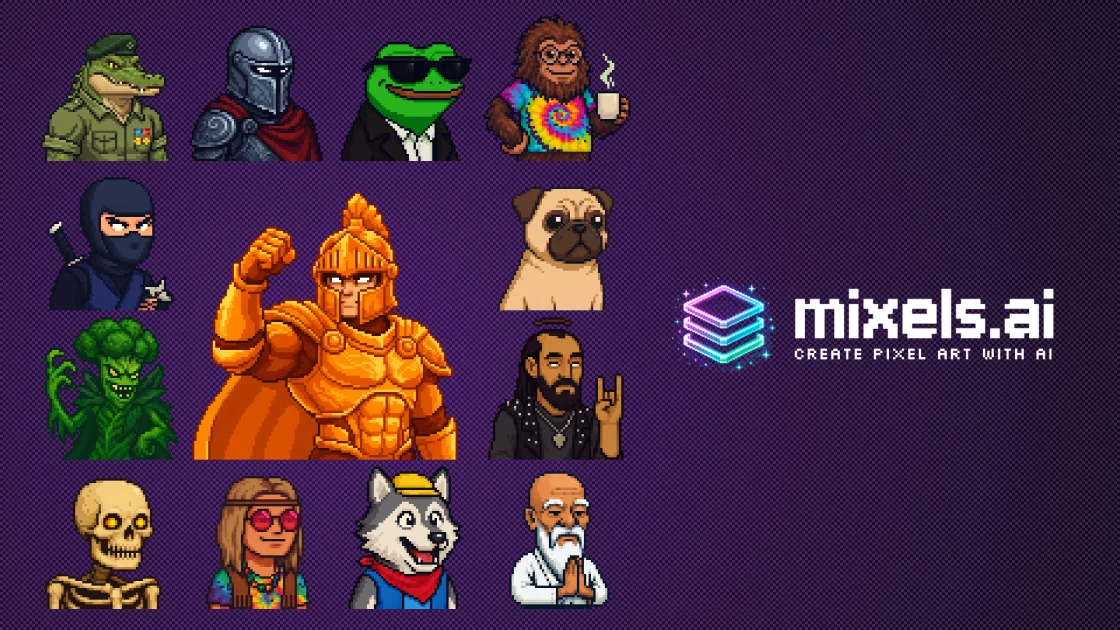
What is Mixels.ai?
What is Mixels.ai?
Mixels.ai is the leading AI-powered pixel art generator designed specifically for game developers, digital artists, and retro enthusiasts. Our platform utilizes advanced AI models to generate consistent, grid-aligned 8-bit pixel art characters, sprites, and avatars that are ready for use in games, social media, and digital projects.
Unlike generic AI image generators, Mixels.ai specializes in authentic pixel art with proper grid alignment, limited color palettes, and the nostalgic charm of classic 8-bit and 16-bit graphics. This makes it an ideal tool for anyone looking to create pixel art that resonates with the retro gaming aesthetic.
Key Features
- AI Character Generator: Create unique pixel art characters with customizable traits including species, clothing, accessories, colors, and expressions. Generate humans, creatures, robots, or fantasy beings.
- Photo to Pixel Art Converter: Transform any photo or image into authentic pixel art with our AI pixelization technology. Perfect grid alignment every time.
- Free Studio Editor: A full-featured browser-based pixel art editor with layers, brushes, selection tools, color palettes, and export options. Edit and refine your AI-generated art or create from scratch.
- Game-Ready Sprites: Export your pixel art in PNG format with transparent backgrounds, ready for Unity, Godot, GameMaker, or any game engine.
- Consistent Art Style: Our AI maintains a consistent style across generations, perfect for creating character sets, enemy sprites, or NPC collections.
- Metadata & Organization: Full metadata support for organizing your character library with species, colors, accessories, and custom tags.
How to Use Mixels.ai
To get started with Mixels.ai, follow these simple steps:
- Visit the Website: Go to Mixels.ai to access the platform.
- Choose Your Tool: Select whether you want to generate a character, convert a photo, or use the studio editor.
- Customize Your Art: For character generation, customize traits such as species, clothing, and colors. For photo conversion, upload your image.
- Edit in Studio: Use the studio editor to refine your pixel art, utilizing tools like layers, brushes, and color palettes.
- Export Your Art: Once satisfied, export your creations in PNG format, ready for use in your projects.
Use Cases
- Game Development: Create character sprites, enemies, NPCs, and items for indie games, enhancing gameplay with unique visuals.
- Social Media Avatars: Generate unique pixel art profile pictures that stand out on platforms like Twitter and Instagram.
- NFT Art: Create pixel art collections with consistent styles, perfect for the growing NFT market.
- Retro Design: Add authentic 8-bit aesthetics to your projects, whether for personal or commercial use.
- Streaming & Content Creation: Design custom emotes and channel art that resonate with your audience.
FAQ
-
Is Mixels.ai free to use?
Yes, Mixels.ai offers a free plan that provides full access to the pixel art generator and studio editor. -
What file formats can I export my art in?
You can export your pixel art in PNG format with transparent backgrounds, suitable for various applications. -
Can I use Mixels.ai for commercial projects?
Yes, the generated art can be used in commercial projects, including games and merchandise. -
Do I need any design skills to use Mixels.ai?
No, Mixels.ai is user-friendly and designed for both beginners and experienced artists, making it accessible for everyone. -
What kind of support is available?
Mixels.ai provides online resources, tutorials, and a community forum for users to get help and share their creations.
Alternatives

改图鸭
The AI painting generator is an online AI-powered software that automatically creates artwork based on text descriptions provided by users.

Petalica Paint
Petalica Paint is an automatic coloring service for line art, designed to enhance digital artwork with ease.

The Genesis
The Genesis transforms the cryptographic signature of a specific date into a unique, mathematically generated piece of generative art, capturing the moment two lives intersected.

Actor Builder
Actor Builder turns you into an actor instantly, allowing you to become any character in any setting.

TapNow
TapNow is a next-generation AI visual creation engine that empowers businesses and creators to produce professional-grade visuals for various applications.

Image Prompt
Master image prompt creation with our AI-powered tools to generate and optimize image prompts for various AI art generators.