

Postproxy
Postproxy is a unified API for publishing content to multiple social media platforms, handling platform quirks, failures, and authentication so you can integrate once and automate reliable social posting at scale.
What is Postproxy?
What is Postproxy?
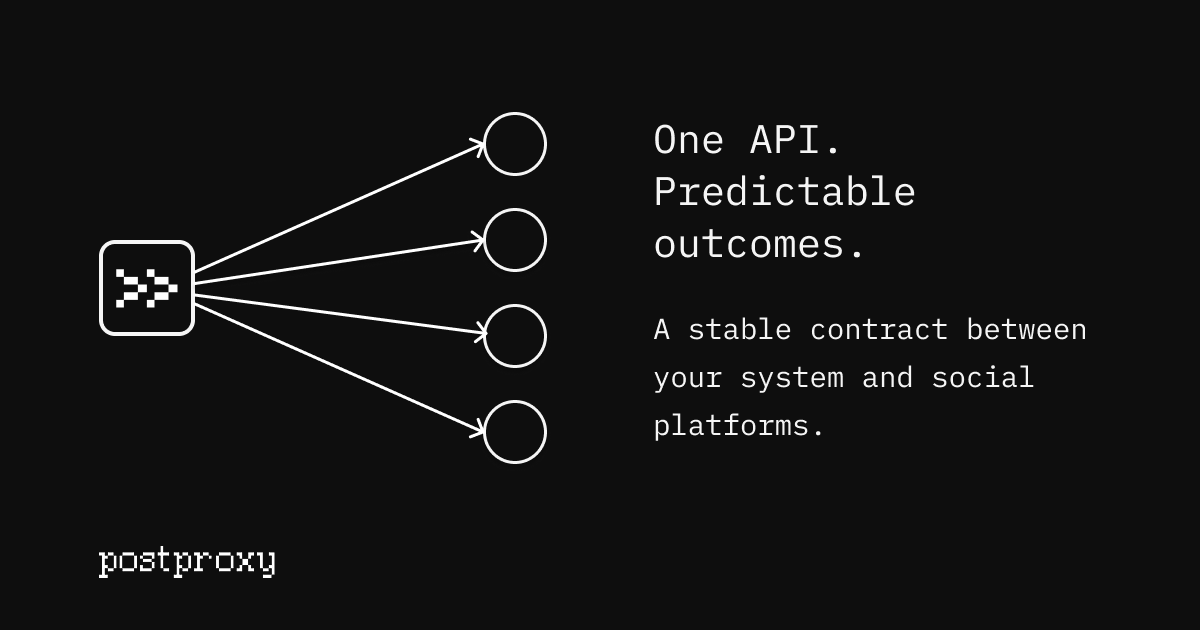
Postproxy is a unified publishing API for social media that lets you post to multiple social networks with a single, stable integration. Instead of wrestling with each platform’s unique APIs, rate limits, permission models, and error behaviors, you send one request to Postproxy and it handles the platform-specific complexity for you.
Designed as infrastructure rather than a UI tool, Postproxy is built for developers, automation engineers, and teams that treat social publishing as part of a larger automated workflow. It provides a consistent publishing layer across platforms, so your pipelines, LLM agents, and event-driven workflows can rely on predictable behavior even when social networks change their APIs or policies.
Key Features
-
Unified API for multi-platform publishing
Publish to multiple social networks with a single API call. You send one payload that describes the post, target profiles, and media, and Postproxy translates it into platform-specific requests. -
Automatic handling of platform APIs
Each platform’s unique endpoints, rate limits, quotas, and constraints are handled automatically. You no longer need to maintain separate SDKs, custom integrations, or ad-hoc fixes for each network. -
Format conversion and content normalization
Postproxy transforms your content to match each platform’s requirements. It adapts text length, media formats, and other constraints so the same logical post behaves correctly across different social networks. -
Managed authentication and OAuth flows
OAuth flows, token storage, and automatic refresh are managed for you. Once you connect social accounts to Postproxy, your backend or automation workflow can publish without re-implementing complex auth flows. -
Delivery guarantees and reliability primitives
Retries, rate limiting, quota awareness, and error handling are first-class concepts. Postproxy is built to avoid fragile “best effort” posting and instead provide robust, deterministic behavior at publish time. -
Explicit publish states and clear reporting
Every publish attempt returns explicit states for each platform, so you always know what succeeded, what failed, and why. This eliminates manual checks and guesswork around whether a post really went live. -
Scales from tens to thousands of posts
The same logic applies whether you are publishing a handful of posts or orchestrating thousands. Postproxy is designed to support high-volume, automated content pipelines without added complexity. -
Built for workflow tools and automation
Postproxy integrates naturally into tools like n8n, Zapier, custom event-driven architectures, and internal automation systems. It serves as a publishing primitive you can drop into production workflows, not a UI dashboard you have to operate manually. -
No platform-specific setup to start
You generate one API key and connect social accounts through Postproxy. There is no need to configure or maintain separate credentials and app configurations for each platform in your own system.
How to Use Postproxy
1. Get an API key
- Create a Postproxy account on the website.
- Generate an API key for your environment (e.g., development, staging, production).
- Store this key securely in your application or secret manager.
No platform-specific setup is required at this stage; you interact only with Postproxy.
2. Connect your social media accounts
- From your Postproxy account, link the social media accounts, pages, or profiles you plan to publish to.
- Postproxy manages platform permissions, OAuth flows, and access management on your behalf.
- Once connected, these accounts can be referenced in your API requests as profiles.
3. Publish content via the unified API
From your application, worker, or workflow tool, send publish requests to Postproxy using the unified API.
Example request:
curl -X POST "https://api.postproxy.dev/api/posts" \
  -H "Authorization: Bearer YOUR_API_KEY" \
  -H "Content-Type: application/json" \
  -d '{
    "post": {
      "body": "Hello World!"
    },
    "profiles": ["facebook", "instagram"],
    "media": ["https://example.com/image.jpg"]
  }'
Postproxy will:
- Validate your content,
- Apply platform-specific rules and formatting,
- Handle authentication and token refresh,
- Respect rate limits and quotas,
- Attempt retries where appropriate,
- Return explicit publish results for each target platform.
4. Integrate into automation workflows
You can embed Postproxy into:
- n8n workflows as the final publishing step after content generation, asset upload, and routing.
- Custom scripts or microservices that generate content or listen to events and trigger posts.
- Event-driven systems where webhooks or scheduled jobs trigger publishing.
A typical production workflow might:
- Pull content from a CMS or database.
- Use LLMs or AI agents to generate post text and visuals.
- Upload media assets and obtain public URLs.
- Combine content and assets into a unified payload.
- Send the payload to Postproxy for reliable multi-platform publishing.
- Store or log Postproxy’s publish states for reporting and monitoring.
Use Cases
1. Generative content pipelines
Teams using LLMs or AI agents to generate social content often struggle with the final publishing step. Each platform needs different formatting, media ratios, and text limits, and failures frequently appear only at publish time.
With Postproxy, you can:
- Automatically take AI-generated posts and distribute them across multiple networks.
- Avoid building platform-specific normalization and validation logic.
- Rely on explicit publish states to monitor success and failures programmatically.
2. CMS-driven social automation
If you manage content in a CMS, you likely want to promote new posts across social channels automatically.
Using Postproxy, you can:
- Trigger a social publish whenever content is published or updated in the CMS.
- Map CMS metadata (e.g., category, author, region) to specific social profiles.
- Maintain a single integration from your CMS or backend to Postproxy, instead of multiple fragile platform integrations.
3. Multi-account and multi-brand posting
Agencies, franchises, and enterprises often manage dozens or hundreds of social accounts across brands, regions, or clients.
Postproxy enables you to:
- Centralize social publishing logic while routing content to the correct accounts.
- Handle access control and ownership changes through a single layer instead of updating credentials in multiple systems.
- Scale your posting volume reliably without rewriting logic for each new profile or platform.
4. Fully automated release announcements
Product teams and DevOps engineers frequently want release notes and announcements to go live automatically when a deployment or version bump occurs.
With Postproxy:
- CI/CD pipelines or release tooling can trigger a unified publish request.
- Release messages can be distributed across multiple social networks with one step.
- You can trust that rate limits, retries, and errors are handled without manual intervention.
5. Event-driven marketing workflows
Marketing operations teams often orchestrate campaigns driven by events such as sign-ups, purchases, or calendar-based promotions.
By integrating Postproxy into tools like n8n or custom event processors, you can:
- Use event triggers to determine when and where to publish.
- Combine dynamic content generation with reliable distribution.
- Maintain a single, stable publishing contract even as social platforms evolve.
FAQ
1. What is Postproxy and who is it for?
Postproxy is a unified API that lets you publish content to multiple social media platforms with a single integration. It is built for developers, automation engineers, and organizations that treat social publishing as part of a broader automated pipeline, rather than a manual task.
2. How does Postproxy handle differences between social platforms?
Postproxy abstracts away each platform’s specific endpoints, formats, rate limits, and constraints. You send a single logical post, and Postproxy performs format conversion, validation, and platform-specific handling so that content meets each network’s requirements. It also manages retries, rate-limit handling, and error reporting per platform.
3. Do I still need to manage OAuth and tokens for each platform?
No. Postproxy manages OAuth flows, token storage, and automatic refresh for the accounts you connect. Once your accounts are linked in Postproxy, your systems interact only with the Postproxy API using your API key, not with each platform’s auth system directly.
4. Can I integrate Postproxy with tools like n8n, Zapier, or custom workflows?
Yes. Postproxy is designed to be a publishing primitive inside workflow tools and custom automation. You can call the Postproxy API from n8n nodes, Zapier webhooks, or any event-driven or scheduled process, making it easy to automate end-to-end content pipelines.
5. What about pricing, limits, and support?
The website content provided does not specify pricing details, but Postproxy is oriented toward production-grade, automated publishing with an emphasis on reliability and scale. For up-to-date information on pricing, usage limits, and support options, you should refer to the official Postproxy website or contact their team directly.
Alternatives

PXZ AI
An All-In-One AI Platform that combines tools for image, video, voice, writing, and chat to enhance creativity and collaboration.

Grok AI Assistant
Grok is a free AI assistant developed by xAI, engineered to prioritize truth and objectivity while offering advanced capabilities like real-time information access and image generation.

AI Song Maker
Create royalty-free songs effortlessly with our AI Song Maker and Music Generator.

DeepMotion
DeepMotion offers AI-powered motion capture and real-time body tracking to generate 3D animations from video in seconds.

ManyLinks
ManyLinks is a highly visual, customizable 'link in bio' tool designed for creators, allowing them to build a personal landing page that dynamically displays their latest content and links.

PaperBetterAI
PaperBetterAI is an intelligent writing tool that generates academic papers and various writing materials in both Chinese and English using advanced AI technology.