

Scribeist
Scribeist is an AI-powered writing workspace platform that combines content generation, visual canvas collaboration, and streamlined publishing workflows to manage the entire content creation process from research to publication.
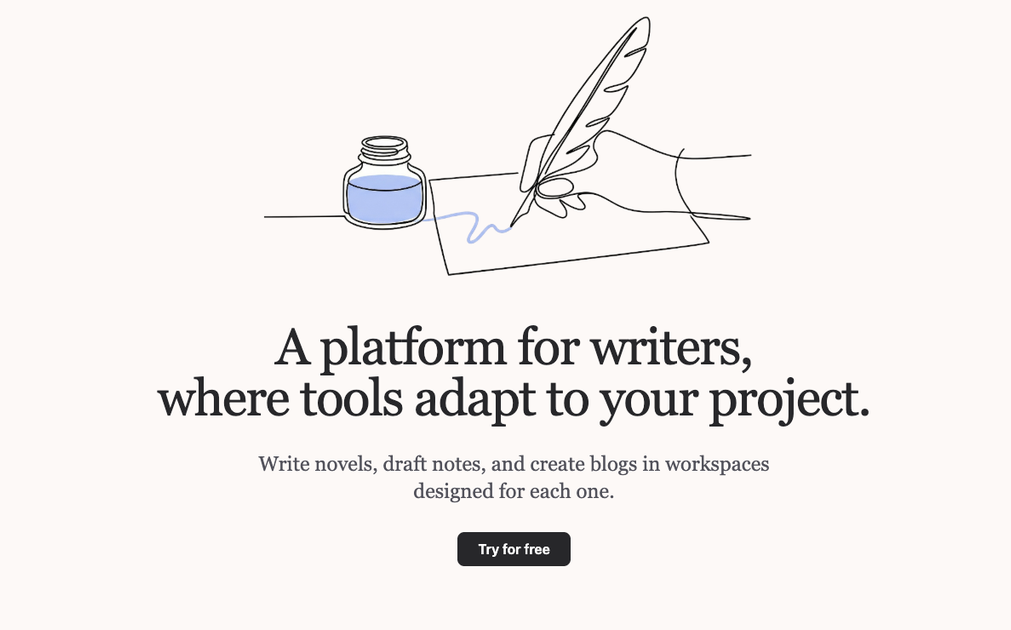
What is Scribeist?
What is Scribeist?
Scribeist is an AI-powered writing workspace designed to centralize and streamline your entire content creation process. It brings together intelligent content generation, collaborative visual canvases, and integrated publishing workflows so you can go from initial research and outlining to polished, published content in a single, organized environment.
Instead of juggling multiple tools for notes, drafts, feedback, and publishing, Scribeist gives you dedicated workspaces where you can research, brainstorm, write, iterate, and ship content faster. Whether you’re producing blog posts, long-form articles, documentation, or campaign copy, Scribeist helps you stay organized and consistent while leveraging AI to speed up ideation and drafting.
Key Features
-
AI-Powered Content Generation
Generate outlines, ideas, titles, and full drafts directly inside your writing workspace. Use AI to expand sections, refine paragraphs, adjust tone, or summarize complex information without leaving your document. -
Writing Workspaces
Organize your work into dedicated spaces for projects, clients, or campaigns. Each workspace can hold research, notes, drafts, and final assets, giving you a clear structure from first idea to finished content. -
Visual Canvas Collaboration
Map ideas, content structures, and workflows on a visual canvas. Drag and drop blocks, connect concepts, and structure articles or content campaigns visually, making it easier to align teams and see the bigger picture. -
Seamless Publishing Workflows
Move from draft to publication with streamlined workflows. Manage revisions, approvals, and final exports so you can publish to blogs, websites, or documentation platforms with minimal friction. -
Research and Knowledge Capture
Collect research, links, snippets, and references inside your workspace. Organize them next to your drafts so you never lose context and can easily cite or reuse material across multiple pieces of content. -
Collaboration and Feedback
Invite teammates or stakeholders to contribute, comment, and review. Centralized collaboration keeps conversations around content in one place instead of scattered across email and chat. -
Consistent Tone and Style
Use AI assistance to maintain a consistent voice and style across different pieces. Scribeist can help rewrite sections to match your brand tone and ensure clarity, cohesion, and readability. -
Versioning and Iteration
Keep track of drafts and iterations within a workspace. Quickly compare versions, roll back changes, or branch off new versions for A/B testing or alternative angles.
How to Use Scribeist
-
Create a Workspace
Start by setting up a workspace for a project, client, or content initiative (for example, "Company Blog Q2" or "SaaS Onboarding Docs"). This workspace becomes the home for all related materials. -
Collect Research and Inputs
Add research notes, links, briefs, and ideas into the workspace. Use the visual canvas to map your content strategy, outline article structures, or cluster ideas into themes. -
Generate Ideas and Outlines with AI
Use Scribeist’s AI features to brainstorm topics, headlines, and angles. Generate outlines or content structures directly on the canvas or within a document to kick-start your writing. -
Draft Content in the Editor
Create documents inside the workspace and begin writing. Ask the AI to expand sections, rewrite for clarity, adjust tone, or generate alternative paragraphs. Use it as a collaborative partner, not just a generator. -
Collaborate and Refine
Share the workspace or specific documents with teammates for feedback. Collect comments, suggestions, and edits in one place. Iterate on drafts, using AI to quickly implement changes or explore different phrasing. -
Structure and Plan on the Visual Canvas
Use the canvas to coordinate content campaigns, plan series of posts, or visually map the journey from research to publication. Link documents, notes, and tasks to maintain a clear overview of the workflow. -
Finalize and Publish
Once your content is approved, use Scribeist’s publishing workflows to prepare final versions, format them correctly, and export or publish to your chosen channels. Track what’s been published and what’s still in progress within the workspace.
Use Cases
1. Content Marketing Teams
Content marketers can use Scribeist to manage entire editorial calendars in one place. Each campaign or quarter gets its own workspace containing briefs, keyword research, outlines, drafts, and final assets. The AI assists with topic ideation, SEO-friendly headings, and first drafts, while the visual canvas helps plan content funnels, pillar pages, and supporting posts. Collaboration features keep writers, editors, and stakeholders aligned through each step of the process.
2. Solo Bloggers and Creators
Independent writers and creators can streamline their workflow by using Scribeist as their central writing hub. From idea capture to publishing-ready posts, they can rely on AI to generate outlines, suggest headlines, and refine writing. Workspaces help separate different blogs, niches, or client projects, while the canvas supports planning series, ebooks, or content roadmaps.
3. Agencies and Freelance Writers
Agencies and freelance writers working with multiple clients can create individual workspaces for each client or brand. All research, content guidelines, drafts, and approvals remain neatly organized per workspace. AI assistance speeds up drafting and adaptations for different voices, while the canvas is ideal for presenting content plans and structures to clients visually.
4. Product and Technical Documentation
Product teams and technical writers can use Scribeist to produce clear, structured documentation. The visual canvas helps map documentation hierarchies and user journeys, while AI can assist in turning technical specs into readable guides and FAQs. Workspaces ensure that documentation for each product or version stays organized, and publishing workflows keep updates consistent.
5. Knowledge Bases and Internal Content
Internal teams can build and maintain knowledge bases, internal FAQs, and process documents using Scribeist. AI helps summarize lengthy materials, standardize language, and keep content aligned with internal standards. Workspaces allow different departments (such as HR, Support, or Operations) to manage their content independently while preserving structure and traceability.
FAQ
1. What is Scribeist used for?
Scribeist is used to manage the end-to-end content creation process in organized workspaces. It combines AI-powered writing assistance, visual planning, and publishing workflows so teams and individuals can research, draft, collaborate on, and publish content more efficiently.
2. Do I need technical skills to use Scribeist?
No. Scribeist is designed for writers, marketers, and teams of all technical levels. The interface centers around familiar concepts like documents, canvases, and workspaces, and the AI features are accessible through simple prompts and actions.
3. What types of content can I create with Scribeist?
You can create blog posts, long-form articles, web pages, landing page copy, newsletters, social content drafts, documentation, knowledge base articles, and more. The AI tools and visual canvas adapt to a wide range of writing formats and workflows.
4. Can my team collaborate in Scribeist?
Yes. You can invite teammates or clients into specific workspaces, share documents, and gather feedback using comments and suggestions. Collaboration is built around keeping everything related to a project in one place, rather than scattered across multiple tools.
5. How does Scribeist help with publishing?
Scribeist includes workflows that help take content from final draft to published state. You can use it to manage approvals, finalize formatting, and prepare content for export or publication to your website, blog, or documentation platform, reducing manual steps and errors in the process.
Alternatives

PaperBetterAI
PaperBetterAI is an intelligent writing tool that generates academic papers and various writing materials in both Chinese and English using advanced AI technology.

心流AI助手
Xinliu is an AI assistant that helps you efficiently acquire knowledge, whether it's everyday entertainment information or professional academic paper insights, it can easily provide answers.

Scite
Scite is an AI-powered research tool that helps researchers understand research debates, ensure reliable citations, and improve their writing.

Biji
Biji is a versatile platform designed to enhance productivity through innovative tools and features.

PXZ AI
An All-In-One AI Platform that combines tools for image, video, voice, writing, and chat to enhance creativity and collaboration.

Prompty Town
Prompty Town is an innovative platform that allows users to transform their links into virtual buildings, creating a unique and engaging way to share and interact with content.