

ShareMyGit
ShareMyGit enables users to create secure, read-only links for private Gitea and Forgejo repositories, allowing easy viewing without requiring viewer accounts.
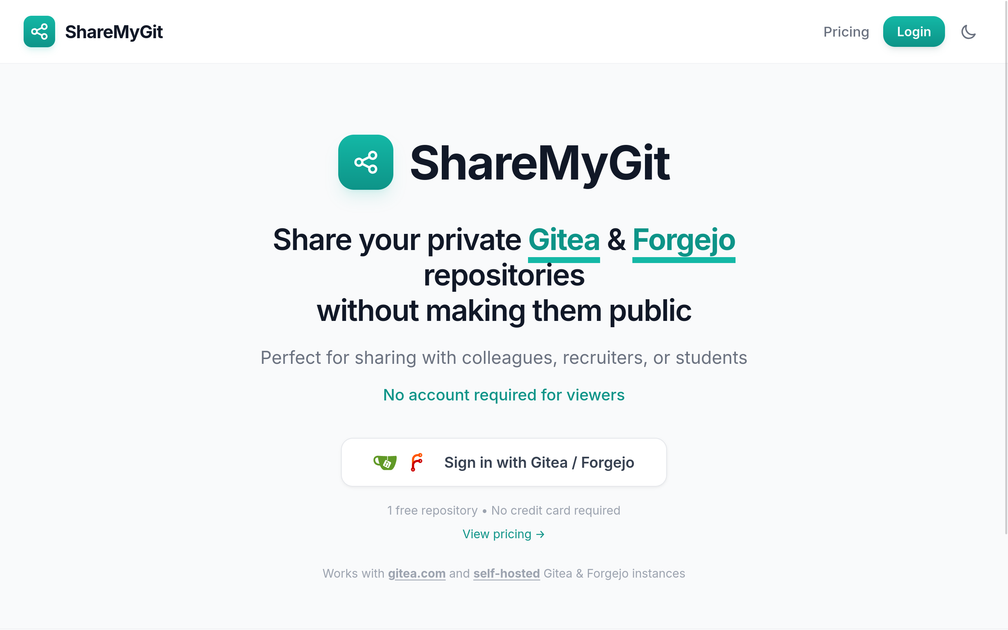
What is ShareMyGit?
What is ShareMyGit?
ShareMyGit is a specialized utility designed to bridge the gap between private code hosting and external sharing needs. It allows developers, teams, and individuals using Gitea or Forgejo—popular self-hosted Git services—to generate secure, time-limited, or permanent read-only links to their private repositories. This service eliminates the friction associated with sharing code snippets, project progress, or portfolio pieces stored in private instances, ensuring that sensitive source code remains protected while still being viewable by authorized external parties.
Its core purpose is to facilitate secure collaboration and demonstration. Whether you need to show a recruiter a specific commit history, share a proof-of-concept with a client, or collaborate with a contractor who doesn't need full repository access, ShareMyGit provides a simple, secure mechanism. By operating independently of the main Git hosting platform's user management, it offers a streamlined, low-overhead sharing solution that respects privacy and access control.
Key Features
ShareMyGit stands out by focusing purely on secure, external sharing for Gitea and Forgejo environments:
- Secure Read-Only Access: All generated links provide viewers with read-only access only. The underlying repository structure, commits, and files cannot be modified, ensuring code integrity.
- No Viewer Accounts Required: The most significant advantage is that external viewers do not need a Gitea/Forgejo account or any credentials to access the shared content, simplifying the sharing process immensely.
- Broad Compatibility: Works seamlessly with public Gitea instances (like gitea.com) as well as custom, self-hosted Gitea and Forgejo installations.
- GDPR Compliant Hosting: The service is hosted in Europe, adhering to strict GDPR regulations, which is crucial for organizations handling sensitive data.
- Free Tier Available: Users can start immediately with one free repository share, requiring no credit card upfront, making it accessible for testing and small projects.
- Simple Authentication: Users authenticate securely using their existing Gitea or Forgejo credentials to generate the sharing links.
- Scalable Options: Beyond the free tier, various paid plans offer support for sharing 1,000+ repositories, catering to professional teams and agencies.
How to Use ShareMyGit
Getting started with ShareMyGit is designed to be a quick, three-step process:
- Sign In: Navigate to the ShareMyGit website and sign in using your existing Gitea or Forgejo account credentials. This step authorizes ShareMyGit to securely access the necessary repository information on your behalf.
- Generate Link: Once authenticated, select the private repository you wish to share. Configure the link settings, such as whether it should be permanent or time-limited (depending on your plan), and generate the unique sharing URL.
- Distribute Securely: Copy the generated URL and share it with your intended audience (colleagues, recruiters, clients). Viewers simply click the link and can browse the repository content immediately in their web browser without needing to log in or install any software.
This workflow ensures that the sharing process is fast, secure, and requires minimal administrative overhead from both the repository owner and the viewer.
Use Cases
ShareMyGit is invaluable across several professional and educational scenarios:
- Recruitment and Portfolio Sharing: Developers can easily showcase specific, private project work to potential employers or recruiters by sharing a link to a feature branch or a specific release tag, without exposing their entire private development history.
- Client Demonstrations: Agencies or freelancers can provide clients with a secure, non-editable view of a work-in-progress feature or bug fix hosted on a private staging Gitea instance before merging it into the main codebase.
- External Audits and Compliance Checks: When external auditors require a review of specific code sections for compliance purposes, ShareMyGit allows granting temporary, read-only access to those specific repositories without adding auditors as full users to the internal Git server.
- Academic Collaboration: Students or researchers working on private projects can share specific code versions with professors or teaching assistants for grading or review, ensuring the code remains private from the general public.
- Internal Team Onboarding: New team members or contractors can be given read-only access to essential configuration repositories or documentation repos hosted on a private Forgejo instance before being granted full write permissions.
FAQ
Q: Does ShareMyGit require me to host my code on their servers? A: No. ShareMyGit acts only as a secure proxy and link generator. Your code remains hosted securely on your own Gitea or Forgejo instance (whether public or self-hosted). ShareMyGit only accesses the necessary data to render the read-only view.
Q: What happens if I revoke access or delete the repository on my Gitea/Forgejo instance? A: If you delete the repository or change its visibility settings on your host, any generated ShareMyGit links pointing to it will immediately become invalid or display an error, ensuring that obsolete or sensitive links stop working promptly.
Q: Is ShareMyGit compatible with self-hosted Gitea instances? A: Yes, compatibility is a core feature. ShareMyGit is designed to work with both official Gitea instances (like gitea.com) and any custom, self-hosted Gitea or Forgejo deployments, provided you can authenticate successfully.
Q: Is there a cost associated with using this service? A: ShareMyGit offers a free tier that includes sharing one repository. For higher volume needs, such as sharing hundreds or thousands of repositories, paid plans are available, which also offer enhanced features and support.
Q: How secure are the shared links? A: The links are secure because they only grant read-only access, and the connection between ShareMyGit and your Git host is authenticated via your credentials. Furthermore, the service is GDPR compliant and hosted in Europe, prioritizing data security.
Alternatives

Devin
Devin is an AI coding agent and software engineer that helps developers build better software faster.

imgcook
imgcook is an intelligent tool that converts design mockups into high-quality, production-ready code with a single click.

Biji
Biji is a versatile platform designed to enhance productivity through innovative tools and features.

Prompty Town
Prompty Town is an innovative platform that allows users to transform their links into virtual buildings, creating a unique and engaging way to share and interact with content.

AakarDev AI
AakarDev AI is a powerful platform that simplifies the development of AI applications with seamless vector database integration, enabling rapid deployment and scalability.

Planndu: Daily Task Planner
Planndu is an intuitive productivity application designed to help users organize tasks, manage projects, build routines, and enhance focus using tools like AI generation and a built-in Pomodoro timer.