
AI pinboard creation and refinement
Start a board from a room description, then refine spacing, grouping, and styling in chat while the board updates in real time.

Atelier is an AI-native workspace for interior designers and architects that brings pinboards, FF&E schedules, sourcing, procurement, approvals, proposals, and invoicing into one workflow. It helps studios automate product capture and project administration while keeping design decisions with the designer.
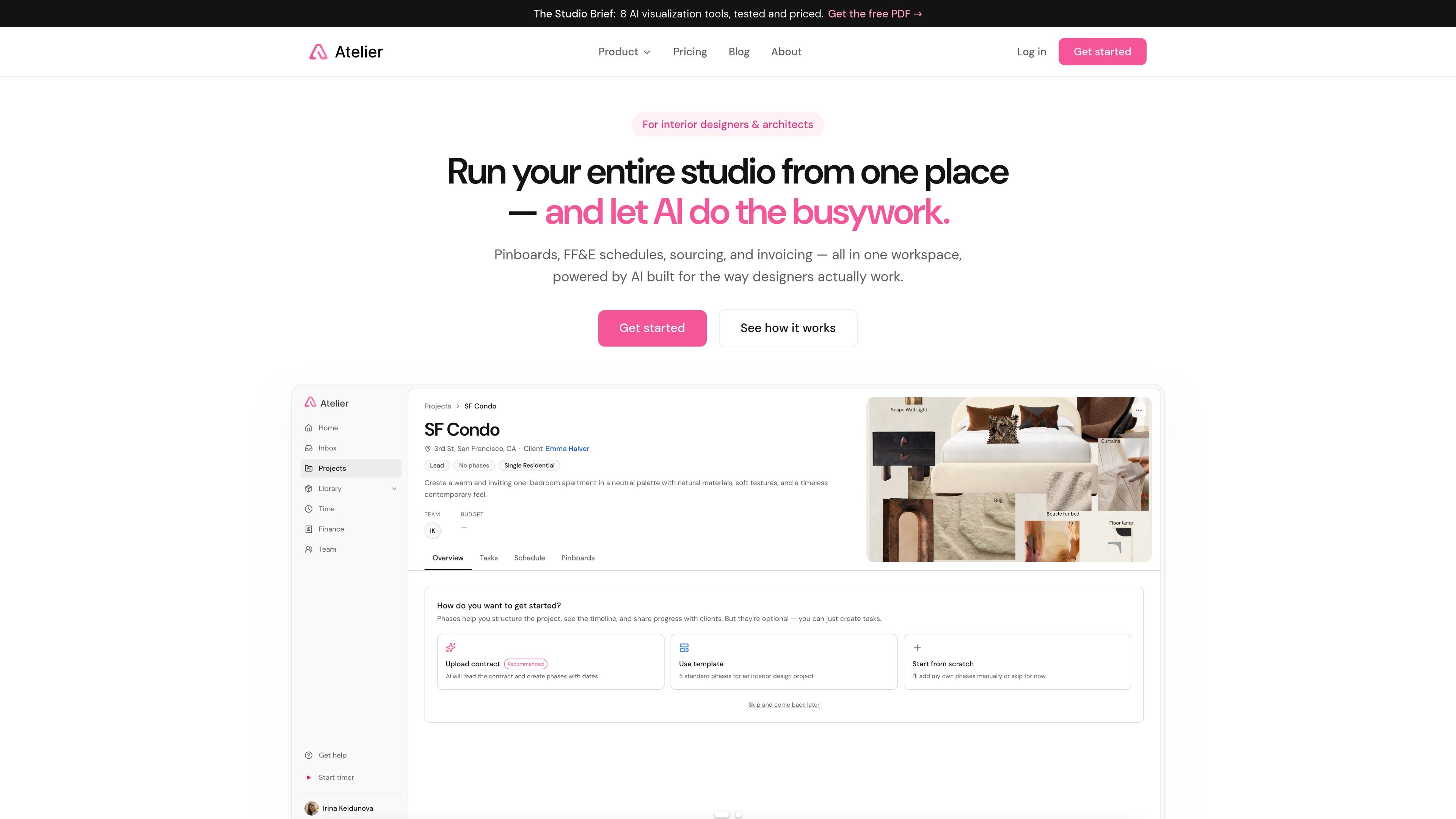
Atelier is an AI-native workspace for interior designers, architects, and studios. It combines pinboards, FF&E schedules, sourcing, procurement, approvals, proposals, and invoicing in one system so the project can move from first inspiration to final invoice without rebuilding the same information in multiple tools.
The product is designed to support the data-heavy parts of design work rather than replace design judgment. Atelier says it does not pick products or design for the user; instead, it captures vendor data, assembles schedules, organizes approvals, and automates the transcription, arithmetic, and paperwork that sit around those decisions.
Start a board from a room description, then refine spacing, grouping, and styling in chat while the board updates in real time.
Capture supplier-page product data into a structured studio library with image, price, dimensions, finish, lead time, and source URL attached.
Turn chosen products into room-by-room FF&E schedules with quantities, finishes, lead times, pricing, markup, and trade discounts in one live view.
Forecast and allocate spend across project categories so designers can compare category-level estimates before ordering begins.
Read signed contracts into proposed project phases and dates to help set up the project plan from the outset.
Track the procurement lifecycle from specified to paid, with approvals, proposals, and invoices generated from the same schedule.
Start from a room brief and get a composed board with real products, then refine the layout in chat before sharing it with a client.
Capture vendor-page product data into a schedule, then keep quantities, prices, finishes, lead times, and room assignments aligned in one live record.
Forecast category-level spending from project context and track how room budgets change before orders are placed.
Run the approval flow from a single link so clients can comment and approve specific lines without reviewing attachment threads.
Move from specified items to proposals, invoices, and paid status using the same schedule rather than rebuilding the project in separate documents.
Atelier is built for interior designers and architects who want to run pinboards, FF&E schedules, sourcing, procurement, proposals, approvals, and invoicing in one workspace. It is especially positioned for studios that work from product links and need the schedule to stay connected to downstream deliverables.
The site says Atelier offers a free trial with no credit card required. When trial time or credits run out, AI generation pauses, but projects, pinboards, and schedules remain accessible and nothing is locked or deleted.
Atelier uses a shared pool of AI credits. Every seat adds 150 credits per month to the studio pool, and the site says only the more expensive AI actions use credits while routine chat tweaks do not. You can also buy top-up packs if needed.
Yes. The site says schedules and product libraries generally export to spreadsheet formats that Atelier can import, and Atelier exports the same way. It also says most studios can finish in-flight projects where they are and start new work in Atelier.
Atelier generates proposals and client invoices from schedules, but it is not an accounting system. The site says QuickBooks and Stripe integrations are on the roadmap, so books stay in external accounting software.

Timebook is a time tracking, invoicing, and bookkeeping app for freelancers and single-member LLCs. It combines hours, invoices, and basic books in one place, with optional Plaid bank sync and AI-agent support.

Biji es una plataforma versátil diseñada para mejorar la productividad a través de herramientas y características innovadoras.

Starlie is a native macOS desktop client for Jira Cloud and self-hosted Jira. It helps Jira users search with JQL, manage sprint boards, review issue context, and make selected updates from a Mac app.

SonOf connects to your repo and PM tool, audits the codebase and surrounding product context, and turns approved work into shipped tickets with senior engineering review. It is aimed at founders and engineering leaders who need backlog help without hiring a full team immediately.

runevr is a connected workspace for creative teams that combines boards, media review, chat, recordings, drive, calls, and AI agents in one room-based environment. It is designed to reduce tool switching and keep project context together.

BotBoard is a task-management layer for AI agents that helps teams assign work, track progress, and review output. It supports CLI, MCP, and HTTP connections for tools like OpenClaw, Codex, Claude Code, and Cursor.