
Local session transfer
Transfers browser sessions locally on macOS between supported Chromium browsers, with ChatGPT Codex as a direct destination when you want to move an authenticated profile into its local database.

Browser Cookie Bridge is a native macOS utility for transferring browser sessions locally between Chromium-based browsers and ChatGPT Codex, with Browserless Cloud available as an explicit optional destination. It is open source, works on macOS 13.5+, and emphasizes visible endpoints and local-first transfers.
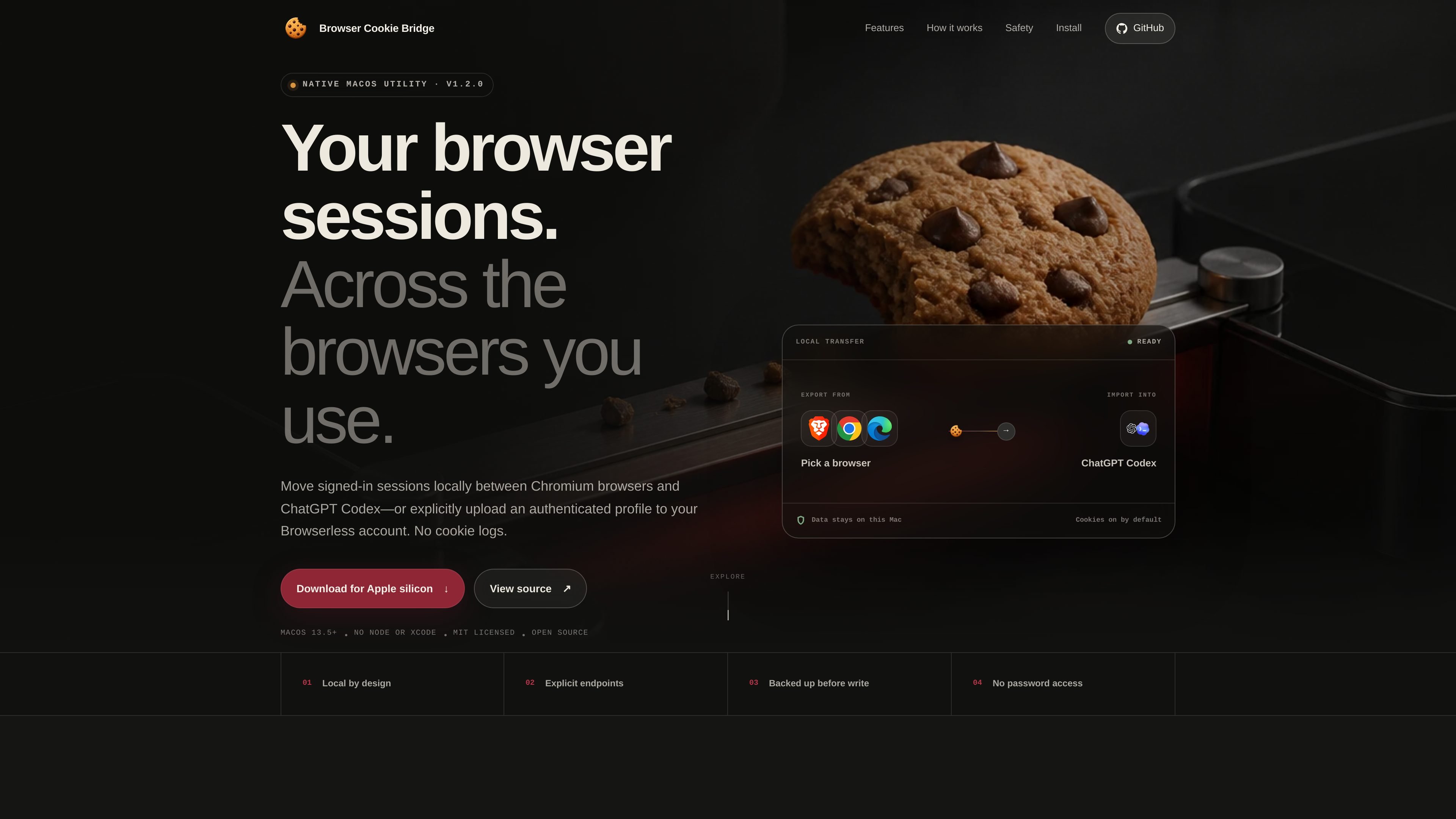
Browser Cookie Bridge is a native macOS utility for transferring browser sessions locally between Chromium-based browsers and ChatGPT Codex. Its default workflow keeps transfers on the Mac, while Browserless Cloud is available as an explicit alternate destination when the user chooses it.
The app is designed around controlled endpoint selection rather than hidden sync. It shows where data is moving, reports transfer status, and keeps cookie values out of logs. The site also documents a DMG install path for Apple silicon and Intel Macs, plus source and npm-based installation options for users who prefer them.
Transfers browser sessions locally on macOS between supported Chromium browsers, with ChatGPT Codex as a direct destination when you want to move an authenticated profile into its local database.
Lets you choose Browserless Cloud as a separate destination only when you want a cloud upload, rather than making cloud relay the default path.
Shows the source and destination before the run, then surfaces success, partial transfer, blocked states, and endpoint errors in the app and menu bar.
Moves cookies with supported attributes, and can include history URLs as an optional add-on while leaving passwords, Keychain data, bookmarks, payment data, and autofill untouched.
Prevents unsafe writes by requiring Codex to be closed, backing it up first, validating the replacement, and restoring the original if replacement fails.
Runs as a native macOS utility with menu-bar access, scheduled or on-demand execution, and no need for Node.js or Xcode when using the DMG build.
Move a signed-in session from one Chromium-based browser profile to another on the same Mac without relying on cloud sync.
Import an authenticated profile into ChatGPT Codex after closing Codex so the app can back up and replace its local database safely.
Upload cookies, local storage, and IndexedDB to Browserless Cloud when you explicitly want a cloud destination instead of a local handoff.
Run transfers on demand, at login, or on a local schedule from the menu-bar helper while keeping the app available after the window closes.
Browser Cookie Bridge can move sessions between supported Chromium-based browsers on macOS, and it can also import into ChatGPT Codex. It can optionally upload an authenticated profile to Browserless Cloud when that destination is explicitly selected.
For extension-based browser-to-browser transfers, other browsers do not need to be closed. ChatGPT Codex must be completely closed before a direct local merge so the app can back up, validate, and replace Codex's local database safely. Browserless uploads also require the source browser to be closed so a consistent profile copy can be captured.
No. The product states that Chromium browser password stores are not accessible to browser extensions, and it does not access passwords, Keychain items, payment data, bookmarks, or autofill.
When Browserless Cloud is chosen, cookies, local storage, and IndexedDB from the selected profile are sent directly to the chosen Browserless region. History and saved passwords are excluded.
The recommended DMG install does not require Node.js, Xcode, or Terminal. Node.js and Xcode Command Line Tools are only needed for the npm and source installation methods.

MacSpoof es un cambiador de MAC para macOS: cambia o aleatoriza tu MAC Wi‑Fi para reconectar y reducir el registro de identidad en redes públicas.

NomNak es una app gratuita para iPhone para descubrir restaurantes con recomendaciones de amigos, guardar lugares, crear tu pasaporte gastronómico y buscar ciudades.

Ctrl+Shift+3 is a calm, text-first community platform with a chronological feed, profiles, RSS, and private groups called Clicks. It is built for reading, posting, and joining smaller communities without algorithmic ranking or vanity counts.

TyeGit es un cliente Git nativo para desarrolladores que buscan control rápido y preciso de staging, commits, ramas y remotos en Windows, macOS y Linux.
Servey lets you mirror and control a Mac from an iPhone or iPad, with a real terminal and automatic local-or-remote connectivity. It is aimed at people who want full Mac access on mobile without VPN or port forwarding.
Terminal Candy is a native macOS terminal app that lets you run a real shell inside custom visual skins. It supports community skins, custom skin creation from images, and a one-time license after a free trial.