
Voice workflow over CarPlay
Use the phrase “Hey Siri, Jarvis” to start a voice session, ask follow-up questions, and hear replies through CarPlay without operating a screen.

carcode is an open-source, MIT-licensed developer tool that lets developers use Claude Code by voice through Siri and CarPlay. It can inspect repositories and pull requests, query connected work tools, and create draft code changes on a Mac.
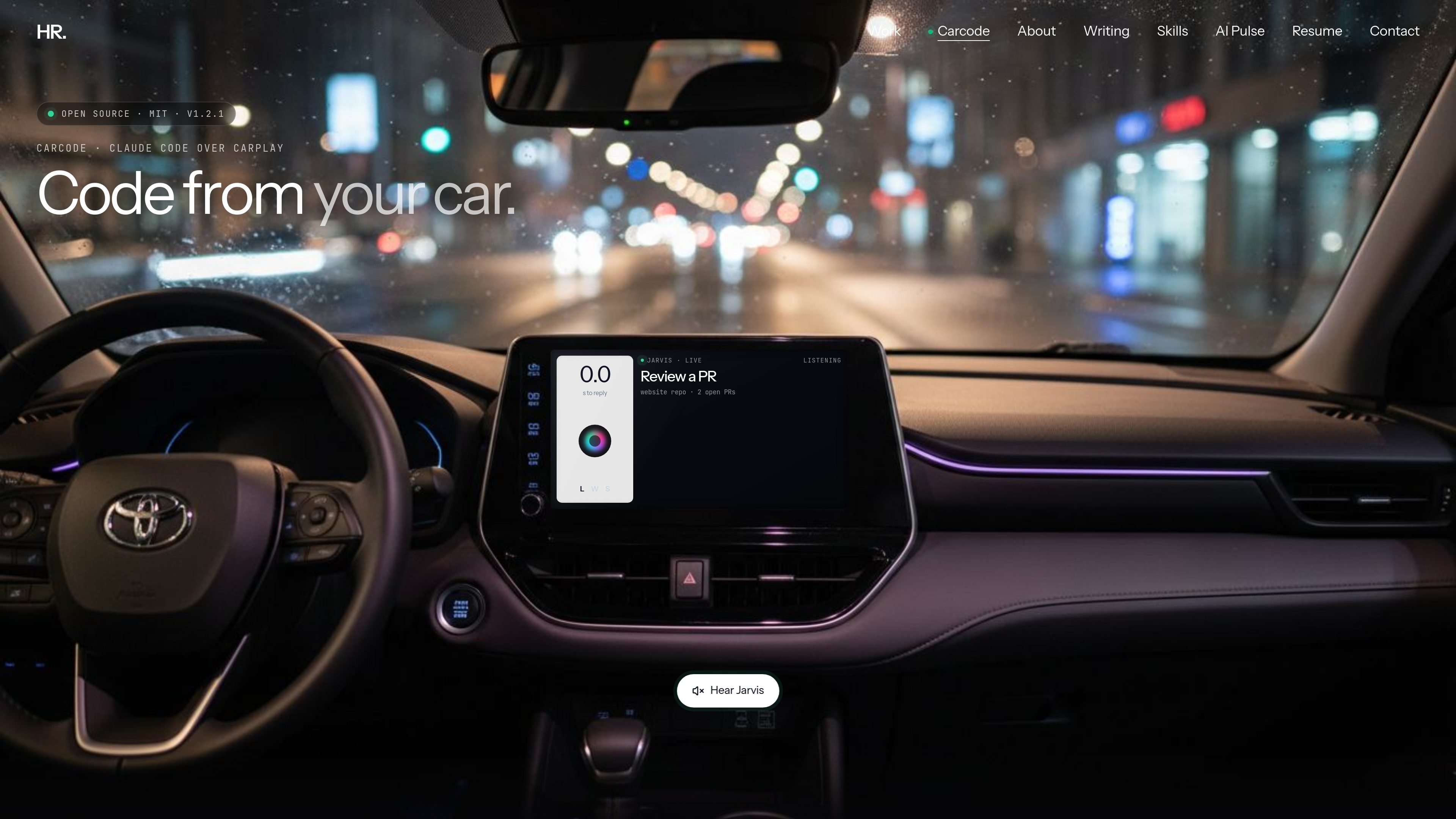
carcode is an open-source, MIT-licensed developer tool that lets users interact with Claude Code by voice from a car. A Siri Shortcut carries spoken requests from an iPhone over a Cloudflare tunnel to a Mac, where Claude Code uses the user’s repositories, GitHub CLI, git installation, and configured connectors. Responses are returned as speech through CarPlay.
It is intended for developers who want to check pull requests, inspect CI status, catch up on work messages, or request code changes without using a laptop screen. Changes are restricted to draft pull requests on a carcode branch, while messages, approvals, merges, deletions, and public posts require a spoken confirmation.
Use the phrase “Hey Siri, Jarvis” to start a voice session, ask follow-up questions, and hear replies through CarPlay without operating a screen.
Claude Code runs on the user’s Mac with the normal CLI login and works in the configured repositories rather than through a separate carcode account or API key.
Ask about pull requests and CI, review diffs, approve a pull request after confirmation, or request a code fix that becomes a draft PR on a `carcode/...` branch.
Use configured connectors to search Slack, read messages back before sending, and access examples such as Gmail, Calendar, and Drive.
A warm Claude Code session, partial-sentence handling, short spoken responses, background completion, and a live dashboard are designed for hands-free use.
The server listens on localhost, the tunnel is token-checked, risky actions require spoken confirmation, shell tools are allowlisted, and message or repository content is treated as data.
Ask which pull requests are open, inspect a diff, check CI status, and approve a PR after carcode reads the action back for confirmation.
Describe a small fix verbally, such as correcting a broken link or README typo, and have Claude Code create a branch, commit the change, push it, and open a draft PR.
Search connected Slack or email sources for updates, hear messages read back, and send a response only after confirming the exact text.
Ask what is scheduled on a connected calendar while traveling, using the voice interface instead of opening a work application.
Use `npx carcode-cli talk` at a desk to test the workflow or run it without a car; `--quiet` provides text output instead of spoken terminal replies.
Run `npx carcode-cli` on a Mac. The installer checks the machine, adds missing dependencies, asks for the repos folder, starts carcode, and builds a Siri Shortcut. Add the shortcut in Shortcuts, let it sync to the iPhone through iCloud, then configure Siri to allow use when locked and prefer spoken responses.
The documented setup uses a Mac that remains on while you drive, Claude Code installed and logged in, an iPhone with Siri on the same iCloud account, and CarPlay for the in-car experience. A Mac mini at home is given as an example. The command-line `talk` mode can be used at a desk without a car.
You say “Hey Siri, Jarvis,” then ask about repositories, pull requests, Slack, email, calendars, or code changes. Claude Code works through the configured local tools and connectors, and answers are spoken back through CarPlay. Long jobs can continue in the background and report when finished.
carcode asks for spoken confirmation before sending messages, approving or merging pull requests, deleting anything, or posting publicly. Code changes are placed on a `carcode/...` branch as a draft pull request, and the system is instructed not to push to main or force-push.
The project is described as free, open source, and MIT-licensed. The available source does not specify whether Claude, GitHub, Slack, or other connected services may involve separate costs.

ByteAsk is a terminal-first AI coding agent for C and C++ that edits repositories and verifies changes with the real compiler, debugger, sanitizers, and tests before showing a diff. It offers a free tier plus paid plans, with editor connectors and zero-retention handling described in the source.

GitBot is a local browser-based workspace for creating reusable coding bots powered by Claude Code, Codex, or OpenCode. It helps developers run those agents across repository folders with persistent threads and configurable permissions.

Ghost es un asistente de IA para terminal para chatear, generar código y ejecutar tareas en la línea de comandos. Incluye modelos gratuitos, es compatible con Linux, macOS y Windows, y es de código abierto.

Vi3ecode is a maintained development environment for working with AI coding agents. It keeps project context, terminal, Git, memory, flows, review, and communication connected around the agent you already use.

CreateOS Sandbox is an isolated compute environment for running code and agent workloads inside Firecracker micro-VMs. It is designed for workflows that need machine-level isolation, private networking between sandboxes, and programmatic control through SDK, CLI, or MCP.

hob is an independent workspace for coding agents that keeps agent sessions, terminals, history, and follow-up work organized around the tools and providers you already use. It is aimed at developers who want local control over routing, history, and workspace structure rather than a bundled model stack.