
Theme and appearance editor
Choose built-in themes or create your own with colors, gradients, photo backgrounds, fonts, key geometry, materials, labels, and separate light and dark appearances.

Clink is a customizable third-party keyboard for iPhone with editable themes, layouts, sounds, haptics, typing assistance, and in-keyboard tools. It is designed for iOS users who want more control over keyboard appearance and writing workflows; an Android version is currently offered through a waitlist.
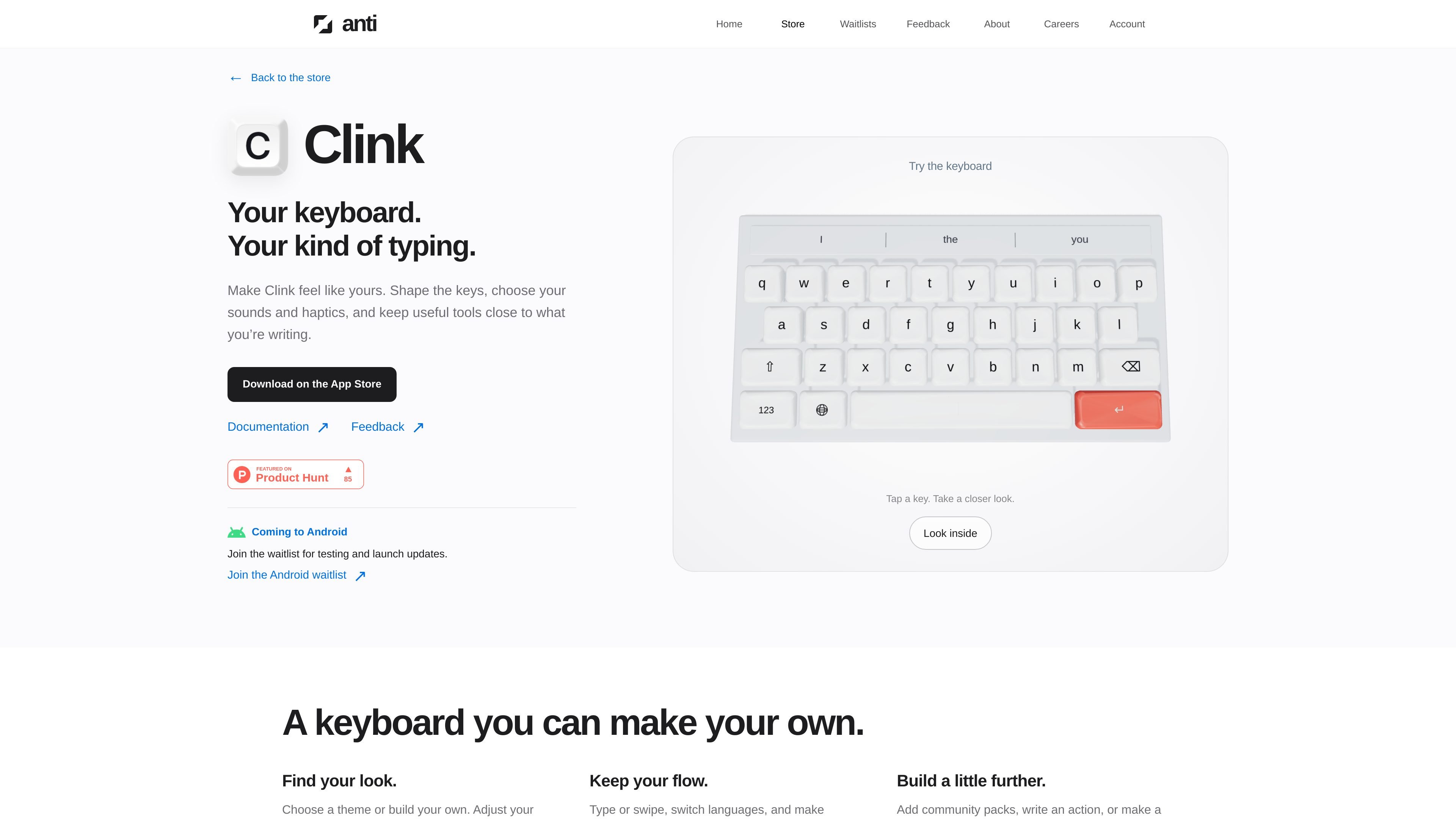
Clink is a customizable third-party keyboard for iPhone. It lets users change the keyboard's visual appearance, layout, sounds, haptics, and available tools instead of relying only on the standard iOS keyboard configuration.
Alongside customization, Clink provides typing assistance and utilities in the keyboard itself. Users can type or swipe, work across multiple languages, use autocorrect and suggestions, access clipboard and translation tools, and save complete setups as profiles. The documentation also describes local processing for typing data, with no account or network connection on the typing path.
Choose built-in themes or create your own with colors, gradients, photo backgrounds, fonts, key geometry, materials, labels, and separate light and dark appearances.
Add number rows, split the keyboard for two thumbs, move it for one-handed use, or build a layout key by key. Save different complete keyboard setups as profiles.
Use autocomplete, autocorrect, custom words, replacements, dictionaries, swipe typing, auto-capitalization, punctuation, and the space bar as a trackpad. Learning remains on the device.
Keep emoji, clipboard history, translation, calculator and conversion, notes, GIFs, stickers, handwriting, and dictation available from the keyboard while you write.
Select mechanical-style sounds and haptics, record sound packs, and create optional lighting effects. The documentation says haptics can work even when the system click is off.
Import and share themes, layouts, sounds, fonts, profiles, panels, actions, and plugins. Community packs can come from public GitHub repositories, while developers can use Clink's panel, action, and plugin reference.
Create separate profiles for work and personal writing, then switch between them when you need different layouts, themes, or tools.
Configure a number row, split layout, or one-handed arrangement for a preferred thumb position, and tune key size, spacing, and shape to match it.
Keep clipboard history, translation, calculator or conversion, notes, dictation, and handwriting within the current conversation instead of leaving the text field for a separate app.
Use multiple languages, custom words, replacements, swipe typing, and adjustable correction settings for conversations that include names, jargon, or language changes.
Share a theme, layout, sound pack, profile, panel, action, or plugin through an export file, QR code where supported, or a public GitHub community repository.
Clink is installed from the App Store, then added in iOS Settings. You switch to it with the globe key. Full Access is optional for typing, but some features—including haptics, clipboard access, and custom sounds—depend on it.
The standard keyboard functions include typing, swipe typing, language switching, autocorrect, suggestions, dictation, and keyboard tools. Some customization and tools require Clink Pro or Membership, while the built-in themes are available free.
You can choose a preset or create a theme with custom colors, backgrounds, fonts, key geometry, labels, materials, sounds, and haptics. Themes can include separate light and dark appearances and can be saved in the theme library.
Clink keeps autocorrect, suggestions, learned words, typing statistics, and related typing data on the device. Its documentation states that there is no account and no network connection on the typing path.
Clink is currently presented as an iOS product. The site says an Android version is coming and invites users to join a waitlist for testing and launch updates.

Goldfish is an AI memory app for macOS that helps you reply, write, summarize, and continue using the context already on your Mac. It stores memory locally and writes in your tone.

ProWritingAid is a writing assistant for storytellers that offers grammar checking, style editing, paraphrasing, and story analysis inside popular writing apps. It includes a free plan, paid tiers, and tools for chapter critique, manuscript review, and collaborative editing.

SpeakoFlow is a free, open-source desktop voice-to-text app for Windows, macOS, and Linux. It supports dictation into any app, voice-driven writing with Flow, cleanup, translation, and a screen-aware assistant.

Paperpal 是一款面向学术写作的 AI 工具,提供文献阅读、语言润色、引用、查重、AI 检测和投稿前检查。它适合需要在英文论文和学术材料上进行写作、修改与合规自检的学生、研究人员和教师。

Sanota is an app that turns spoken memories, reflections, and interviews into clear written stories. It supports personal storytelling, family history, and shared memories, with guided prompts and subscription pricing.

Dirac is an AI email assistant that prepares a morning brief, prioritizes important threads, and drafts replies in your voice. It is positioned for founders and other busy professionals who use Gmail and want to reduce morning inbox triage.