
Agent-built video projects
Describe a product demo, launch video, or tutorial in plain language and the agent builds the scene structure, timing, and narration around it.

CoAnimator is an agentic animation studio for building and editing videos with AI agents. It supports product demos, launch videos, tutorials, motion graphics, and 3D product videos with local MP4 rendering on macOS, Windows, and Linux.
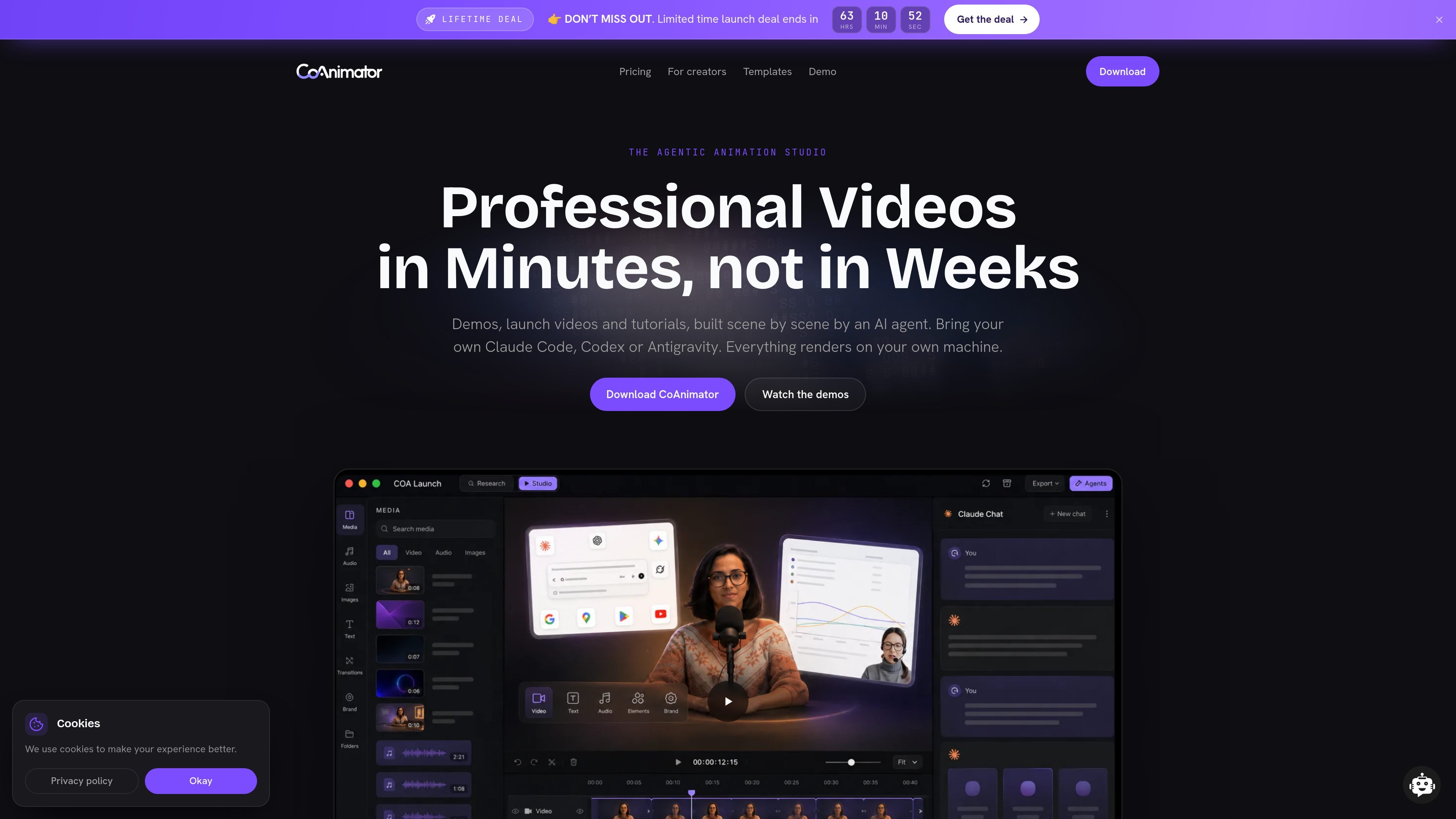
CoAnimator is an agentic animation studio for making and editing videos with AI agents. The product is built around scene-by-scene video projects that can be directed in plain language and rendered locally as MP4 files on macOS, Windows, or Linux.
The site positions it for product demos, launch videos, tutorials, motion graphics, 3D product videos, and creator-style edits. Users can bring their own agent, including Claude Code, Codex, or Antigravity, and keep the project as editable files rather than a fixed rendered clip.
Describe a product demo, launch video, or tutorial in plain language and the agent builds the scene structure, timing, and narration around it.
The product supports text-led edits on real footage, such as captions, overlays, title treatment, freeze frames, spotlights, and color changes.
Templates include documented effects and skills, so the agent can produce specific looks such as cinematic cast intros, freeze-pop cards, and glitch titles.
Supports motion graphics, kinetic type, product UI in motion, explainer scenes, and other narrated formats.
3D projects use real WebGL scenes with low-poly worlds, keyframed cameras, narrated subtitles, and local GPU rendering.
Exports render on your machine, with no metered credits and unlimited local renders on both free and paid tiers.
Build walkthroughs where the agent places recordings on a timeline, adds titles and zooms, and times narration to the steps in the demo.
Turn scripts into structured scenes with voiceover and timing for feature announcements, release videos, and launch recaps.
Apply text-led treatments to recorded footage, such as captions, spotlights, background text, freeze frames, and frame-by-frame style changes.
Produce vertical or short-form variants for Reels, Shorts, and social feeds from the same editable project.
Create stylized low-poly WebGL scenes, camera moves, and narrated sequences for 3D product videos.
CoAnimator is an agentic animation studio for building and editing videos with AI agents. You describe the video you want, and the agent writes the animation, timeline, and narration as editable files while you review the stage live.
It is aimed at people who can describe the result they want, including creators and product teams. The site says you can use it even if you do not know how to code, as the agent handles the editing and scene construction.
It works with Claude Code, Codex, Antigravity, and other agents you already use. The product is positioned as agent-agnostic rather than tied to one vendor.
Rendering happens locally on your machine and exports to MP4. The site says local renders are unlimited, and the free plan is watermarked at 720p while the paid licence removes the watermark and enables up to 4K export.
CoAnimator is licensed software with a free tier and a one-time paid licence. The pricing page says the licence adds 4K export, premium plugins, research mode, and watermark-free exports, with a year of updates included.

VIDEOAI.ME is an AI video generator for making spokesperson-style videos, ads, explainers, and social content from a script. It is aimed at founders, marketers, agencies, and creators who want to produce videos without filming.

Video Effects SDK adds real-time webcam effects such as background blur, background replacement or removal, denoising, framing, beautification, and color grading. It is built for teams shipping live video experiences on web, desktop, and mobile platforms.

Official HeyGen API documentation for building AI avatar videos, translations, lipsync, and interactive video-agent sessions. It supports direct API use plus MCP and CLI-style workflows for developers and AI agents.

DeepMotion is a web-based AI motion capture and 3D animation platform with Animate 3D for video-to-animation and SayMotion for text-to-animation. It helps creators and teams generate motion in a browser and export results in common production formats.

艺映AI is a free AI video creation tool for generating video from text, images, or existing footage. It is positioned for short-form social content, promotional clips, and stylized AI video projects.

Clipia.ai is an AI image and video generation platform with presentations, an agent workflow, and developer integrations. It helps creators, teams, and developers produce media and decks from prompts, briefs, or source files using a shared credit system.