
Quick Look-based previews
CodeLook is built as a Quick Look extension for macOS, so it is designed to preview code files quickly instead of opening them in a separate editor window.

CodeLook is a macOS Quick Look extension for previewing code files with Tree-sitter syntax highlighting and 700+ themes. It is designed for local, privacy-preserving file previews without opening a full editor.
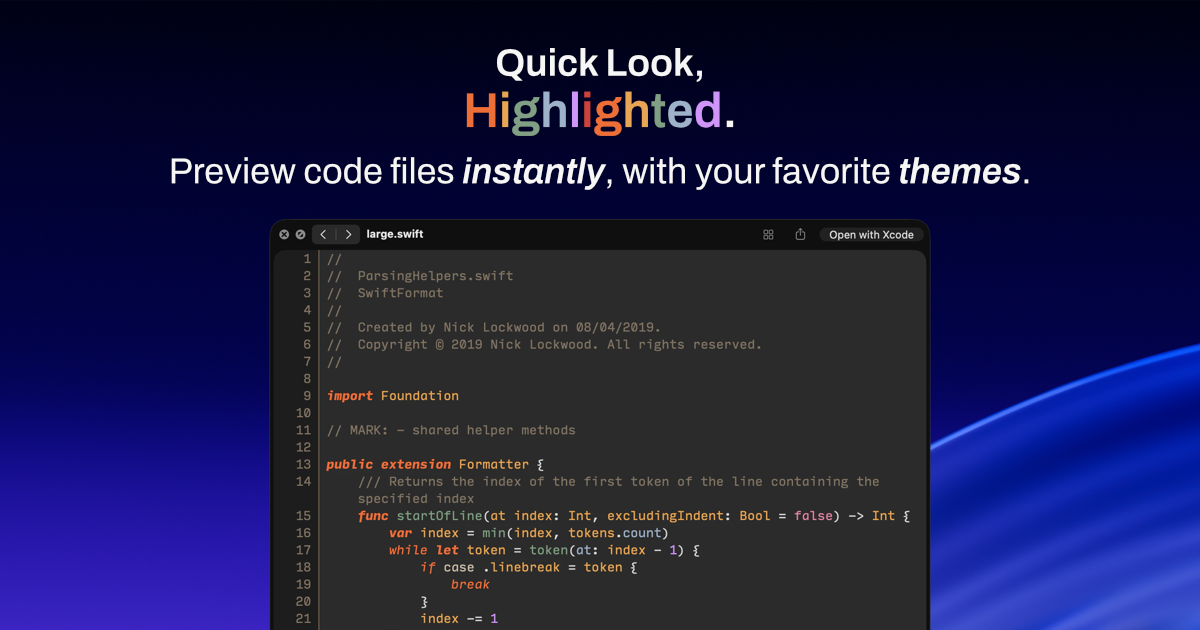
CodeLook is a macOS Quick Look extension for previewing code files without opening a full editor. It is positioned for users who want fast file inspection from Finder or other macOS preview surfaces, while keeping the preview readable and familiar.
The product emphasizes visual matching with text editors through 700+ themes, Tree-sitter-based syntax highlighting, and optional wrap and line number settings. The privacy policy states that files are processed locally on the Mac and that CodeLook does not collect, store, or transmit personal data.
CodeLook is built as a Quick Look extension for macOS, so it is designed to preview code files quickly instead of opening them in a separate editor window.
The homepage says syntax highlighting is powered by Tree-sitter, and the licenses page lists Tree-sitter plus several Tree-sitter grammars used by the app.
CodeLook includes a large theme catalog and says previews can match text editors visually, with colors applied to the background, gutter, line numbers, separator, and text.
The homepage notes optional wrap and line number settings, giving users a way to adjust how code is displayed in the preview.
The privacy policy says files are read locally on the Mac to render the preview and are never uploaded or transmitted.
Theme browsing and installation use Zed’s public extension registry API to fetch theme definitions and theme files on demand.
Review a source file, config, or snippet from Finder without opening a code editor, useful when you only need a quick read.
Check how a file will look under a familiar editor theme before switching back to your main coding environment.
Scan a long code file more comfortably by enabling wrap or adding line numbers in the preview.
Browse local code files with a privacy-sensitive workflow where files stay on the Mac instead of being uploaded.
Preview files from languages covered by the Tree-sitter grammars listed on the licenses page, such as Bash, C, C++, CSS, Go, JavaScript, JSON, Markdown, Python, Ruby, Rust, Swift, TypeScript, and YAML.
CodeLook is a macOS Quick Look extension. You use it from Finder or any place macOS Quick Look is available to preview code files without opening them in a full editor.
The site says CodeLook previews code files with Tree-sitter-based syntax highlighting and supports 700+ themes that match text editors. Its theme catalog is fetched from Zed’s public extension registry, and theme files are downloaded on demand.
The privacy policy says CodeLook does not collect, store, or transmit personal data, and files are read locally on your Mac to render the preview.
The available source material does not list supported file types, system requirements, or installation steps. The homepage and licenses page indicate it is a macOS Quick Look extension, but more setup details are not provided on the pages reviewed.
The pricing page at /pricing returned a 404, while the homepage and meta description describe CodeLook as a one-time purchase. No additional pricing tiers or refund terms were available in the reviewed pages.

ByteAsk is a terminal-first AI coding agent for C and C++ that edits repositories and verifies changes with the real compiler, debugger, sanitizers, and tests before showing a diff. It offers a free tier plus paid plans, with editor connectors and zero-retention handling described in the source.

CreateOS Sandbox is an isolated compute environment for running code and agent workloads inside Firecracker micro-VMs. It is designed for workflows that need machine-level isolation, private networking between sandboxes, and programmatic control through SDK, CLI, or MCP.

hob is an independent workspace for coding agents that keeps agent sessions, terminals, history, and follow-up work organized around the tools and providers you already use. It is aimed at developers who want local control over routing, history, and workspace structure rather than a bundled model stack.

Ably Chat is a chat API platform for building custom realtime chat applications. It supports room-based messaging, typing indicators, presence, reactions, and message updates, with usage-based pricing options for different deployment stages.

Manta AI is an autonomous web app testing tool for teams that want to map application behavior, catch regressions, and generate tests without writing scripts or maintaining selectors. It works from a URL and supports plain-English test flows, run results with screenshots, and scheduled or deployment-triggered checks.

SonOf connects to your repo and PM tool, audits the codebase and surrounding product context, and turns approved work into shipped tickets with senior engineering review. It is aimed at founders and engineering leaders who need backlog help without hiring a full team immediately.