
Curated resource index
Browse a curated collection spanning design galleries, interface design tools, reading, component resources, AI tools, and related design-engineering material.

Designeer is a curated directory of design galleries, interface tools, component libraries, AI resources, learning material, and design-engineering practitioners. It helps designers, frontend engineers, and builders research digital craft through manually evaluated external resources.
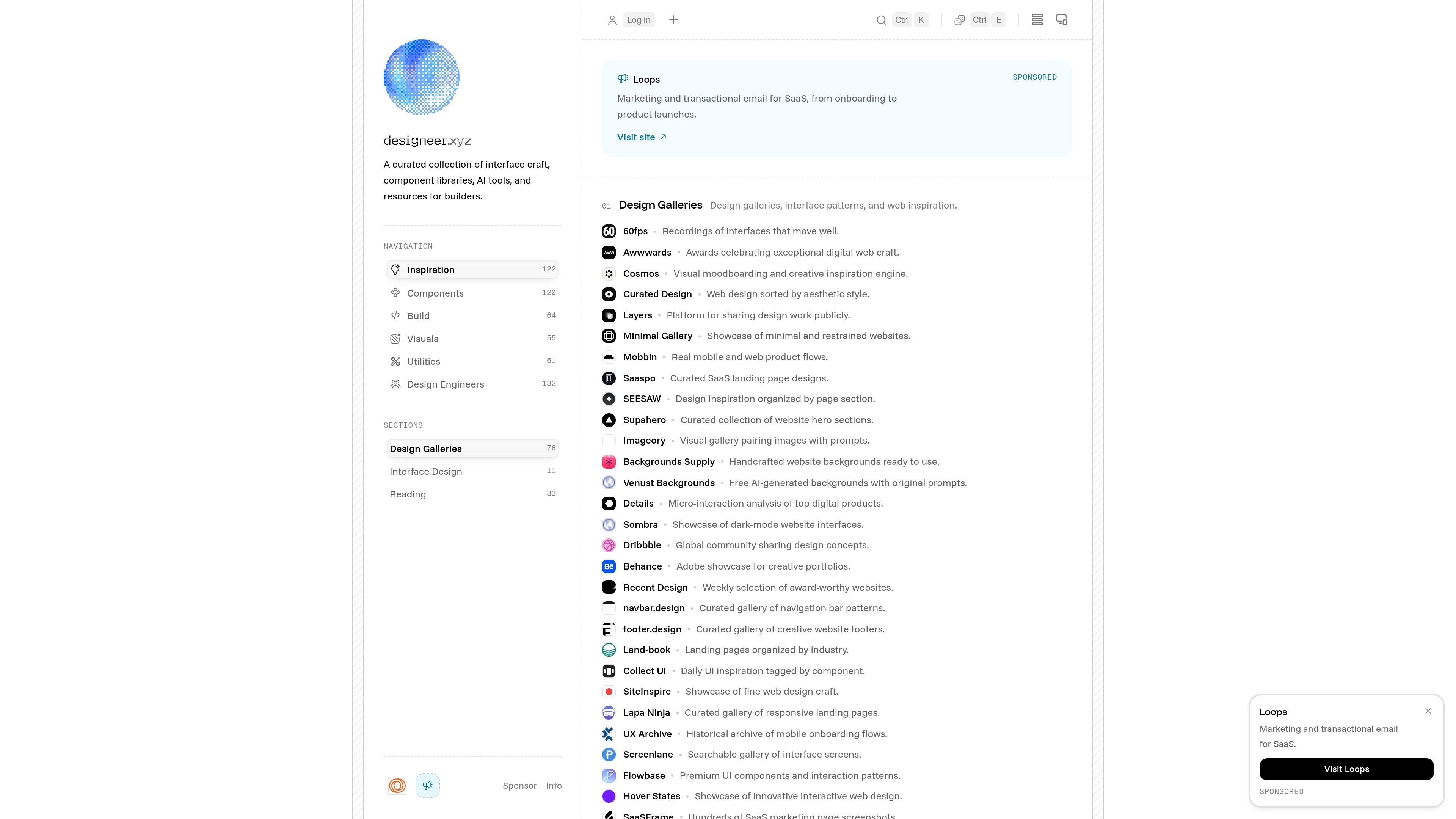
Designeer is a curated index for designers, frontend engineers, and other builders who want a focused starting point for exploring digital design and implementation resources. It brings together design galleries, interface tools, component libraries, design systems, AI tools, educational material, and directories of design engineers.
The site is positioned as an independent craft resource rather than an automated feed or unvetted directory. Its stated purpose is to help people investigate polished interfaces, motion, typography, and practical frontend craft through a maintained collection of external resources.
Browse a curated collection spanning design galleries, interface design tools, reading, component resources, AI tools, and related design-engineering material.
Find resources organized into 17 categories, including interface design, design galleries, and reading, rather than relying on an undifferentiated link list.
Review entries covering interface patterns, component libraries, design systems, AI tools, visual inspiration, and people worth learning from.
Use the directory as a starting point for examining digital craft, including tactile interactions, motion, typography, and frontend implementation resources.
Submit tools and products for free review. The site says submissions are opened, tested, and evaluated for craft fit before inclusion.
See sponsored placements separately from standard listings. Sponsored entries are visibly badged, while the site states that rankings and standard inclusion are not sold.
Start with design galleries, landing-page collections, mobile flows, navigation patterns, or interaction showcases when collecting references for a new interface.
Compare interface design canvases, component resources, design-system material, and frontend craft references while planning or refining a product interface.
Use the reading and tutorial categories to find material on typography, accessibility, web performance, CSS, SVG, animation, and practical UI design.
Explore the directory of design engineers and related portfolios to discover practitioners whose work or process may inform a project.
Submit a design, development, or AI tool for editorial review when it fits the site's focus on interface craft and real-world utility.
Designeer is a curated index of design engineering tools, interface patterns, component libraries, AI tools, inspiration, and related resources for designers, frontend engineers, and other builders.
The catalogue is continuously updated with new releases, framework updates, and community submissions. The site states that it features more than 422 vetted tools across 17 categories, along with a directory of 132 design engineers.
Yes. Tools can be submitted through the site for free review. Inclusion is based on craft fit, while sponsored launches receive expedited review and prominent placement; sponsorship does not determine whether a tool enters the catalogue.
Standard catalogue listings are described as merit-based and cannot be purchased. Sponsored placements are clearly marked with a visible SPONSOR label and are also identified as sponsored in the page markup.
The site presents Designeer as a free resource. Sponsorships support maintenance of the index and are separate from the editorial selection of catalogue entries.

Hype is a web tool for finding trending YouTube topics by category, time range, and scoring mode. It helps creators spot emerging ideas, inspect source videos, and decide what to cover next.

Paperpal 是一款面向学术写作的 AI 工具,提供文献阅读、语言润色、引用、查重、AI 检测和投稿前检查。它适合需要在英文论文和学术材料上进行写作、修改与合规自检的学生、研究人员和教师。

VForms lets you place questionnaires directly inside YouTube videos so viewers answer in context instead of switching to a separate form. It is aimed at collecting feedback and insights through timestamped, embeddable video forms.

Scite es una plataforma de investigación con IA para descubrir artículos, verificar el contexto de citas y obtener respuestas basadas en literatura académica. Ayuda a evaluar evidencia en fuentes de texto completo, patentes y materiales relacionados.

Radar is a self-hostable media intelligence and social listening app for monitoring public sources, analyzing mentions, and generating briefs or content outputs with optional Claude AI. It is aimed at individuals and small teams that want an enterprise-style workflow without a cloud account.

Shodh is an AI-powered research and strategy platform for business questions that need structured investigation, source-backed evidence, and auditable recommendations. It is aimed at founders, operators, consultants, investors, and corporate development teams.