Teloframe icon

Teloframe

Teloframe is an AI-powered football coaching platform for building tactics, editing drills, planning sessions, and managing player development in one workspace. It includes a Free tier plus Pro and Club plans for coaches and analysts who need more collaboration and team features.

Teloframe

AI football coaching workspace

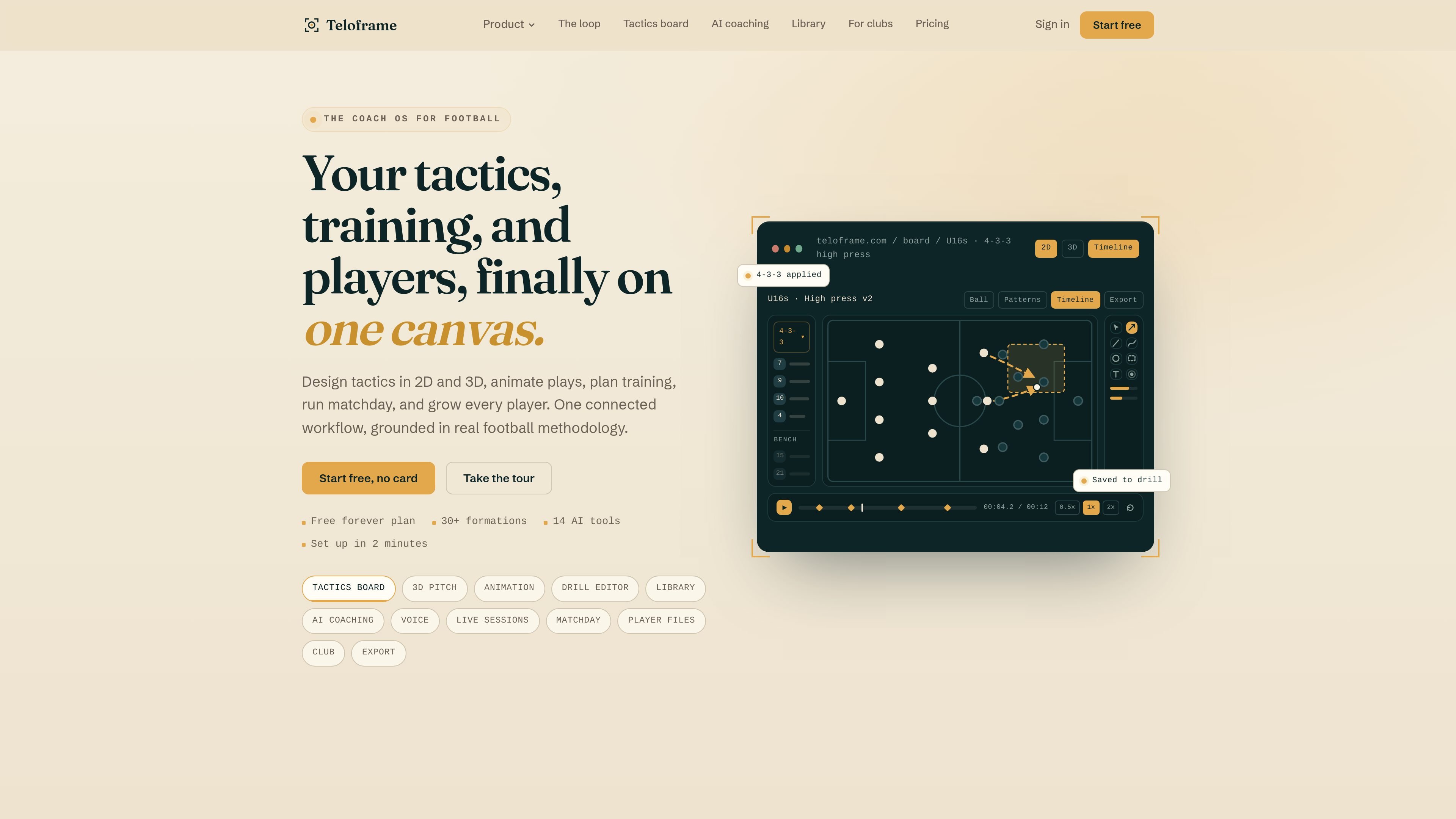
Teloframe is an AI-powered football coaching platform that combines a tactics board, drill editor, session planner, player development tools, and a tactical library in one workspace. It is designed for coaches and analysts who want to move from planning to training, matchday, and review without rebuilding the same idea across separate apps.

The product centers on a connected coaching workflow. Users can design tactics in 2D or 3D, animate movements, turn board ideas into drills, plan sessions, capture notes by voice, and use AI tools that reference the relevant evidence. The pricing page shows a Free tier, Pro, and Club plans, with added collaboration and team features on the paid tiers.

Core features

2D and 3D tactics board

Build football tactics on a 2D board, switch to a 3D pitch view, and animate plays on a timeline. The board supports drag-and-drop positioning, keyboard shortcuts, unlimited plays on Free, and local-first saves with cloud backup.

Drill editor and library workflow

Create and organize drills, then save board ideas straight into the drill workflow. The source also shows drill library browsing, drill sharing, and drill limits by plan on Free.

14 AI coaching tools

Use football-specific AI tools across player profiles, session planning, match analysis, club standards, and capture workflows. The product lists 14 AI tools in total, with cited outputs and no automatic publishing.

Voice capture and whiteboard import

Capture live coaching notes with voice transcription and import whiteboard photos into editable plays. The product states that audio is not stored and that transcribed notes can feed live match, training, and evaluation surfaces.

Player development and team management

Manage player files, evaluations, development plans, and narrative summaries. The pricing page adds team and player management plus player development plans and evaluations on Pro.

Session planning and delivery

Plan and deliver sessions, then review the work in context. The platform shows session planning, live delivery mode, matchday tools, and sharing options such as QR-linked player explainers.

Typical use cases

  • Design and present tactics

    Sketch a team shape, switch between 2D and 3D views, and animate pressing triggers or build-up patterns before sharing the idea with staff or players.

  • Create training drills

    Turn a board concept into a structured drill, then store it in the library or reuse a saved pattern later in the week.

  • Build and adjust sessions

    Plan the training week with session planning tools and use AI suggestions to draft the next session, check load balance, or reflect on what was delivered.

  • Record notes during training or matches

    Capture live coaching observations through voice notes, transcribe them into the appropriate field, and use them later for match debriefs or player evaluations.

  • Monitor player progress

    Track player development with files, evaluations, and narrative summaries that connect clips, notes, and match events into one record.

Pros and Cons

Pros

  • Combines tactics, drills, session planning, player development, and AI tools in one product.
  • Supports a practical workflow from board ideas to drills, sessions, live notes, and review.
  • Includes both 2D and 3D pitch views plus animation and presentation surfaces.
  • AI outputs cite their sources, which supports traceable coaching notes and summaries.
  • Offers a Free plan, which lowers the barrier to trying the product.

Cons

  • Some capabilities are plan-limited, such as drill counts, session creation, AI credits, exports, and collaboration features on Free.
  • The source does not show detailed third-party integrations or external platform connections.
  • Advanced team collaboration, approval workflows, and role-based access are reserved for Club.

FAQ

Is Teloframe free to use?

Yes. The Free plan is available at no cost and includes unlimited tactics boards, 3D pitch view, drawing tools, up to 10 drills, 3 new sessions per month, one team with 15 active players, and limited AI and sharing allowances.

What do the paid plans add?

Pro adds the full AI coaching assistant, unlimited drills and sessions, unlimited teams and squads, branding tools, 4K exports without a watermark, and deeper player and session management. Club adds shared workspaces, role-based access, approval workflows, real-time collaboration, and included staff seats.

Can I export my work?

Yes. The pricing page says tactics, drills, and sessions can be exported from the app, and the Free plan includes PNG, GIF, and MP4 exports with an HD watermark while Pro and Club add higher-end export options.

Who is Teloframe for?

The source shows a tactics board, drill editor, session planner, player development tools, live delivery, a tactical library, and AI coaching tools in one workflow. The main fit is coaches and analysts who want to move from planning to training and review in one place.

What happens if I cancel a paid plan?

The pricing page says you can upgrade or downgrade at any time, and canceling returns the account to the Free tier after the current billing cycle while saved tactics, drills, and sessions remain intact.

Quick Facts

Category
Football coaching software
Platform
Web app
Primary users
Football coaches and analysts
Plans
Free, Pro, and Club
Source domain
fctactix.com
Workflow
Tactics board → drills → sessions → matchday → review