
Motion transfer
Apply the movement from a reference clip to a new cast using character photos. Presets can identify photo roles for duets, crowds, and pet scenes.

Genjutsu AI is a browser-based platform for generating images and short videos, with motion transfer and object-swap workflows for applying reference movement or replacing scene elements. It helps creators explore character performances, product concepts, social clips, and other visual ideas from text, images, presets, or uploaded video.
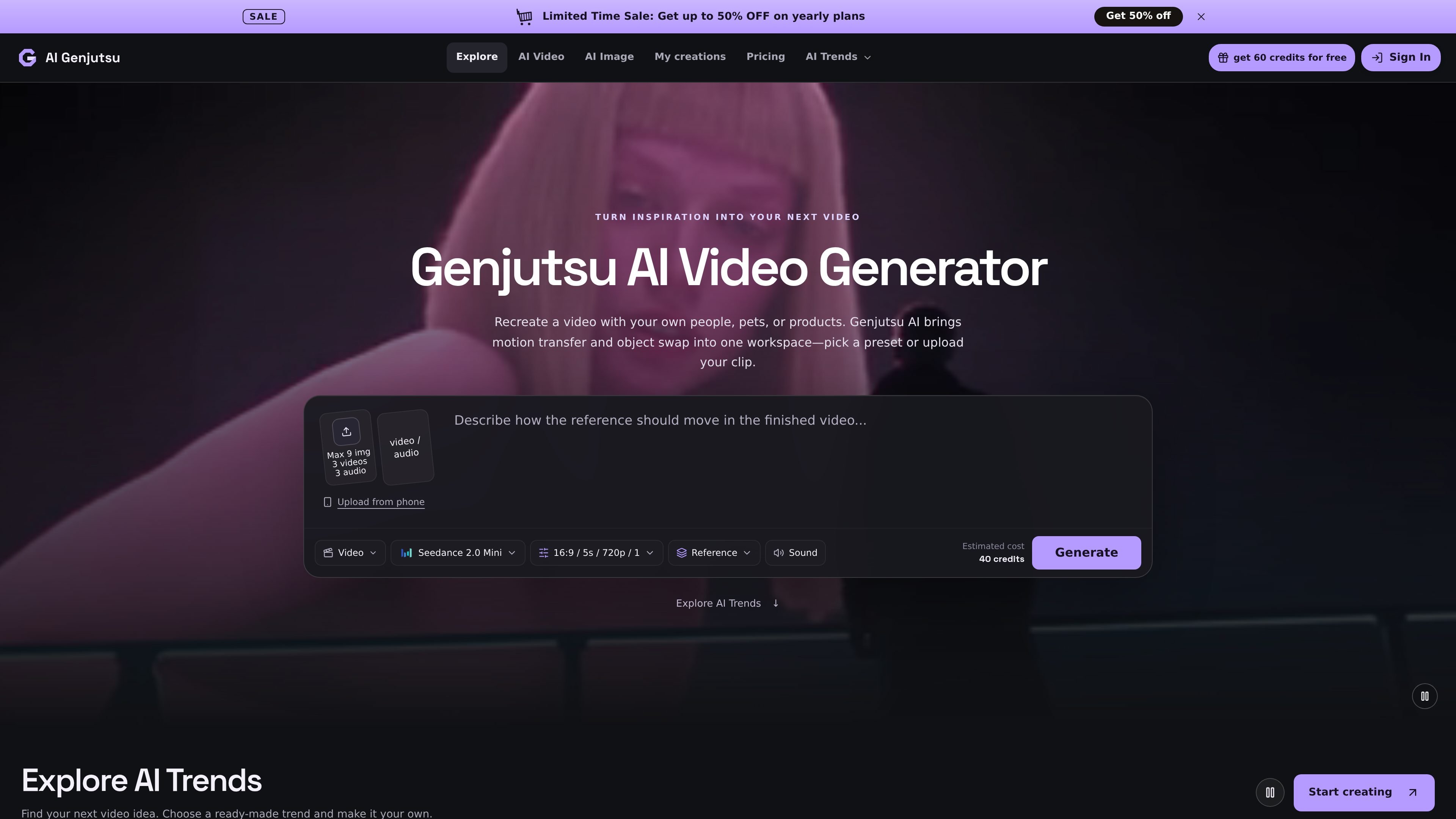
Genjutsu AI is a browser-based creative generation platform for making images and short videos. Its most distinctive workflow is motion transfer: users select a preset or upload a reference clip, add character photos, and generate a new version of the performance with a different cast.
The platform also supports object replacement, prompt- or image-led video creation, and image generation. It is suited to testing social clips, product and vehicle concepts, character scenes, pet performances, and other visual ideas before refining them in a separate editing application. Generated outputs should be inspected because faces, clothing, backgrounds, camera movement, and exact object details may change.
Apply the movement from a reference clip to a new cast using character photos. Presets can identify photo roles for duets, crowds, and pet scenes.
Place a product, vehicle, or prop into an existing scene with a matching preset, replacement photos, and an optional custom prompt.
Start with community templates that combine a motion clip, reference material, and instructions, then adapt them with your own photos or a variation prompt.
Create short clips from a text brief or an image, with options that can include start and end frames, model-specific durations, aspect ratios, resolutions, and sound.
Generate still visuals from text or reference photos for fashion portraits, product concepts, imagined places, and other image-led ideas.
Use one credit balance across image, video, and motion-transfer workflows, with an estimate shown for the selected setup before generation.
Use a dance, gesture, or short performance reference to test a new cast, duet, crowd, or pet-led scene. Choose photos that keep the head, hands, and feet visible when the action is full-body.
Bring a product, vehicle, or prop into a reference scene using replacement photos and a custom prompt. Review labels, proportions, and key surfaces because exact reproduction is not guaranteed.
Start with a text description or character image to explore a reveal, entrance, camera move, fictional setting, or short social post. Downloaded takes can be assembled and captioned in another editor.
Create fashion portraits, still-life product scenes, imagined places, and other visual directions from text or reference photos before committing to a physical shoot or larger production.
Use guide-supported templates for multi-character scenes such as a duo, trio, band, or pet sequence. Assign clear roles and check continuity across camera cuts and interactions.
You can start with a text brief, a supported image, a motion template, or your own video, depending on the selected workflow and model. For motion transfer, add a character photo and a reference clip, then review the model's input requirements and credit estimate.
The motion workspace lists Kling 2.6 Motion Control, Kling 3.0 Motion Control, Wan 2.2 Animate Move, and Wan 2.2 Animate Replace. Available resolutions and controls vary by model; Kling supports 720p and 1080p, while Wan supports 480p, 580p, and 720p.
For motion workflows, file types and clip lengths depend on the model. Kling and Wan accept image references such as JPEG or PNG, with WebP also supported by Wan; Seedance workflows can accept multiple reference images and a motion video. Check the selected model's upload limits before submitting.
Yes. New accounts receive 18 starting credits, and weekly check-ins can provide up to 60 additional credits across the reward cycle. A free account is limited to up to three images or one video, while paid plans provide larger credit balances and watermark-free downloads.
Generated results appear in My creations, where you can play and inspect the finished clip before downloading it. Facial details, clothing edges, lighting, backgrounds, and moving limbs can change, so the site recommends reviewing the full result before sharing.

Omni AI is a browser-based image and video generator for creating visuals from text prompts or reference photos. It supports text-to-image, image-to-image, text-to-video, and image-to-video workflows, with free sign-up credits and downloadable results.

VIDEOAI.ME is an AI video generator for making spokesperson-style videos, ads, explainers, and social content from a script. It is aimed at founders, marketers, agencies, and creators who want to produce videos without filming.
艺映AI is a free AI video creation tool for generating video from text, images, or existing footage. It is positioned for short-form social content, promotional clips, and stylized AI video projects.

Clipia.ai is an AI image and video generation platform with presentations, an agent workflow, and developer integrations. It helps creators, teams, and developers produce media and decks from prompts, briefs, or source files using a shared credit system.

TapNow is a web-based AI visual creation platform for businesses, creators, and teams. It supports image and video generation along with editing, planning, and collaboration tools.

讯飞绘镜 (iFlytek Huijing) es una plataforma de creación de videos impulsada por IA que transforma ideas creativas en guiones, imágenes de storyboard y videos dinámicos de manera rápida y eficiente.