
Inbound call handling
Answers inbound customer calls around the clock, helping businesses handle inquiries without a queue or missed call.

IntellAgents is an AI voice and chat agent service for businesses handling customer calls, outbound calls, and messaging across WhatsApp, Instagram, Facebook, Telegram, and websites. It uses a shared knowledge base, provides conversation summaries, and can escalate interactions to human staff.
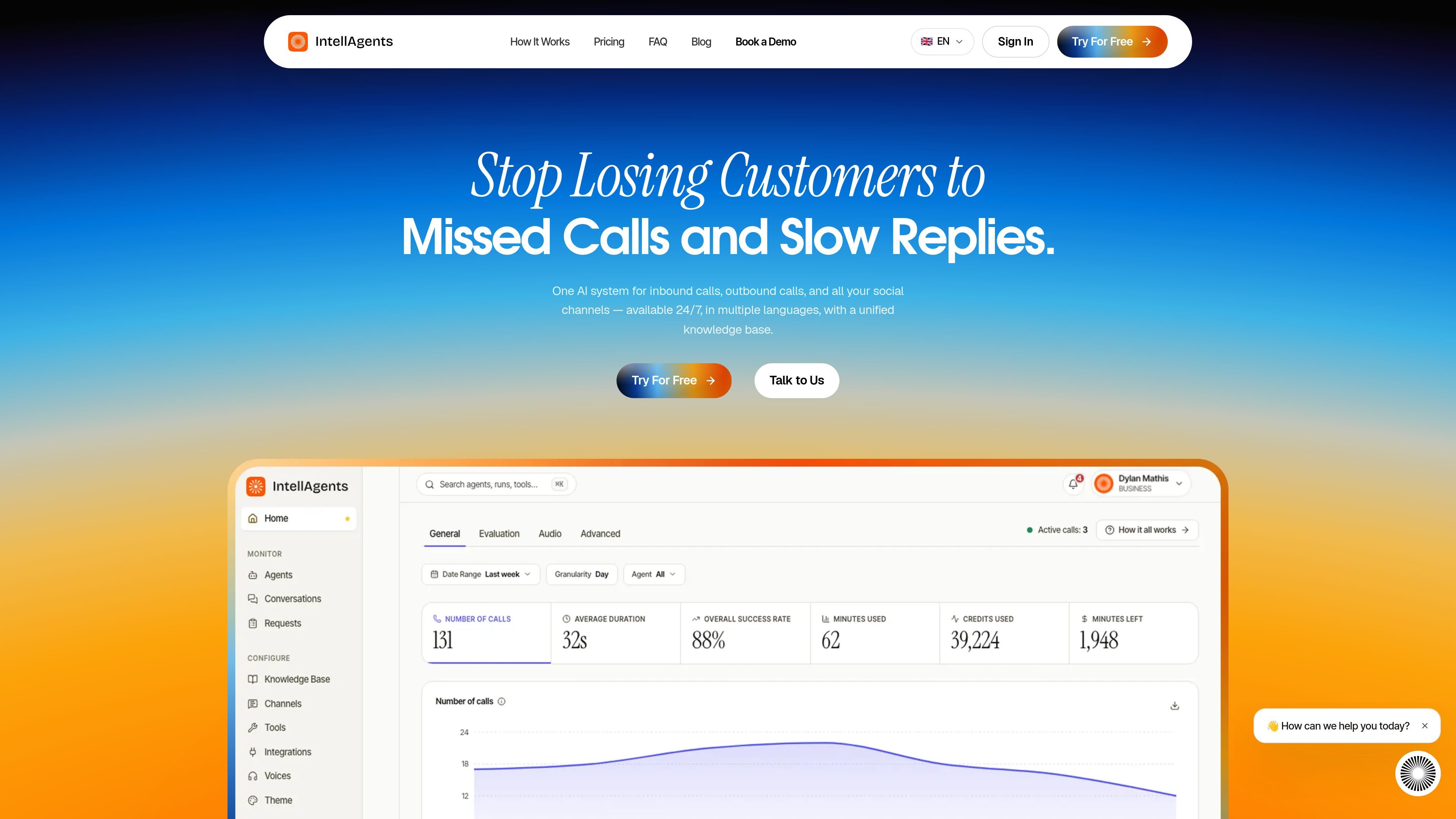
IntellAgents is an AI voice and chat agent service for handling customer conversations across phone, social messaging, and a website. Businesses create an agent with a name, first message, instructions, personality, and tone; the agent then uses the organization’s documents, FAQs, and policies to respond on supported channels.
The service is designed to centralize inbound calls, outbound calls, direct messages, and comments around a shared knowledge base. It operates continuously, supports communication in more than 36 languages according to the home page, summarizes interactions, and can hand conversations to a human when the configured escalation rules indicate that assistance is needed.
Answers inbound customer calls around the clock, helping businesses handle inquiries without a queue or missed call.
Runs across phone, text, or both, with support for WhatsApp, Instagram, Facebook, Telegram, and website conversations.
Uses documents, FAQs, and policies as a shared source of information. Agents select the relevant parts for each question rather than following only a fixed script.
Generates a concise record after each interaction, giving teams a quick way to understand the conversation.
Detects when a human is needed and routes the interaction to the appropriate person with context.
Allows teams to invite members and control what they can see, while usage and analytics provide real-time visibility into activity.
Use an agent to answer incoming customer questions at any hour, including periods when a human team is unavailable, and pass qualifying conversations to staff.
Handle customer conversations through WhatsApp, Instagram, Facebook, Telegram, or a website while keeping the agent’s answers grounded in the same business information.
Deploy phone-based outreach for outbound calls using the same agent approach described for inbound and social interactions.
Let the agent identify conversations that require a person and send them to the right team member with the relevant context instead of leaving the request in an automated channel.
Give support or operations teams a shared view of calls and chats, then use summaries and the Requests board to review interactions and follow up on work needing human attention.
An agent can be created with a name and a first message, then configured with your documents, FAQs, and policies. You can also define its personality, tone, and rules for handing a conversation to a person.
IntellAgents supports phone conversations as well as WhatsApp, Instagram, Facebook, Telegram, and website chat. The same agent can handle phone calls and social messages at the same time.
Yes. Agents can follow escalation rules, detect when human involvement is needed, and route the conversation to the appropriate person with its context.
Conversations records calls and chats in one place, while the Requests board is intended for items that need human attention. The product also generates summaries after interactions so teams can review what happened.
The supplied product information does not state plan prices, included usage, overage charges, or specific limits. Those details should be confirmed with IntellAgents before purchase.

Claude Overlay is a Windows desktop overlay for Claude Code that reads your screen so you can ask questions, inspect content, and request edits without leaving the current app. It runs on your existing Claude subscription through the Claude CLI, so no separate API key is required.

Flunkey is a voice-first productivity layer for Windows that converts speech into text, AI-assisted outputs, and remembered context. It is built for users who want to capture ideas and actions without leaving the app they are working in.

Una plataforma de IA todo en uno que combina herramientas para imagen, video, voz, escritura y chat para mejorar la creatividad y la colaboración.

Ably Chat is a chat API platform for building custom realtime chat applications. It supports room-based messaging, typing indicators, presence, reactions, and message updates, with usage-based pricing options for different deployment stages.

Gemma AI is a phone call reminder app that calls you with scheduled reminders instead of push notifications. It helps people who want a more direct way to stay on schedule, with Google Calendar sync and conversational call interactions.

Wallie is an open-source AI streamer that watches your screen, hears chat, and generates live commentary in a configurable persona. It runs locally on your machine with your own keys and is aimed at faceless content, autonomous streams, and real-time reactions.