
Browser-based motion editor
Create and edit animations directly in the browser with a real motion editor interface rather than a static asset viewer.

Lottie Creator is a browser-based editor for creating and refining Lottie animations. It helps designers and motion creators build interactive animation files, edit keyframes, and export dotLottie assets from the web.
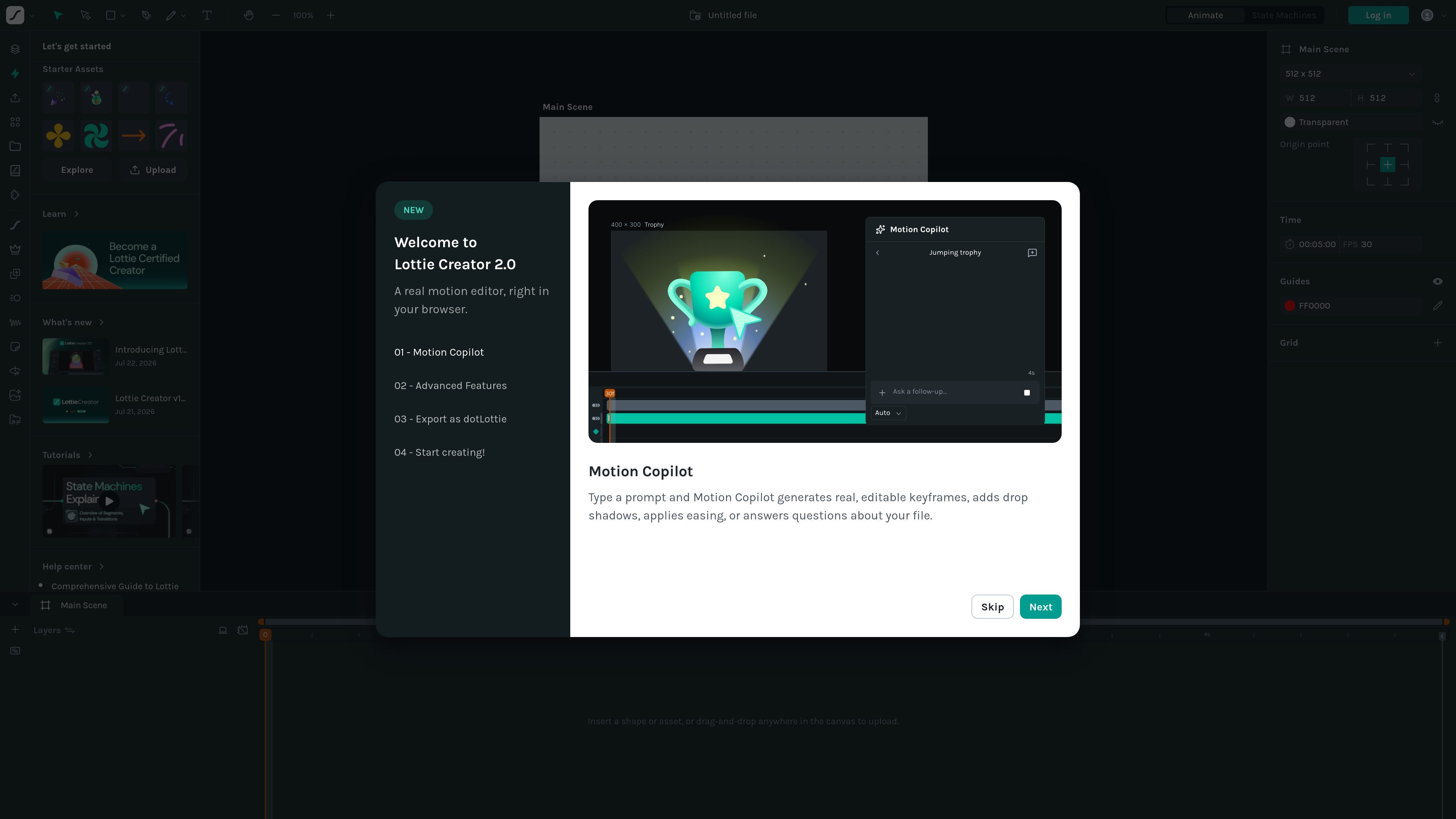
Lottie Creator is a browser-based animation editor from LottieFiles for creating and refining Lottie animations. The product page presents it as a real motion editor with tools for building interactive animation files directly in the web app.
The homepage highlights Motion Copilot, advanced motion features, and dotLottie export as part of Lottie Creator 2.0. Based on the available pages, the product is aimed at designers and motion-focused creators who need to produce lightweight, editable animation assets in a web workflow.
Create and edit animations directly in the browser with a real motion editor interface rather than a static asset viewer.
Use Motion Copilot to type prompts that generate editable keyframes, apply easing, add drop shadows, or ask questions about the current file.
Work with state machines for interactive animation behavior, as shown in the product navigation and launch flow.
Export work as dotLottie, which the home page calls out as part of the 2.0 introduction.
Add or edit keyframes while working in the main scene, supporting frame-by-frame motion adjustments.
Start from starter assets, uploads, or explore materials to assemble a file before editing.
Create or refine a Lottie animation without leaving the browser, using the main scene, keyframes, and file controls to shape motion.
Use Motion Copilot to speed up repetitive motion edits, such as generating keyframes or applying easing to existing animation work.
Set up interactive animation behavior with state machines when a project needs different animation states or transitions.
Start from uploaded assets or starter assets when you need to assemble an animation from existing material rather than begin from scratch.
Export completed work as dotLottie for handoff or downstream use in a Lottie-compatible workflow.
Lottie Creator is a browser-based editor for building and editing Lottie animations. The page highlights motion editing features such as Motion Copilot, state machines, and exporting as dotLottie.
The source shows the editor running in the browser, so it is accessed through creator.lottiefiles.com rather than as a desktop app.
The home page highlights Motion Copilot, which can generate editable keyframes, add drop shadows, apply easing, and answer questions about a file.
The collected pricing URL returned a Not Found response, so the available sources do not confirm pricing details or plan limits.

MacSpoof es un cambiador de MAC para macOS: cambia o aleatoriza tu MAC Wi‑Fi para reconectar y reducir el registro de identidad en redes públicas.

NomNak es una app gratuita para iPhone para descubrir restaurantes con recomendaciones de amigos, guardar lugares, crear tu pasaporte gastronómico y buscar ciudades.

TyeGit es un cliente Git nativo para desarrolladores que buscan control rápido y preciso de staging, commits, ramas y remotos en Windows, macOS y Linux.

Loomal is a payments layer for agentic commerce that lets developers add paywalls to APIs, MCP tools, or hosted files. It settles agent payments in USDC on Base and is aimed at services that want per-request payment from AI agents.

idmly converts self-contained HTML designs into editable Adobe InDesign (.idml) files. It is built for designers and teams that need browser-made or AI-generated layouts turned into InDesign without rebuilding them by hand.

Rokoko is a motion capture software and hardware ecosystem for body, finger, and face animation. Rokoko Studio processes capture data, lets creators clean and retarget it, and streams or exports it to 3D tools.