
Clone apps into isolated instances
MacDupl turns an installed Mac app into a separate instance with its own login state, data, and Dock identity. The original app stays intact and can still be launched independently.

MacDupl is a macOS utility that clones installed desktop apps into isolated instances so separate accounts can run side by side with their own logins and Dock icons. It supports a free trial, then continues free with one clone or unlocks unlimited clones with a one-time purchase.
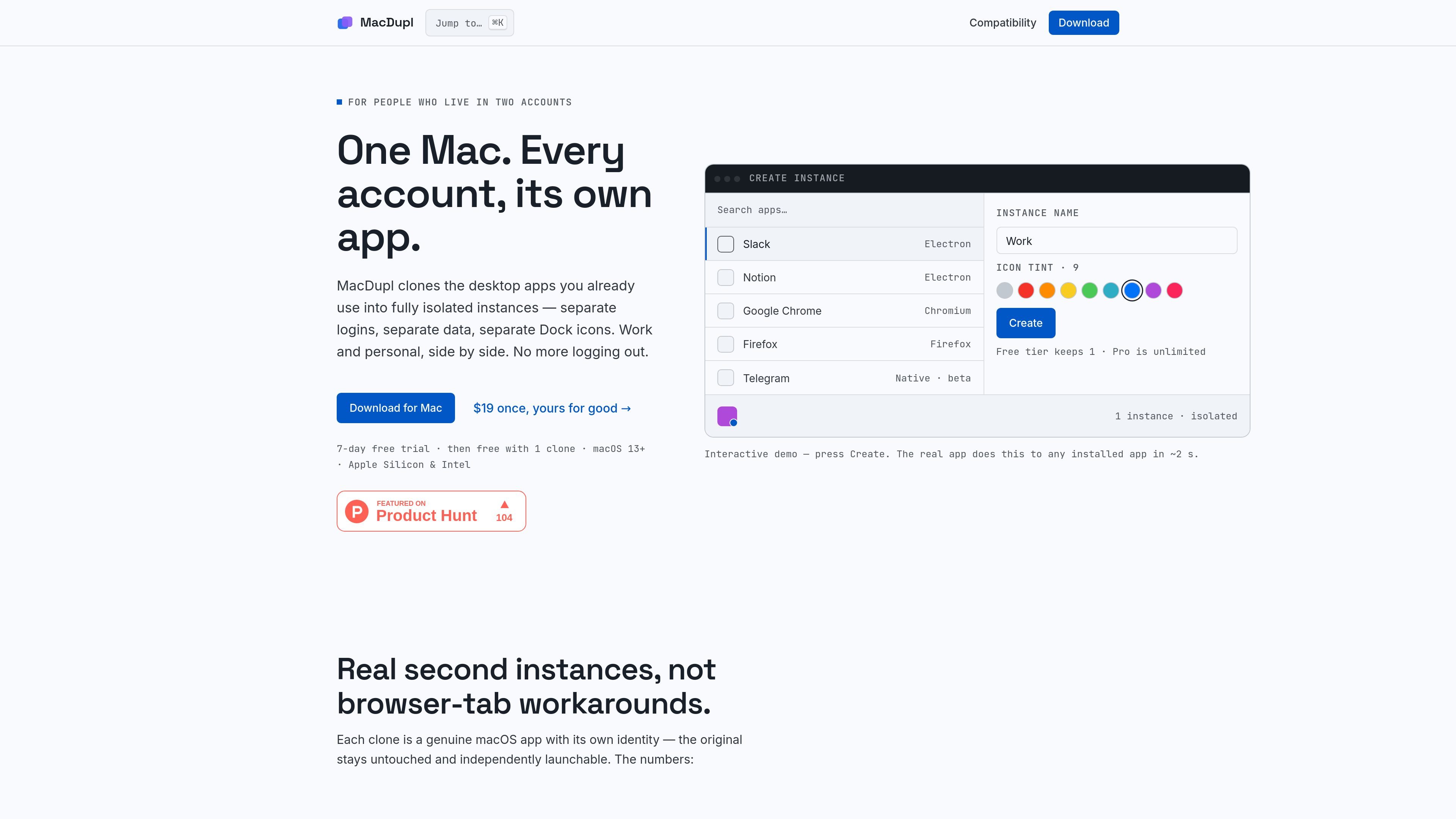
MacDupl is a macOS utility for creating isolated copies of installed desktop apps so each account can run in its own app instance. The product is aimed at people who need separate work, personal, or client logins without repeatedly signing out.
Each clone is presented as a real macOS app with its own Dock icon and account state. MacDupl says it uses local APFS copy-on-write duplication, so clones launch quickly, share disk blocks with the original, and keep their own logins, cookies, caches, and preferences separate from one another.
The product is designed around common desktop app families that are difficult to multi-account cleanly, including Electron apps, Chromium browsers, Firefox-based apps, and some native apps in beta. A free trial unlocks the full feature set for seven days; after that, MacDupl can continue free with one clone or be unlocked with a one-time Pro purchase.
MacDupl turns an installed Mac app into a separate instance with its own login state, data, and Dock identity. The original app stays intact and can still be launched independently.
The app applies different isolation methods depending on the app family: full isolation for Electron apps and Chromium browsers, dedicated profiles for Firefox-based apps, and an isolated home directory for supported native apps in beta.
Clones are assembled locally as APFS copy-on-write duplicates, so creation is fast and the clone shares disk blocks with the original. The site says a second instance is typically created in about two seconds.
Each clone gets its own color-tinted, badged icon and a distinct identity in the Dock, Launchpad, and app switcher, with nine icon tints to help distinguish accounts.
From one dashboard, you can launch, stop, reset a session, recolor, or delete an instance. MacDupl also handles signed automatic updates.
MacDupl scans the Applications folder and classifies what it can clone automatically. The compatibility page also lists supported apps and lets users request one if needed.
Keep a work login and a personal login open at the same time in separate app instances, so account state does not bleed between contexts and you do not have to sign out repeatedly.
Run different client, tenant, or workspace accounts side by side for apps such as Slack, Notion, Figma, and similar desktop tools, with each clone maintaining its own data and preferences.
Create isolated browser instances for Chrome, Brave, Edge, or Firefox-based workflows when you need separate profiles, sync accounts, or extensions without mixing them together.
Use beta-supported native apps to keep account sets or settings apart when a direct-download version is available and the app is not sandboxed.
MacDupl clones apps that are already installed on your Mac and creates isolated instances with separate logins and data. It is intended for personal use on apps you have locally installed, and some services may have their own rules about multiple simultaneous accounts.
MacDupl detects when the original app version changes and regenerates the clone automatically when MacDupl starts and when you click Launch. If you open a clone directly from the Dock or Spotlight while MacDupl is not running, you may briefly get the older copy until MacDupl refreshes it.
Yes. The free trial unlocks the Pro feature set for 7 days. After that, you can keep using MacDupl free with one clone, or buy the one-time Pro license to create unlimited clones.
Sandboxed App Store apps cannot be cloned because their data lives in a shared container. MacDupl hides those apps rather than producing a broken clone. The supported path is usually the direct-download version of the app, if one exists.
No. MacDupl says it has no telemetry and no analytics. The only network requests it makes are license validation and app update checks.

Goldfish is an AI memory app for macOS that helps you reply, write, summarize, and continue using the context already on your Mac. It stores memory locally and writes in your tone.

ArtDeck is a visual reference board app for iPhone, iPad, and Mac that lets artists collect mixed reference material on one canvas and study it with ToolBox lenses. It works offline, supports optional iCloud sync, and is sold as a one-time purchase with no account required.

Biji es una plataforma versátil diseñada para mejorar la productividad a través de herramientas y características innovadoras.

MacSpoof es un cambiador de MAC para macOS: cambia o aleatoriza tu MAC Wi‑Fi para reconectar y reducir el registro de identidad en redes públicas.

Redline is a budgeting tool for Claude Code that paces sessions to stay within time, token, cost, or plan-percentage limits. It uses Claude Code’s native hooks and statusline to help sessions finish with a usable result instead of stopping abruptly.

Claude Overlay is a Windows desktop overlay for Claude Code that reads your screen so you can ask questions, inspect content, and request edits without leaving the current app. It runs on your existing Claude subscription through the Claude CLI, so no separate API key is required.