
Protocol-level handshake testing
Runs the same connection sequence an MCP client uses on first contact, including initialize, notifications/initialized, and tools/list.

OpenStatus MCP Server Health Check is a browser-based tool for validating an MCP endpoint’s JSON-RPC handshake, tool exposure, and authentication behavior. It helps operators and developers quickly spot protocol errors, missing headers, and unreachable servers without installing anything.
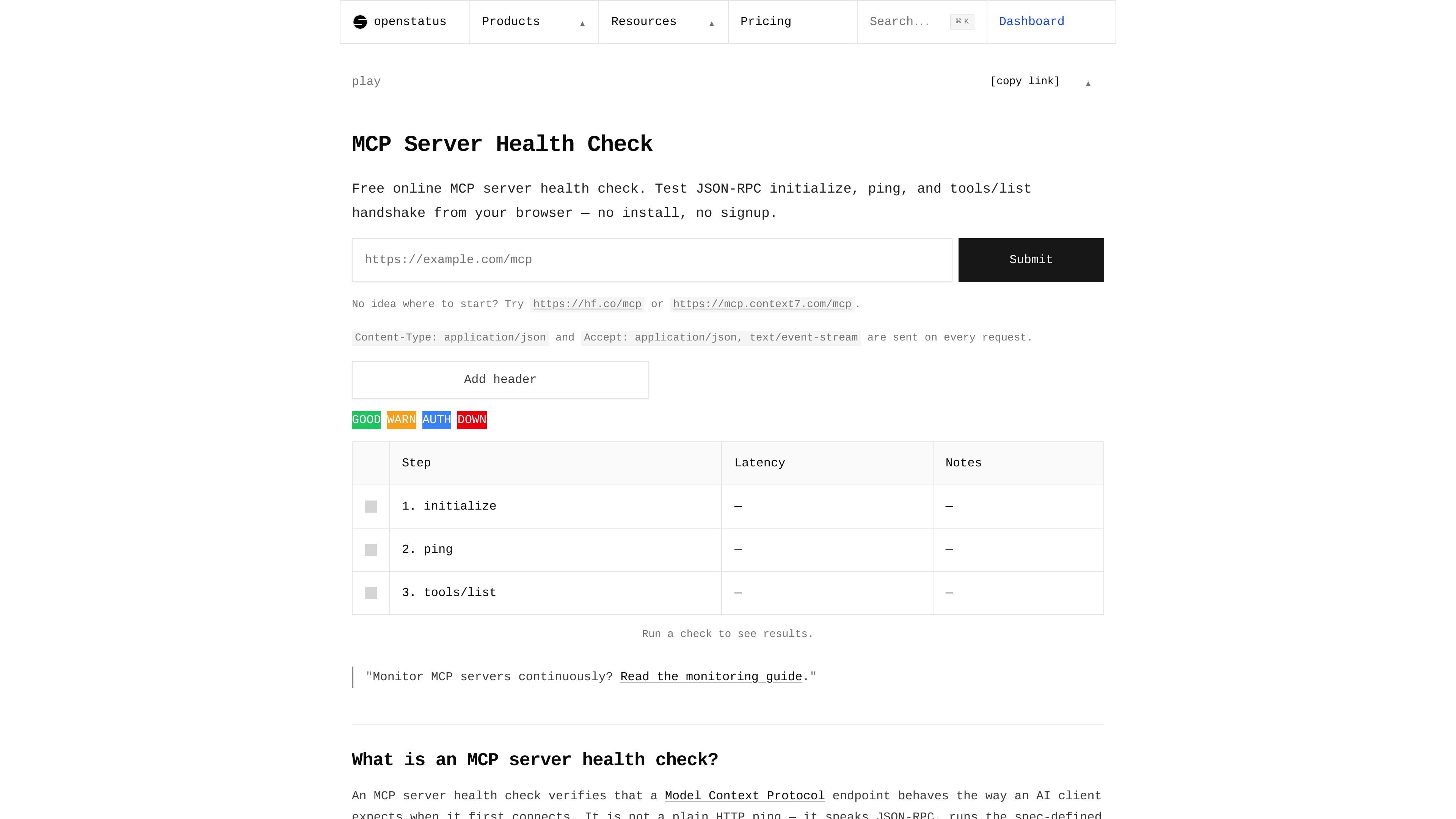
MCP Server Health Check is a browser-based tool from OpenStatus for testing whether a Model Context Protocol endpoint responds the way an AI client expects. Instead of checking only for an HTTP 200 response, it performs the JSON-RPC handshake used by MCP clients and verifies the server’s initialize, ping, and tools/list behavior.
The tool is aimed at people who run or integrate MCP servers and need to confirm that an endpoint is reachable, speaks the protocol correctly, and exposes tools as expected. It can also surface authentication issues, protocol mismatches, and common deployment mistakes such as returning HTML from the wrong URL or requiring headers that were not supplied.
Runs the same connection sequence an MCP client uses on first contact, including initialize, notifications/initialized, and tools/list.
Accepts a server URL plus optional request headers, including Authorization for protected endpoints.
Shows the exact JSON-RPC request and response for each step, along with per-step latency, negotiated protocol version, server info, and session id.
Returns clear verdicts for healthy servers, partial MCP implementations, auth failures, and unreachable endpoints.
Sends Content-Type: application/json and Accept: application/json, text/event-stream on every request, matching the page’s documented request behavior.
Surfaces auth challenges by parsing WWW-Authenticate bearer metadata when available, which helps users identify the authorization server involved.
Check whether a newly deployed MCP endpoint is speaking the expected protocol before pointing clients at it.
Debug authentication errors by adding the required bearer token or examining a 401 challenge response.
Confirm that an endpoint advertised to agents actually exposes tools and not just a reachable URL.
Investigate failures caused by the wrong endpoint, HTML responses, missing methods, or session problems.
Use the health check as a quick browser-based sanity check before moving to deeper monitoring or client testing.
It verifies that an MCP endpoint speaks the JSON-RPC handshake expected by clients such as Claude Desktop, Claude Code, Cursor, and Continue. The tool runs initialize, notifications/initialized, and tools/list so you can see whether the server is reachable, authenticates correctly, and advertises tools.
Paste a Streamable HTTP MCP server URL into the form, optionally add an Authorization header if the server requires one, and run the check. The page then shows each step of the handshake, including the request and response details and the verdict.
The page reports Healthy, Partial, Authentication Required, or Unreachable. Partial means the server speaks MCP but exposes no tools; Authentication Required means the server returned 401; Unreachable covers DNS, connection, or parse failures.
It is a browser-based tool with no install and no signup. The page says the whole flow takes about 30 seconds and that the only data persisted is the report you choose to share.
OpenStatus says paid plans are available monthly or annually, and the pricing page also lists a free Hobby plan for uptime monitoring and a status page. The MCP health check page itself is presented as free online access.

FixMyCWV is a web-based Core Web Vitals audit tool that produces developer-focused recommendations for improving LCP, INP, and CLS. It works across many site stacks and claims to handle sites with bot protection.

Ably Chat is a chat API platform for building custom realtime chat applications. It supports room-based messaging, typing indicators, presence, reactions, and message updates, with usage-based pricing options for different deployment stages.

Ghost es un asistente de IA para terminal para chatear, generar código y ejecutar tareas en la línea de comandos. Incluye modelos gratuitos, es compatible con Linux, macOS y Windows, y es de código abierto.

AakarDev AI helps teams manage AI provider access, project-level setups, logs, and analytics from one dashboard. It supports BYOK workflows and lists providers including OpenAI, Google Gemini, Anthropic, Groq, Mistral AI, and Perplexity AI.

DeepMotion is a web-based AI motion capture and 3D animation platform with Animate 3D for video-to-animation and SayMotion for text-to-animation. It helps creators and teams generate motion in a browser and export results in common production formats.

Arduino VENTUNO Q is an edge AI computer for AI and robotics applications. It combines AI inference and deterministic control on a single board and is designed to work with Arduino App Lab.