
Mode-based prompt generation
Enter a plain-English goal and choose a build mode such as Agent, Automation, Web App, Mobile App, or General to shape the prompt around the task.

PromptAnything is a web app that turns a plain-English goal into a structured AI prompt through a mode-based, question-driven workflow. It is designed for people who want more precise prompts for tools like ChatGPT, Claude, and Gemini without building the prompt framework themselves.
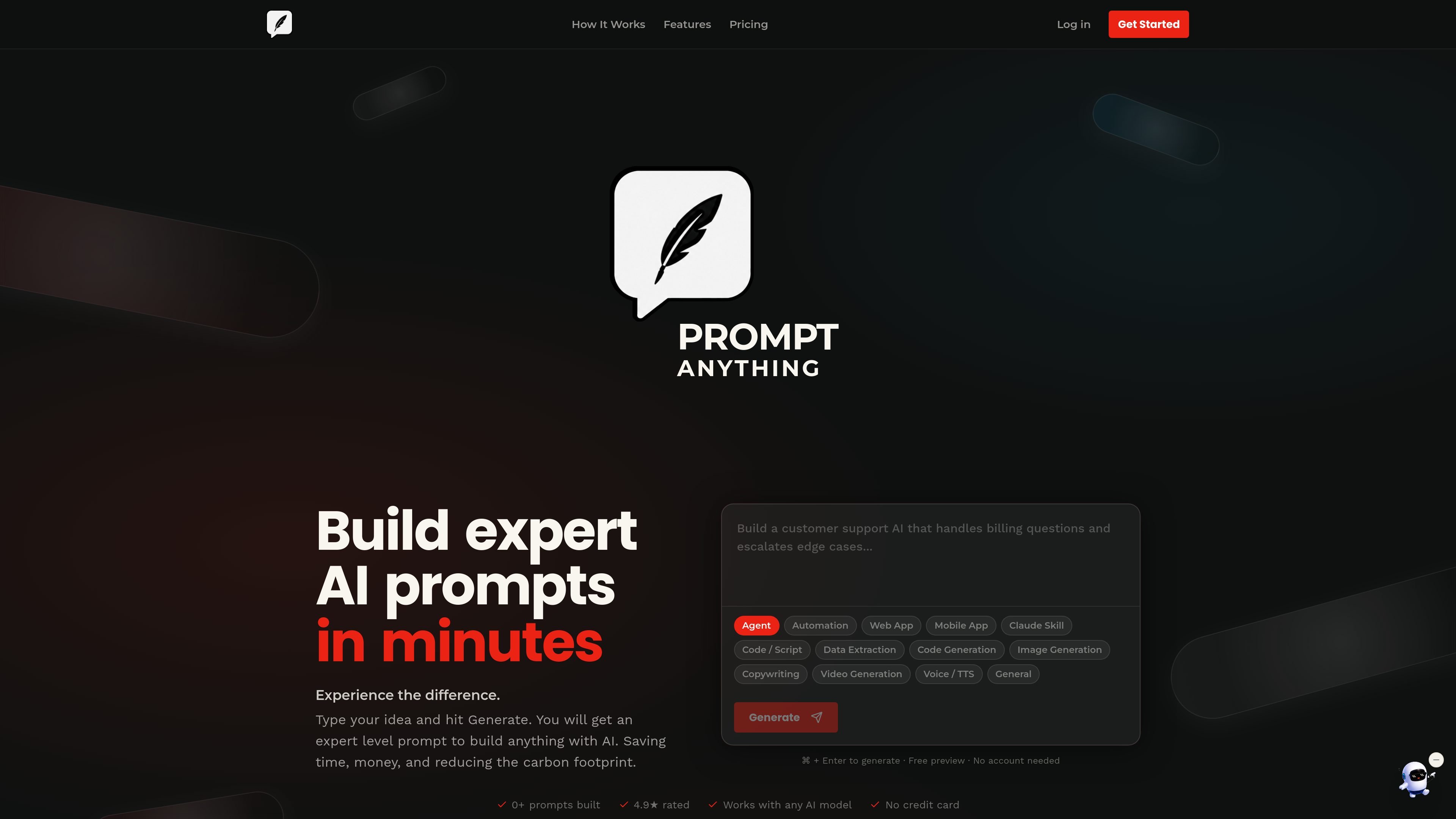
PromptAnything is a prompt-building web app that turns a plain-English goal into a structured, more precise AI prompt. The homepage positions it as a way to build prompts in minutes without requiring prompt-engineering expertise.
The product’s workflow is simple: choose a mode, describe what you want, answer clarifying questions, and receive an expert-level prompt that can be used in ChatGPT, Claude, Gemini, or other AI tools. The site emphasizes reusable, context-rich prompts for tasks ranging from agents and automations to copywriting, code, and content generation.
Enter a plain-English goal and choose a build mode such as Agent, Automation, Web App, Mobile App, or General to shape the prompt around the task.
The system asks targeted clarifying questions to capture context, audience, tone, and constraints before it produces the final prompt.
The site says questions can scale from 5 to unlimited depending on plan, with a Power Mode for extra pre-generation questions and a Go Deeper option for another round after the prompt is built.
Receive a detailed prompt designed to be used in ChatGPT, Claude, Gemini, or another AI tool, with the goal of reducing reprompting.
PromptAnything presents multiple prompt modes for different workflows, including agent building, automation, app design, data extraction, code generation, image generation, copywriting, and voice or TTS.
Use the Agent mode to create reusable instructions and persistent memory for an AI assistant-like workflow.
Use the Automation mode when you want prompt structure that supports workflow tools such as n8n, Make, or Zapier.
Use the Web App or Mobile App modes when planning a product and you want more specific AI guidance for interface and experience decisions.
Use the Data Extraction or Code Generation modes when you need prompts for structuring information or producing software-related output.
Use the Copywriting, Image Generation, Video Generation, or Voice / TTS modes when the task is creative content production rather than software work.
PromptAnything asks you to sign in to use the full authentication flow. The homepage also says you can try it free with no account needed for the initial preview, so the site appears to support both a free preview and sign-in for continued use.
The homepage describes a three-step flow: describe your goal in plain English, review the clarifying questions, then receive an expert prompt that can be used in ChatGPT, Claude, Gemini, or another AI tool.
The site says the output is a detailed prompt and a custom AI framework for your goal. It also mentions that the prompt can be exported to ChatGPT, Claude, Gemini, or any AI model.
The homepage lists modes such as Agent, Automation, Web App, Mobile App, Claude Skill, Code / Script, Data Extraction, Code Generation, Image Generation, Copywriting, Video Generation, Voice / TTS, and General.
The pricing page was not available in the collected text, but the homepage indicates there is pricing and that you can start free before upgrading when ready.

Prompty Town is a web product that turns a link into a building in a small internet city. It appears to let users buy a tile, add a prompt, and publish the result alongside other buildings.
Creativly is a web-based AI creative studio for generating visual concepts, mockups, and stylized images from short inputs. It is aimed at designers, creators, and entrepreneurs who want fast visual ideation without writing long prompts.

Edgee is an AI gateway for coding agents and LLM-powered apps. It compresses token traffic, routes requests across models, and provides observability and team controls to help reduce cost and keep sessions running.

Snack Prompt is a community marketplace for discovering, sharing, and remixing AI prompts, automations, and image prompts. It is aimed at prompt engineers and AI builders who want reusable starting points and visual or workflow inspiration.

ImagePrompt.org is an AI toolset for generating, editing, translating, and reverse-engineering image prompts, with additional image description and image generation features. It includes a free tier, subscription plans, and one-time credit packs for different usage needs.

PromptPaste is a private AI prompt library for Mac, iPhone, and iPad. It helps users save, organize, and instantly paste reusable prompts with templates, folders, iCloud sync, and Siri/Shortcuts support.