
Adjustable narration
Choose from four narrators and adjust playback from 0.75× to 2×. The player can continue automatically as pages change.

Read PDF Out Loud is a browser-based reader that converts PDFs into natural-sounding spoken audio while highlighting each word. It helps students, researchers, professionals, and people who prefer audio or accessible reading tools work through papers, reports, books, and other documents.
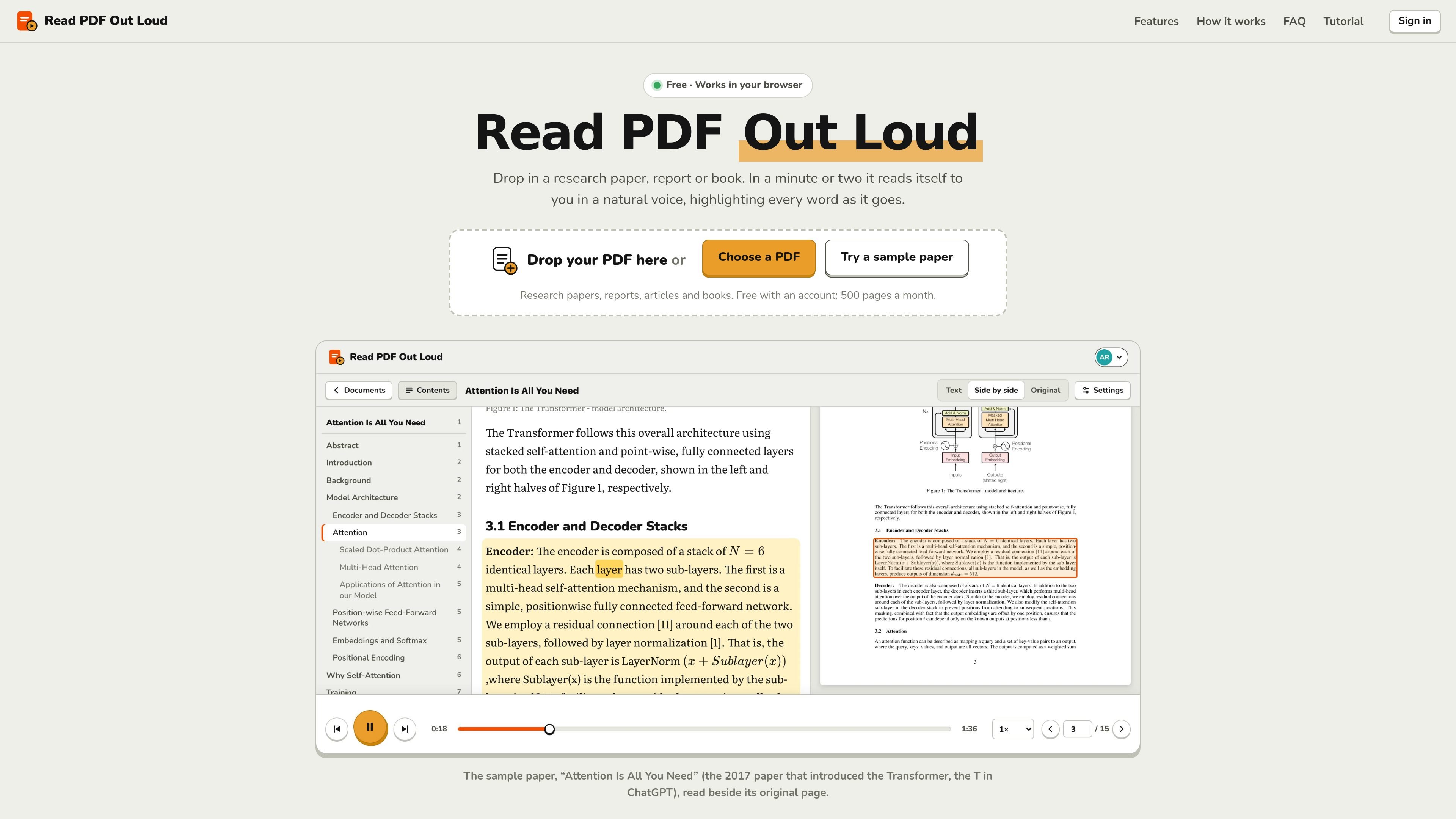
Read PDF Out Loud is a browser-based text-to-speech reader for PDF documents. Users can drop in a PDF or select one from their device, then listen to the document with each word highlighted as it is spoken. It is designed for research papers, reports, articles, manuals, books, and other documents where listening can supplement or replace screen reading.
The reader is built to preserve useful document structure rather than treating a PDF as a flat text stream. It handles two-column layouts, mathematical notation, tables, figures, code, headings, and captions, while providing an original-page view beside the listening text. A free account supports up to 500 pages per month, and individual PDFs can be up to 200 pages or 20 MB.
Choose from four narrators and adjust playback from 0.75× to 2×. The player can continue automatically as pages change.
The reader shades the current sentence and highlights each spoken word. Clicking a word starts playback from that position.
Text, Original, and Side by side views let you read the extracted text, inspect the source page, or follow both together. The relevant area is framed in the original view.
A layout model handles two-column papers, joins sentences across columns and pages, and leaves common page furniture out of the narration.
Optional spoken summaries describe figures, charts, tables, code listings, algorithms, and displayed equations. Summaries are generated by an AI model and should be checked against the page.
A contents panel, saved position, keyboard shortcuts, font choices, text sizing, themes, and plain-text export support different reading workflows.
Listen to papers, lecture notes, and textbooks at up to 2× speed while following equations and optional summaries of figures or tables.
Use word highlighting, larger text, configurable fonts, and calm themes to make long PDFs easier to follow when reading conventional pages is tiring or difficult.
Hear reports, contracts, manuals, and white papers while away from the screen, then use the saved position to resume later.
Follow a document on a phone, tablet, or computer without installing an app; the account preserves the reading place and settings across devices.
Open readpdfoutloud.com in a browser, drag in a PDF or choose one from your device, then sign in with Google or an email sign-in link when prompted. Most papers are ready in a minute or two; press Play or click any word to begin at that point.
Yes. The sample paper can be opened without an account. To read your own PDFs, sign in with Google or email. A free account includes up to 500 pages per month, while listening itself is unlimited.
It supports text-based research papers, reports, articles, manuals, books, and PDFs with two-column layouts or mathematical notation. Scanned pages are also read, although clean digital PDFs work best. Each PDF can be up to 200 pages and 20 MB.
Yes. It reads columns in order, interprets equations by meaning, and can omit running headers, page numbers, citation numbers, footnotes, and reference lists from narration. Optional summaries cover figures, tables, charts, code, algorithms, and displayed equations.
Yes. The web app works on computers, tablets, and phones without installation. Your place and settings are saved with your account, so you can continue on another device.

Fylom is an AI podcast generator that turns a topic or question into a researched narrated episode. It supports typed or spoken prompts, voice selection, and recurring show-style listening.

Gemini 3.8 Text-to-Speech is Google’s pair of expressive audio models for turning scripts into customizable spoken audio. Creators, developers and enterprises can design voices, direct delivery line by line, and generate dialogue for content, dubbing and voice-agent applications.

Gemini 3.1 Flash TTS is Google’s preview text-to-speech model for generating expressive AI speech with fine-grained control over style and delivery. It is available across the Gemini API, Google AI Studio, Vertex AI, and Google Vids.

蓝藻AI是一款在线AI配音与语音合成产品,可将文字转成语音,并支持自助声音克隆。页面信息显示它面向短视频、有声书等需要配音的内容场景。

Ondoku 是一款基于浏览器的文字转语音软件,可将文本转换为可下载的 .mp3 语音,并提供免费额度与付费方案。它支持多语言朗读、图片朗读以及按规则商用。

Typecast is an online AI voice generator that turns text into life-like speech with emotional delivery and a selection of hyper-realistic voices. It is a browser-based tool for creating spoken audio from written content.