
Live shared rooms
Create a room and share its link or short code so text and files appear across joined browsers, terminals, and supported command-line workflows.

Remote Clipboard lets people share text and files through temporary rooms that open in a browser or terminal. It is useful for moving content between devices, coordinating private handoffs, and exchanging results with command-line tools or AI agents.
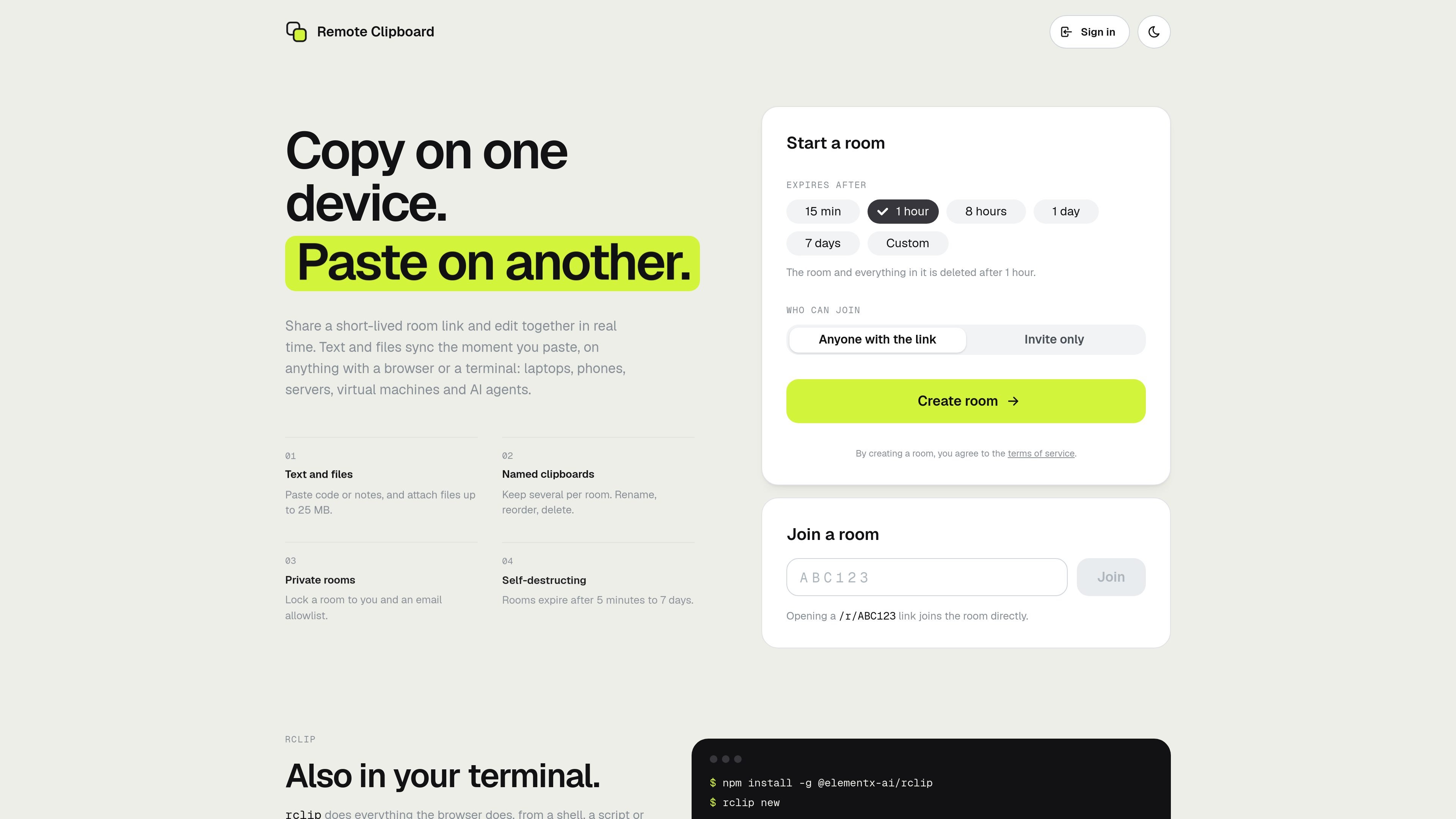
Remote Clipboard is a shared clipboard service built around short-lived rooms. A room provides a link or code that lets people move text and files between devices, including browsers on laptops and phones and terminal sessions on servers, virtual machines, or other command-line environments.
The service is designed for quick transfers rather than permanent storage. Users can create several named clipboards in a room, collaborate on their contents in real time, and set an expiry from 5 minutes to 7 days. The rclip command-line tool extends the same workflow to shell commands, scripts, SSH sessions, and AI agents that need to exchange results or receive files.
Create a room and share its link or short code so text and files appear across joined browsers, terminals, and supported command-line workflows.
Paste code, notes, or other text and attach files up to 25 MB. Content is synchronized when it is added to the room.
Keep multiple clipboards in one room and rename, reorder, or delete them to organize separate pieces of work.
Choose public access for anyone with the link or use a private room restricted to invited email addresses after sign-in.
Select an expiry from 5 minutes to 7 days. When a room ends or expires, its text and files are deleted.
Use rclip from a shell, script, or SSH session to create rooms, pipe in text, attach files, retrieve content, and support non-interactive agent commands.
Create a room on one computer, then open its link or scan the QR code from a phone to move notes, snippets, or files without setting up an account.
Pipe a git diff or other command output into a room, attach screenshots or artifacts, and pull them from another machine through an SSH or terminal session.
Leave a short-lived room open for an agent to deliver reports, exports, or screenshots, then retrieve the results from a browser or terminal when ready.
Use an invite-only room to pass text and files between your own agents or with another person while limiting access to invited, signed-in email addresses.
Maintain separate named clipboards in one room for parallel snippets, notes, or files, then reorder or remove them as the work changes.
No account is required for public rooms. Private rooms use a code sent to invited email addresses; there is no password or account setup.
Create a room, then share its link or code. A browser can join directly, while a phone can use the room's QR code or enter the code on the Remote Clipboard website.
Rooms can last from 5 minutes to 7 days, with one hour as the default. A room cannot be extended, and any member can end it early.
A room can contain up to 20 clipboards, with up to 10 files per clipboard. Each file can be up to 25 MB, files are limited to 100 MB per room, and text is limited to 500,000 characters and 1.5 MB per clipboard or 5 MB per room.
Yes. Use the rclip command-line tool to create rooms, push text or files, pull content, wait for incoming content, and end rooms. The tool supports JSON output and documented exit codes for agent workflows.

MacSpoof es un cambiador de MAC para macOS: cambia o aleatoriza tu MAC Wi‑Fi para reconectar y reducir el registro de identidad en redes públicas.

DemoTV is an audience-ranked station for discovering and comparing independent product demos. Founders can submit videos, embed approved demos on their websites, collect viewer inquiries and optionally commission demo production or labelled promotion without buying ranking.

Ship It: Idle Dev Tycoon is an iPhone incremental simulation game about building apps, managing a software studio, and selling it for lasting progression benefits. It supports offline play, automated builds, adviser collection, and optional in-app purchases.

NomNak es una app gratuita para iPhone para descubrir restaurantes con recomendaciones de amigos, guardar lugares, crear tu pasaporte gastronómico y buscar ciudades.

CAPTA is a mobile GPS waypoint app for quickly saving, organizing, and revisiting locations. It supports offline use, camera-based coordinate capture, optional cross-device synchronization, and GPX export for fishermen, explorers, and field professionals.

Ctrl+Shift+3 is a calm, text-first community platform with a chronological feed, profiles, RSS, and private groups called Clicks. It is built for reading, posting, and joining smaller communities without algorithmic ranking or vanity counts.