
Durable agent sessions
Launch Claude Code, Codex, Gemini, or other ACP registry agents from the desktop app while keeping their conversations, commands, edits, permissions, and failures grouped in a persistent session.

Reviu is a native desktop workspace for developers who use coding agents. It combines persistent agent sessions, local diff review, line comments, isolated Git worktrees, and local Git operations, with GitHub pull-request workflows available in Pro.
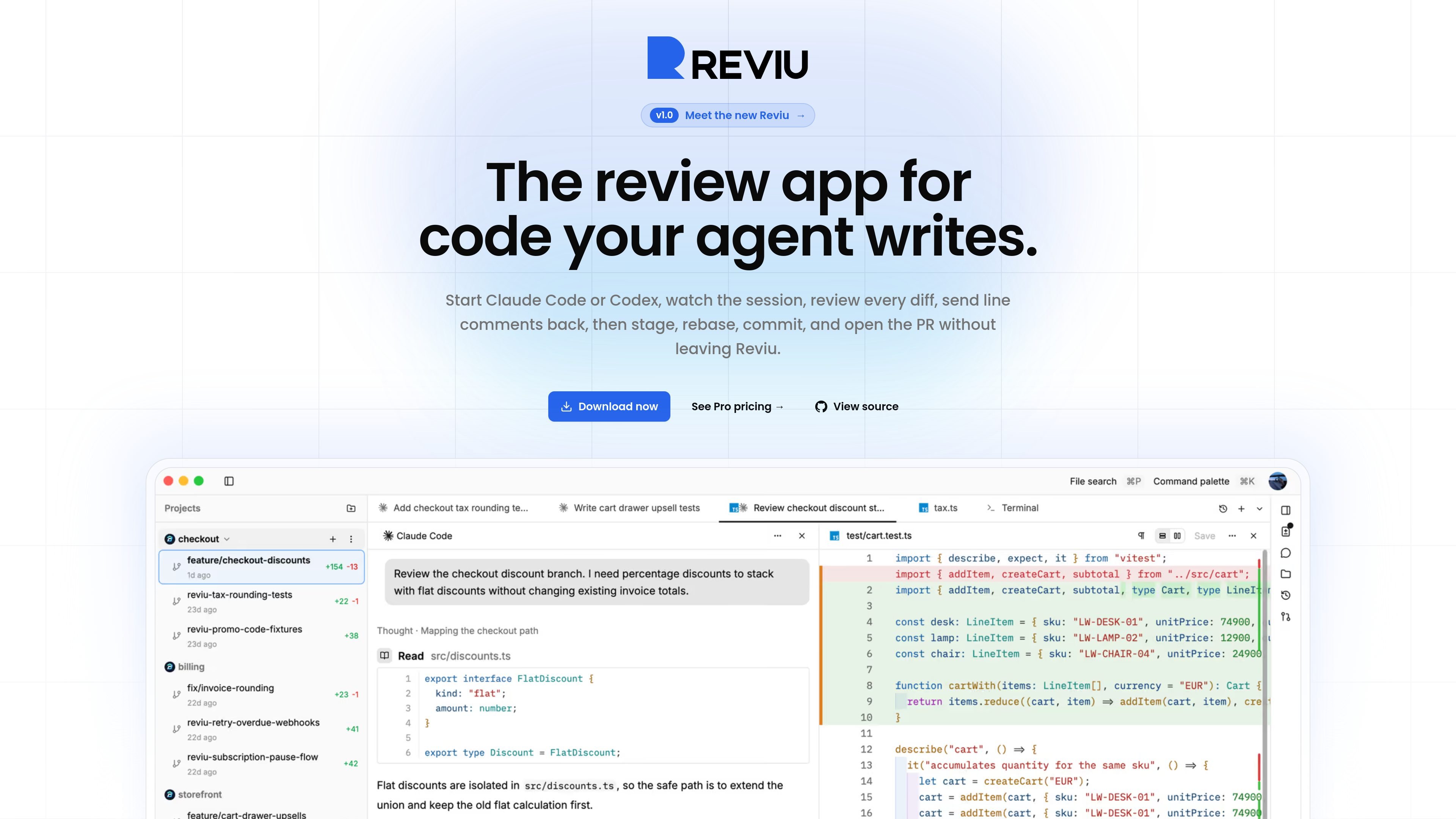
Reviu is a native desktop workspace for reviewing and managing code produced by coding agents. It launches an agent CLI on the local machine, organizes each task as a persistent session, and lets developers inspect the resulting changes before they become commits.
The workflow combines agent conversations with local files, diffs, terminals, Git history, and review comments. Developers can send line-level feedback back to the agent, work in isolated branches or worktrees, and finish accepted changes with local Git. GitHub pull-request review, checks, notifications, and merge are available as a separate Pro workflow.
Launch Claude Code, Codex, Gemini, or other ACP registry agents from the desktop app while keeping their conversations, commands, edits, permissions, and failures grouped in a persistent session.
Inspect local file changes, review individual lines, and turn selected comments into a combined prompt that is sent back to the coding agent for another pass.
Run separate agent tasks in Git worktrees and branches so parallel sessions do not write into the same checkout or dirty the main working directory.
Use Git operations close to the code review: stage or restore hunks, amend and reorder commits, resolve conflicts, stash work, cherry-pick, rebase, and push from a keyboard-oriented interface.
When the branch is ready, connect it to GitHub for pull-request files, inline review comments, checks, notifications, and merge actions in the app. These GitHub workflows are part of Pro.
Work with conversations, files, diffs, terminals, and split panes in one native workspace, with session context retained when switching between tasks.
Run an agent on a feature or bug fix in an isolated branch, inspect the local diff, and request targeted revisions before accepting the work.
Start several coding tasks at once while keeping each agent in its own worktree, then monitor which sessions are running, waiting for permission, failed, or ready for review.
Use the integrated Git controls to stage selected hunks, restore unwanted edits, resolve conflicts, and clean up commits before sharing a branch.
Move an approved local branch into a GitHub pull-request workflow to inspect remote diffs, respond to review threads, follow checks, and merge from the same application.
Reviu is a native desktop app for managing coding-agent sessions, reviewing local diffs, sending line comments back to an agent, and completing Git workflows such as staging, committing, rebasing, and pushing.
Reviu launches the coding-agent CLI already installed and authenticated on the computer. The site identifies Claude Code, Codex, Gemini, and other agents available through the Agent Client Protocol registry.
Yes. Local agent sessions, diff review, parallel worktrees, and local Git workflows are available in the free local workflow. GitHub pull-request features are presented as part of Reviu Pro.
Reviu is offered as a native desktop app for macOS, Linux, and Windows. The site lists macOS downloads for Apple Silicon and Intel, Linux installation through a shell script, and Windows builds for ARM64 and x64.
A session is tied to a project and checkout. Reviu can use an isolated Git worktree and branch so multiple agents can work in parallel without changing the main checkout; the session retains its conversation, files, terminal, checkpoints, and review queue.

ByteAsk is a terminal-first AI coding agent for C and C++ that edits repositories and verifies changes with the real compiler, debugger, sanitizers, and tests before showing a diff. It offers a free tier plus paid plans, with editor connectors and zero-retention handling described in the source.

GitBot is a local browser-based workspace for creating reusable coding bots powered by Claude Code, Codex, or OpenCode. It helps developers run those agents across repository folders with persistent threads and configurable permissions.

Ghost es un asistente de IA para terminal para chatear, generar código y ejecutar tareas en la línea de comandos. Incluye modelos gratuitos, es compatible con Linux, macOS y Windows, y es de código abierto.

Vi3ecode is a maintained development environment for working with AI coding agents. It keeps project context, terminal, Git, memory, flows, review, and communication connected around the agent you already use.

CreateOS Sandbox is an isolated compute environment for running code and agent workloads inside Firecracker micro-VMs. It is designed for workflows that need machine-level isolation, private networking between sandboxes, and programmatic control through SDK, CLI, or MCP.

hob is an independent workspace for coding agents that keeps agent sessions, terminals, history, and follow-up work organized around the tools and providers you already use. It is aimed at developers who want local control over routing, history, and workspace structure rather than a bundled model stack.