
Repository publishing flow
Connect your Gitea or Forgejo account through OAuth2, then select a repository from a dashboard before publishing it as a shareable link.

ShareMyGit lets you publish private Gitea and Forgejo repositories as secure, read-only links without giving viewers an account. It is built for developers who need to share code with recruiters, colleagues, students, or collaborators while keeping the source repository private.
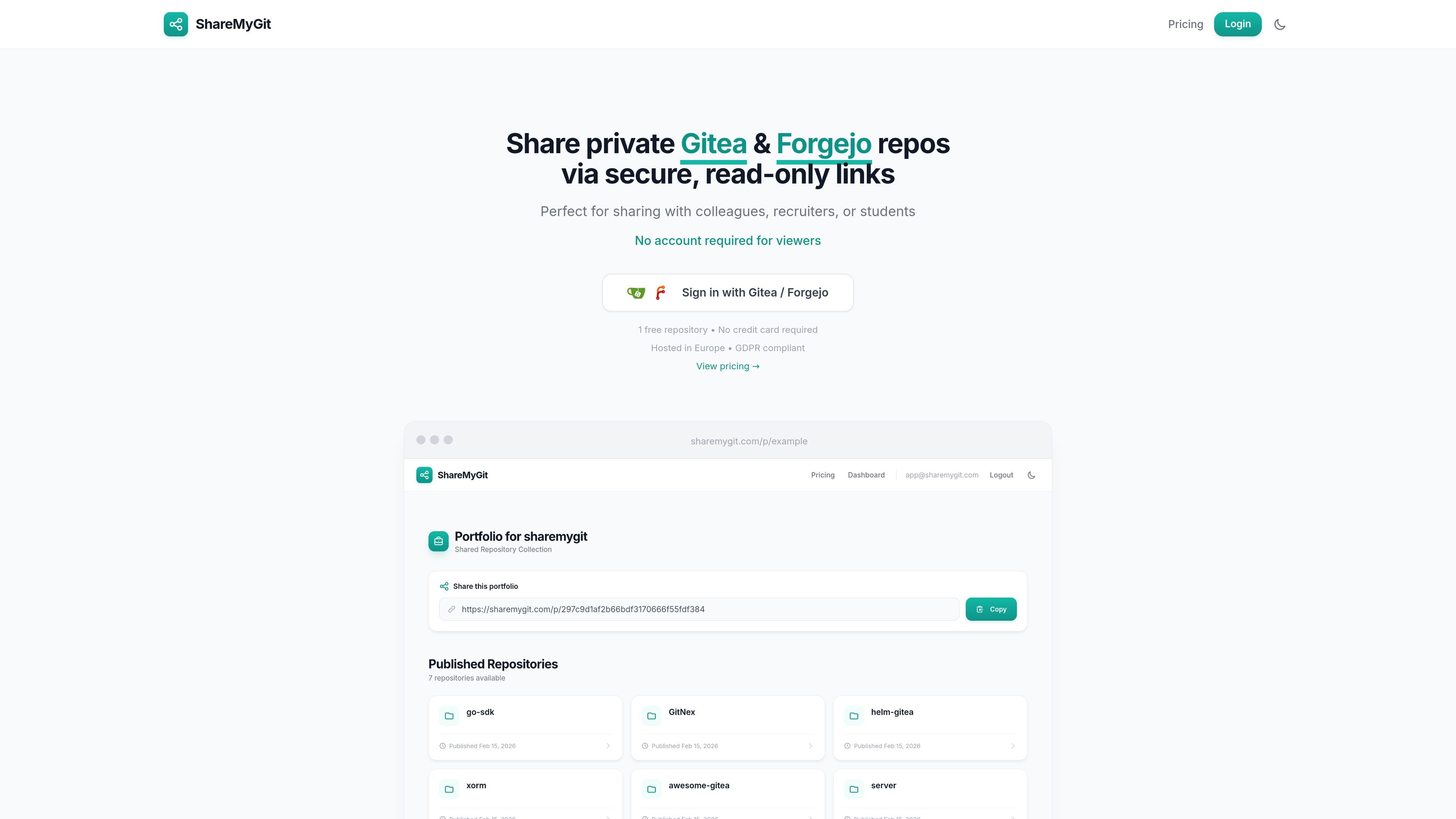
ShareMyGit is a hosted sharing service for private Gitea and Forgejo repositories. It lets you create public-facing, read-only views of selected repositories so other people can inspect code and files without getting access to your full instance or signing in to Gitea or Forgejo.
The workflow is simple: authenticate with your Gitea or Forgejo account, pick a repository from your dashboard, and publish it to generate a share link. The service is positioned for developers who need to show code to recruiters, colleagues, students, or collaborators while keeping the repository private in its source system.
Connect your Gitea or Forgejo account through OAuth2, then select a repository from a dashboard before publishing it as a shareable link.
Shared repositories can be read directly in the browser with syntax highlighting, file browsing, and directory browsing.
Publish links that make a private repository accessible to anyone with the URL, without exposing the full Gitea or Forgejo instance.
Each account includes a portfolio page that lists published repositories in one place for sharing a single overview link.
Access to a published repository can be removed from the dashboard by unpublishing it, which disables the link immediately.
The Pro plan adds analytics for shared repositories, including view counts, unique visitors, geographic breakdowns, browser and device statistics, top referrers, and most-viewed files.
Send a private code sample or project link to a recruiter without exposing the whole repository or asking them to create an account.
Share a private repository with colleagues at another company or on another team while keeping the source repository private.
Create a portfolio page that collects published repositories in one place for job applications or public work samples.
Give students or course reviewers a read-only link to a repository they need to inspect for an assignment or review.
Publish a repository temporarily, then unpublish it once the review is done or the content is no longer needed.
ShareMyGit is a service for publishing private Gitea or Forgejo repositories behind secure, public-facing links. Viewers can browse files and read code without signing in, while the repository itself stays private in your Gitea or Forgejo instance.
You sign in with your Gitea or Forgejo account, choose a repository from your dashboard, and publish it. The service then generates a share link that you can send to others.
No. Anyone with the link can view the shared repository without creating an account or logging in.
Yes. You can unpublish a repository from your dashboard, which stops the share link from working immediately. You can publish it again later if needed.
ShareMyGit supports gitea.com, self-hosted Gitea, and Forgejo instances. The pricing page says the free plan allows 3 shared repositories, while the Pro plan allows unlimited shared repositories.

Ghost es un asistente de IA para terminal para chatear, generar código y ejecutar tareas en la línea de comandos. Incluye modelos gratuitos, es compatible con Linux, macOS y Windows, y es de código abierto.

Devin is an AI coding agent and software engineer that helps developers and engineering teams plan and execute complex software tasks. It is available through desktop, cloud, JetBrains, and CLI surfaces, with plans for individuals, teams, and enterprises.

MakerLoft is a chat-first AI app builder for non-developers who want to create static sites or full-stack apps from a GitHub repository. It supports a free GitHub Pages path and a DigitalOcean-backed app path with sign-ins, payments, and an admin dashboard.

imgcook is a design-to-code tool that converts design drafts into front-end code. It supports plugin-based and developer workflows for Sketch, Photoshop, VS Code, and CLI usage.

Pi Coding Agent is a terminal-based coding agent for developers who want a minimal, extensible harness for interactive work and automation. It supports model switching, session branching, and multiple run modes including TUI, print/JSON, RPC, and SDK.

Ably Chat is a chat API platform for building custom realtime chat applications. It supports room-based messaging, typing indicators, presence, reactions, and message updates, with usage-based pricing options for different deployment stages.