
Measure design tokens
Reads a website in Safari and identifies colors along with their roles, rather than presenting only a list of sampled swatches.

Siteprint is a Safari extension for Mac that measures a website’s colors, typography, spacing, layout, and other design properties. It helps developers and designers turn a reference site into a concrete prompt, DESIGN.md export, or coding-agent workflow.
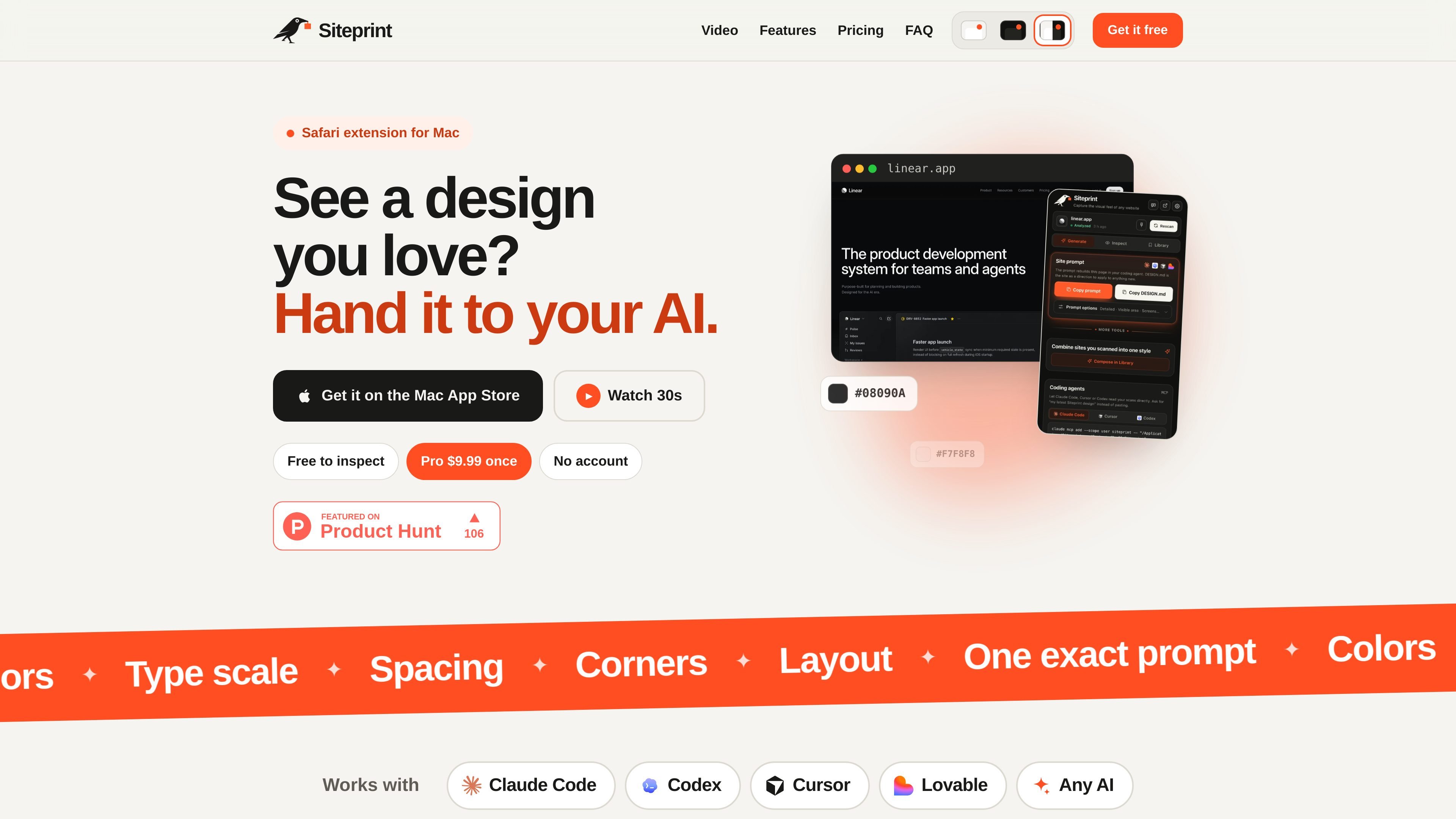
Siteprint is a Safari extension for Mac that measures the design of a website you are viewing. It records the page’s color palette and color roles, type scale, spacing, corners, shadows, and a blueprint of its sections, giving a coding workflow concrete design values to work from.
The free version supports inspection, token export, and a Library for saved scans. Pro turns a scan into one prompt or a DESIGN.md file, adds themes and Compose for combining two saved sites, and lets supported coding agents read scans directly. Siteprint does not build the site itself; the connected coding agent uses the measured output to create a new page.
Reads a website in Safari and identifies colors along with their roles, rather than presenting only a list of sampled swatches.
Shows the palette, typography, and a blueprint of the page’s sections so the reference design can be examined before export.
Copies the measured values into one prompt for a coding agent, with a DESIGN.md export available in Pro.
Exports themes and tokens for use in a new interface, preserving concrete values such as type sizes, weights, radii, and spacing.
Combines two saved site scans into a new style instead of treating either reference as a page to copy directly.
Connects to Claude Code, Cursor, Codex, and other coding agents so they can read saved scans directly on the Mac.
Scan a reference site in Safari, inspect its typography, spacing, palette, and section blueprint, and hand the measured direction to an AI coding tool instead of describing the look manually.
Save multiple scans in the Library and use Compose to combine two design references into a new style for an original page.
Export tokens and themes when a developer needs concrete values for colors, type, radii, and spacing during implementation or restyling.
Let Claude Code, Cursor, or Codex access saved scans directly so the agent can use the measured design context within its coding workflow.
Use the inspection view to study how an existing website organizes its visual system before deciding what to adapt in a separate product.
Install Siteprint from the Mac App Store, open the app once, then enable the extension in Safari under Settings → Extensions. Open an http or https website, click the Siteprint toolbar button, and allow Safari to let it read the site. If a tab was already open, reload it and choose Rescan.
No. The measurements are taken from the page itself. On a Mac with Apple Intelligence, an on-device model can additionally describe a scan and answer questions through Ask this design.
No. Siteprint measures the design and produces a prompt or DESIGN.md export. A coding agent such as Claude Code, Cursor, or Codex uses that material to build the page.
The free tier includes inspection, token export, and the Library. Pro adds the generated prompt, DESIGN.md and themes, Compose, and coding-agent access. Pro is a one-time purchase priced at $9.99.
Yes. In the extension, open Generate → Coding agents and copy the command for Claude Code, Cursor, or Codex. The agent can then request your scans on the same Mac when Pro is enabled.

ByteAsk is a terminal-first AI coding agent for C and C++ that edits repositories and verifies changes with the real compiler, debugger, sanitizers, and tests before showing a diff. It offers a free tier plus paid plans, with editor connectors and zero-retention handling described in the source.

Epherem is a static security scanner for web apps built with AI coding tools such as Lovable, Bolt, v0, Replit, Cursor, and Claude Code. It checks source files and dependencies for common security mistakes, then provides categorized findings and suggested fixes without running the app.

CreateOS Sandbox is an isolated compute environment for running code and agent workloads inside Firecracker micro-VMs. It is designed for workflows that need machine-level isolation, private networking between sandboxes, and programmatic control through SDK, CLI, or MCP.

GitBot is a local browser-based workspace for creating reusable coding bots powered by Claude Code, Codex, or OpenCode. It helps developers run those agents across repository folders with persistent threads and configurable permissions.

hob is an independent workspace for coding agents that keeps agent sessions, terminals, history, and follow-up work organized around the tools and providers you already use. It is aimed at developers who want local control over routing, history, and workspace structure rather than a bundled model stack.

Ably Chat is a chat API platform for building custom realtime chat applications. It supports room-based messaging, typing indicators, presence, reactions, and message updates, with usage-based pricing options for different deployment stages.