
Menu scanning and personalized scores
Photograph a cocktail menu, select a previous menu image, or enter drinks manually; the app returns scores based on your taste profile and allergies.

Stirred Art is a cocktail and bar guide for iPhone and iPad that learns a user's palate and scores menus, recipes, and home-bar options against it. It also tracks bar visits, running tabs, bottles, and guest preferences for drink discovery at home or out.
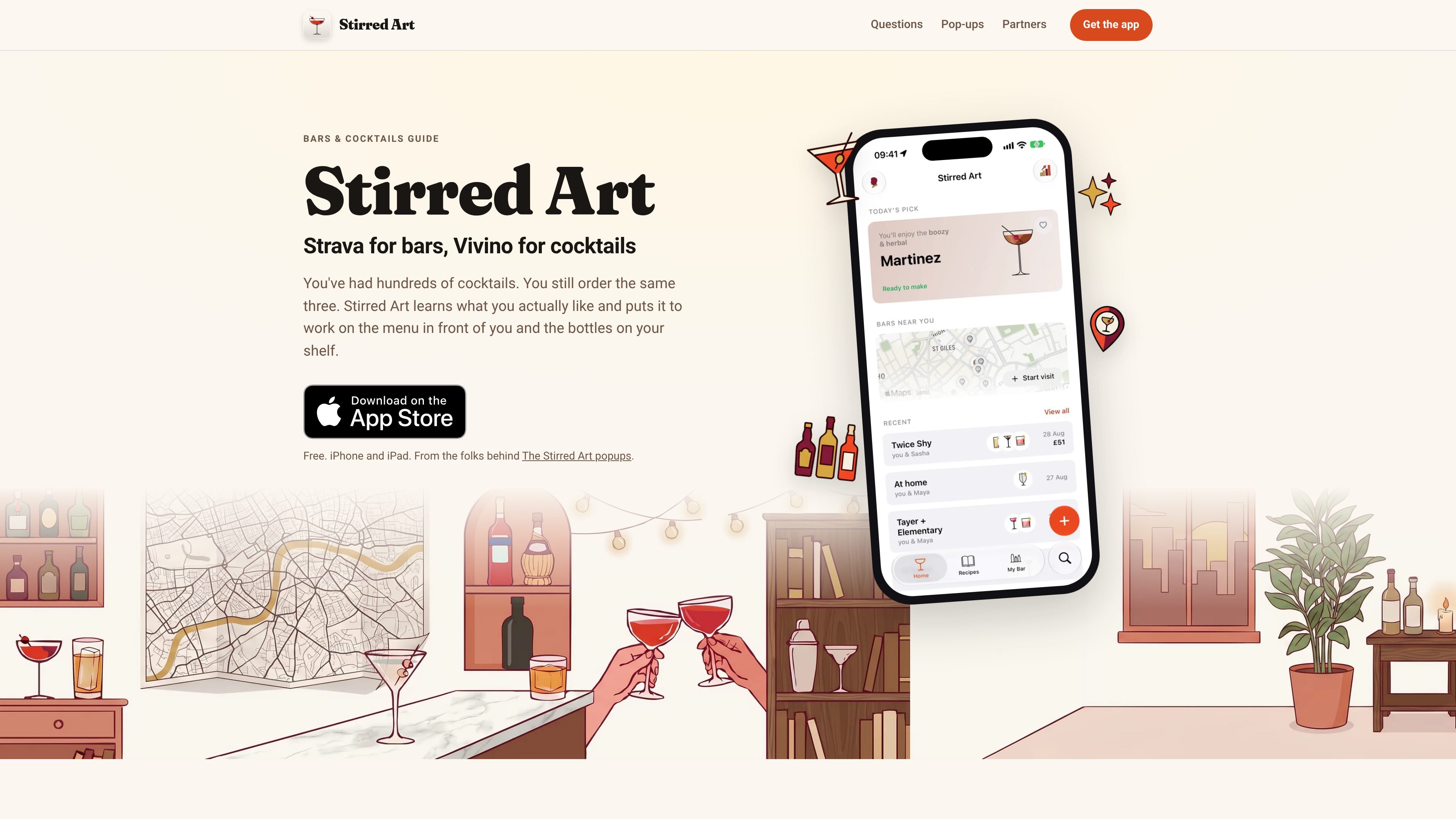
Stirred Art is a cocktail and bar guide for iPhone and iPad. It builds a personal taste profile from drinks you rate, then applies that profile to cocktail menus, recipes, and the bottles in your home bar. The app is designed for choosing drinks with more context rather than relying only on familiar orders.
The app covers both nights out and home mixing. At a bar, you can scan or enter a menu, track a running tab, and save the visit. At home, My Bar connects your bottle inventory to recipes, missing ingredients, and suggested next purchases. Stirred Art says its taste model, menu scanning, and drink recognition run on-device, with no account or sign-up required.
Photograph a cocktail menu, select a previous menu image, or enter drinks manually; the app returns scores based on your taste profile and allergies.
Rate familiar drinks to build a palate profile across 11 dimensions, including sweet, sour, umami, and salty, then compare recipes with it.
Record bottles in My Bar to see recipes available now, drinks that need one more ingredient, and bottles that would unlock additional cocktails.
Start a visit to keep track of drinks and costs on the Lock Screen and in a widget, including what you have had and what to order next.
Keep bars, drinks, costs, and bartenders on a map, and use guest profiles to remember friends' preferences and allergies.
Use on-device drink recognition to find cocktails in Apple Photos and match photographed drinks to recipes; menu scanning and taste modeling work offline.
Photograph an unfamiliar menu or enter it manually to compare each drink with your preferences and allergies before ordering.
Start a visit to record drinks and prices while keeping the running tab visible on the Lock Screen or in a widget.
Add bottles to My Bar to identify recipes available immediately, drinks that need one ingredient, and the next bottle likely to expand your options.
Save bars, cocktails, costs, and bartenders to a map so past visits are easier to recall and share with friends.
Create guest profiles with friends' preferences and allergies when selecting what to mix from the bottles you have.
Add bottles to My Bar to see cocktails you can make now, recipes that are one ingredient away, and bottles that would unlock more drinks. Some recipes can show possible substitutes for a missing ingredient.
Photograph a menu, choose an earlier menu photo, or type the drinks into the app. Stirred Art scores the drinks against your taste profile and allergies; menu scanning and scoring work on-device and offline.
Rate several drinks you already know. The app builds an 11-dimension palate profile, then shows how recipes compare with your preferences and where they differ.
Start a visit to keep a running tab on the Lock Screen and in a widget. The visit can record drinks, cost, and what to order next, then join your bar map when the night ends.
Stirred Art is free to download and use, with an optional Drinks & Spirits Pro subscription that lifts free limits on menu scans, guest profiles, and the taste profile. It requires an iPhone or iPad running iOS 26 or later.

LeanUp is an AI calorie tracker and meal-planning app for logging meals, tracking macros, and getting personalized nutrition guidance. It supports barcode scanning, photo-based food recognition, manual search, and recipe reuse.
MealTime es su compañero personal de recetas, diseñado primero para funcionar sin conexión, que le ayuda a guardar, organizar, planificar comidas y generar listas de compras inteligentes, todo mientras mantiene sus datos privados.

Kooler is a cocktail recipe and discovery site featuring measured recipes for classic, Brazilian, and community drinks. It helps home bartenders find cocktails, follow preparation methods, and participate through favorites, comments, check-ins, and recipe submissions.

Joy is a web app for home cooking that combines meal planning, recipe discovery, and private chef booking. It helps people plan meals, cook from ingredients they already have, and arrange a chef for special occasions.

Munch is a social app for food and recipes that lets people discover, share, and organize recipes in one place. It also includes AI-assisted recipe formatting and ingredient scanning for quick meal ideas.

Recipe Chest is a digital cookbook that uses AI to import recipes from websites, YouTube, Instagram, photos, or manual entries. It helps individuals and households organize, personalize, plan, and shop from their recipe collections in a browser-based app.