
Today view
See your calendar events and task list for today in one view so you can check what needs attention without moving between apps.

Sunrise is a web-based calendar and tasks app that syncs with Google Calendar and Google Tasks. It helps people plan their day in one interface while keeping their data in their Google account.
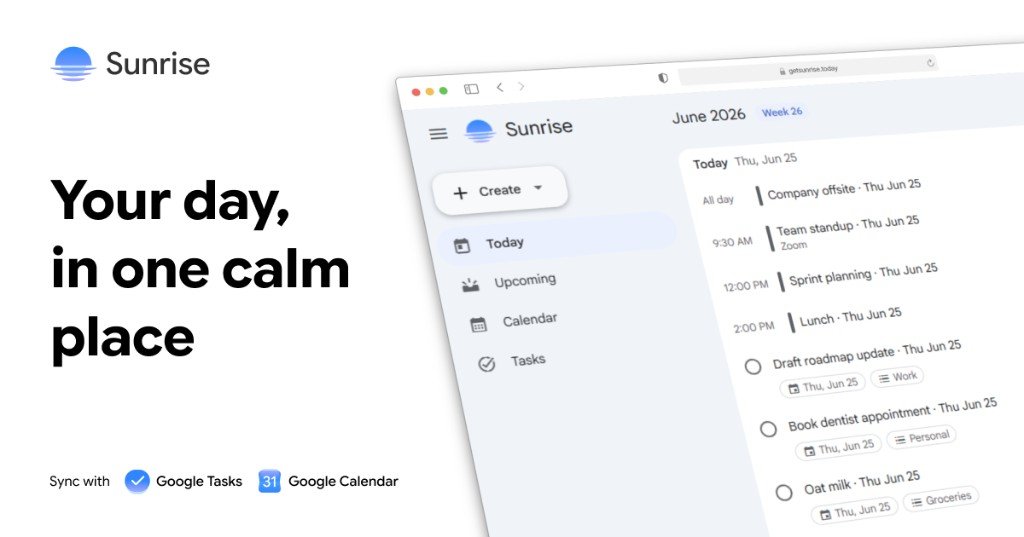
Sunrise is a calendar and tasks app built around Google Calendar and Google Tasks. It combines schedule planning and task management in one interface, with a clean layout meant to reduce switching between separate apps.
The product centers on four core workflows: a Today view for a quick daily check-in, an upcoming agenda for overdue and future items, a week calendar for event planning, and a kanban board for task organization. Users sign in with Google, and Sunrise works as a client interface while keeping data in the user's Google account.
See your calendar events and task list for today in one view so you can check what needs attention without moving between apps.
Review overdue, current, and upcoming items in a single agenda designed for day-by-day planning and follow-through.
Use a familiar week layout to scan events across the week and jump into the details you need quickly.
Organize tasks in a kanban-style board that mirrors Google Tasks lists and supports drag-and-drop reordering.
Sign in with Google to read and write calendar events and task lists, with changes syncing in both directions.
Use the web app now, while native iOS and Android apps are still in development.
Check what is on your calendar and task list for today in one place before starting work, without opening multiple apps.
Review overdue items, today’s commitments, and upcoming tasks in one scrollable agenda to stay oriented during the week.
Move tasks between columns in the kanban view when you want a more visual way to reorganize Google Tasks lists.
Scan the week calendar to coordinate meetings, deadlines, and personal commitments around a familiar schedule layout.
Use the web app on desktop now if you want a Google-synced planning interface before mobile apps arrive.
Yes. Sunrise connects with Google Calendar and Google Tasks, and changes made in Sunrise sync back to Google.
Sunrise is free on the web and includes full calendar and task sync. A Pro tier is planned, but pricing will be announced at launch.
Sunrise stores calendar and task data in your Google account. The app acts as a client interface and does not copy your events or tasks into a separate database.
Sunrise is available as a web app at app.getsunrise.today today. Native iOS and Android apps are in development.
Yes. Sunrise includes a kanban view that mirrors Google Tasks lists, so tasks can be reorganized by dragging them between columns.

Gemma AI is a phone call reminder app that calls you with scheduled reminders instead of push notifications. It helps people who want a more direct way to stay on schedule, with Google Calendar sync and conversational call interactions.
MealTime es su compañero personal de recetas, diseñado primero para funcionar sin conexión, que le ayuda a guardar, organizar, planificar comidas y generar listas de compras inteligentes, todo mientras mantiene sus datos privados.

Goldfish is an AI memory app for macOS that helps you reply, write, summarize, and continue using the context already on your Mac. It stores memory locally and writes in your tone.

Biji es una plataforma versátil diseñada para mejorar la productividad a través de herramientas y características innovadoras.

Liam is an AI copilot for managing inboxes, writing replies, prioritizing email, and scheduling meetings. It is offered free for individuals, with custom pricing for teams and enterprise.

ClawTick is an AI agent automation platform for scheduling jobs from the CLI, dashboard, or REST API. It is aimed at developers and teams running LangChain, CrewAI, webhook, or custom agent workflows that need monitoring, alerts, and logs.