
Draft replies in your voice
Supafax drafts reply text inside Gmail and Outlook, and the homepage shows it writing responses in a user’s tone based on past emails.

Supafax is an email assistant for Gmail and Outlook that drafts replies, schedules meetings, prioritizes messages, and automates recurring inbox tasks. It is aimed at people who want to spend less time on manual email handling without leaving their inbox.
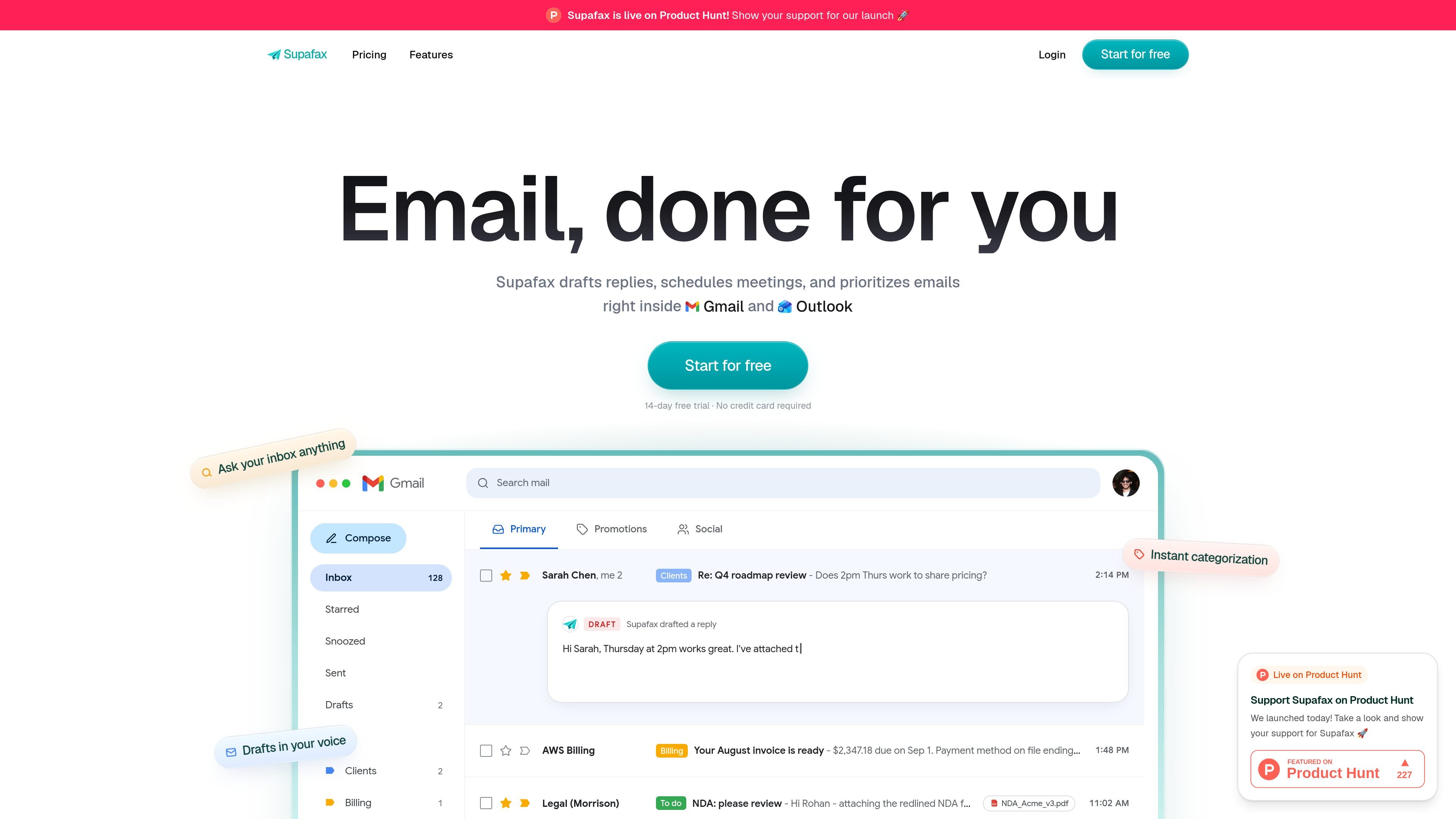
Supafax is an email assistant that works inside Gmail and Outlook to handle common inbox tasks for you. According to the site, it drafts replies, schedules meetings, prioritizes messages, and can apply custom automation rules directly in your email workflow.
The product is positioned for people who rely on email to get work done and want to reduce time spent on repetitive inbox management. The homepage emphasizes replying in your voice, organizing messages with labels, asking your inbox questions, and automating recurring routines such as digests and recaps.
Supafax drafts reply text inside Gmail and Outlook, and the homepage shows it writing responses in a user’s tone based on past emails.
The product can organize inbox messages with labels and prioritize mail based on sender, content, or custom rules.
Supafax can handle the back-and-forth of meeting scheduling by proposing times and sending calendar invites.
The homepage shows users asking their inbox questions and setting automation rules in plain English without code or a settings-heavy setup.
It can run recurring email routines such as daily digests and weekly recaps, delivered automatically by email.
The pricing page lists custom integrations for Enterprise, along with SSO, SCIM, and custom security controls.
Use Supafax when you want a response drafted quickly in a tone that matches your prior emails, then review and send it from inside Gmail or Outlook.
Use it to turn scheduling threads into calendar coordination, with the assistant finding times and sending invites after a back-and-forth exchange.
Use the inbox prioritization and labeling features to separate important threads, newsletters, billing, and other categories without manual sorting.
Describe repetitive tasks like daily digests or weekly recaps in plain English and let Supafax run them on a schedule.
Set simple rules such as starring or labeling mail from a specific sender so matching messages are handled automatically going forward.
Supafax works inside Gmail and Outlook. The homepage shows it connecting to an inbox, learning how you write, drafting replies, prioritizing messages, and handling simple automation rules and routines through email.
The source describes support for Gmail and Outlook. It does not show other supported email providers or calendar systems.
Supafax can draft replies in your voice, organize your inbox with labels, schedule meetings, answer questions about your inbox, and apply custom automation rules.
The pricing page lists a 14-day free trial with no credit card required. It also shows a Professional plan and an Enterprise option with custom pricing.
The homepage says Supafax learns from past emails to write replies that sound like you, and it can save and apply custom rules or routines when you describe them in plain English.

Liam is an AI copilot for managing inboxes, writing replies, prioritizing email, and scheduling meetings. It is offered free for individuals, with custom pricing for teams and enterprise.

Dirac is an AI email assistant that prepares a morning brief, prioritizes important threads, and drafts replies in your voice. It is positioned for founders and other busy professionals who use Gmail and want to reduce morning inbox triage.

Goldfish is an AI memory app for macOS that helps you reply, write, summarize, and continue using the context already on your Mac. It stores memory locally and writes in your tone.

Biji es una plataforma versátil diseñada para mejorar la productividad a través de herramientas y características innovadoras.

Gemma AI is a phone call reminder app that calls you with scheduled reminders instead of push notifications. It helps people who want a more direct way to stay on schedule, with Google Calendar sync and conversational call interactions.

Tactiq is an AI note taker for Google Meet, Zoom, and Microsoft Teams that transcribes meetings live and turns them into summaries, action items, and follow-up outputs. It is built around a Chrome extension and supports team workflows through sharing and integrations.