
Inline suggestions
Go annotates text as you write and can surface edits, context, grammatical guidance, approved company information, and next steps without requiring a separate prompt.

Superhuman Go is an AI assistant and agent platform that provides writing help, email support, research, and workflow automation inside the tools people already use. It is designed for individuals and teams that want contextual assistance across documents, browsers, email, project tools, and connected business apps.
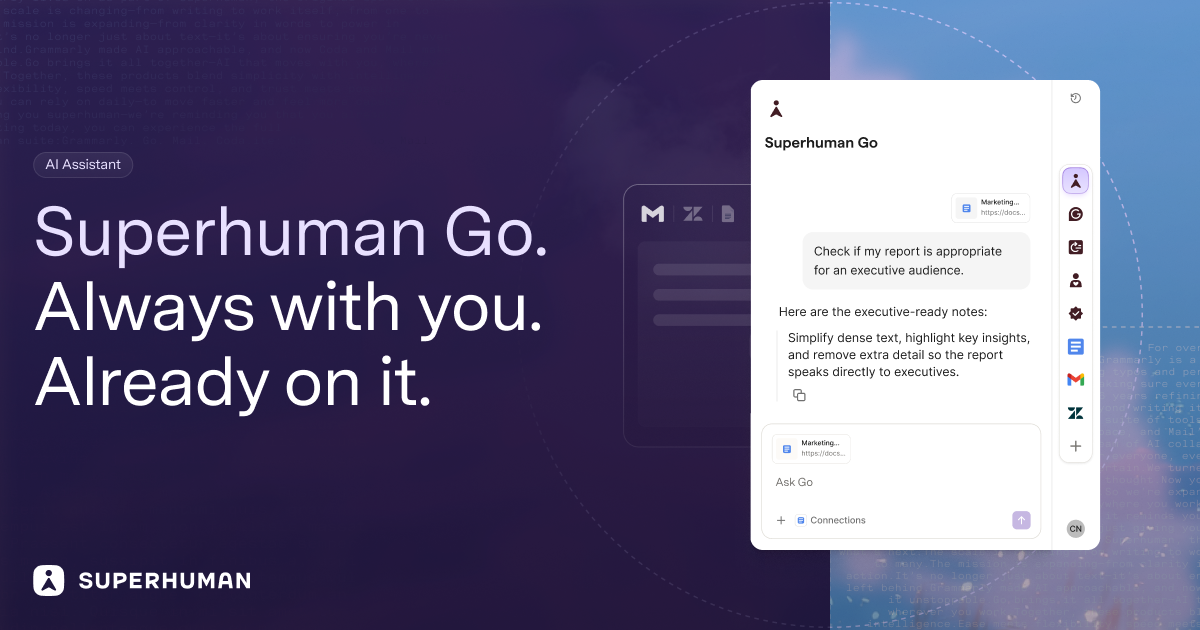
Superhuman Go is an AI assistant and agent platform designed to provide help inside the applications and pages where people work. Instead of requiring users to open a separate chatbot and explain their context, it can surface writing suggestions as they type, respond about the current page, and offer actions from highlighted text or a connected app.
The product combines contextual assistance with a configurable team of AI agents. It can help with writing, email triage, meeting preparation and follow-through, research across connected data sources, daily work summaries, and recurring automations. Go is available through browser extensions, desktop and mobile experiences, and supports connections to selected work applications; available capabilities depend on the plan and connected services.
Go annotates text as you write and can surface edits, context, grammatical guidance, approved company information, and next steps without requiring a separate prompt.
A side panel and context-aware chat can discuss the page, document, or report you are viewing, while cursor actions let you highlight text in an app and invoke agent actions.
Email Assistant can sort incoming mail, reduce inbox clutter, draft replies using your voice and context, and help with follow-up work. The feature is powered by Superhuman Mail.
Go supports a team of specialized agents, including Grammarly, Knowledge Checker, Daily Brief, and Email Assistant. Users can also configure custom agents for recurring workflows and routines.
Pre-built and custom MCP connectors let Go use information from connected applications. Examples named in the plans include Gmail, Calendar, Outlook, Slack, Jira, Linear, Asana, Confluence, Zendesk, Salesforce, HubSpot, Workday, and ServiceNow, with availability varying by plan.
Go can appear in browser side panels, inline text annotations, cursor actions, Slack, the Go app, and scheduled automations, allowing assistance to follow the user's current workflow.
As a user drafts an email, document, or message, Go can flag unclear language, suggest edits, and provide relevant context without requiring the text to be copied into another tool.
Email Assistant can sort an inbox, draft replies in the user's voice, and help with follow-up. Connected calendar and app context can support meeting preparation and post-meeting actions.
Knowledge Checker and connected sources can help find evidence across company data, while Daily Brief can assemble items such as Salesforce deals, Jira tickets, meetings, and tasks that need attention.
Teams can configure agents to run on a schedule or after events, such as a meeting ending or an email arriving. Go can also help turn decisions into project or CRM tickets in supported workflows.
Superhuman Go is available through Chrome and Edge browser extensions, desktop apps for Mac and Windows, and mobile apps for iOS and Android. It can also work inside web-based tools through its side-panel, inline, cursor, and chat experiences.
No. Go is designed to work within the tools and platforms already in use, including email, documents, customer systems, project tools, and internal applications. It can use connected app context rather than requiring users to move information into a separate chat window.
The Free plan includes basic inline suggestions, chat with tabs and apps, editable shareable documents, and synced conversations across desktop, mobile, and browser. Pro, Business, and Enterprise plans add progressively broader access to connectors, custom agents, and team administration.
Yes. Custom agents can be created without coding on Pro, Business, and Enterprise plans. They can be configured to appear while you type, on a schedule, or after an event such as a meeting ending or an email arriving. Business and Enterprise plans provide expanded or full custom-agent capabilities, including additional sharing or administration features.
Go can provide inline writing suggestions, draft email replies, summarize or use information from connected apps, prepare meeting materials, create follow-up actions, and help turn information into tasks or tickets. The exact available workflows depend on the agent, connected applications, and plan.

Paperpal 是一款面向学术写作的 AI 工具,提供文献阅读、语言润色、引用、查重、AI 检测和投稿前检查。它适合需要在英文论文和学术材料上进行写作、修改与合规自检的学生、研究人员和教师。

Dirac is an AI email assistant that prepares a morning brief, prioritizes important threads, and drafts replies in your voice. It is positioned for founders and other busy professionals who use Gmail and want to reduce morning inbox triage.

AgentMail is an email inbox API for AI agents that lets developers create, send, receive, and search messages through REST APIs and SDKs. It supports agent workflows such as threaded replies, verification, customer support, scheduling, and inbox-based approvals.

Goldfish is an AI memory app for macOS that helps you reply, write, summarize, and continue using the context already on your Mac. It stores memory locally and writes in your tone.

CreateOS Sandbox is an isolated compute environment for running code and agent workloads inside Firecracker micro-VMs. It is designed for workflows that need machine-level isolation, private networking between sandboxes, and programmatic control through SDK, CLI, or MCP.

Hype is a web tool for finding trending YouTube topics by category, time range, and scoring mode. It helps creators spot emerging ideas, inspect source videos, and decide what to cover next.