
Session audio upload
Upload an audio file from game night in the current web beta. Table Canon transcribes and enriches the recording rather than treating it as an unprocessed file.

Table Canon turns uploaded tabletop RPG session audio into recaps, outlines, and a persistent campaign desk for game masters. It supports between-session preparation with World and Story views, open-thread tracking, Prep suggestions, and cited Ask answers about earlier sessions.
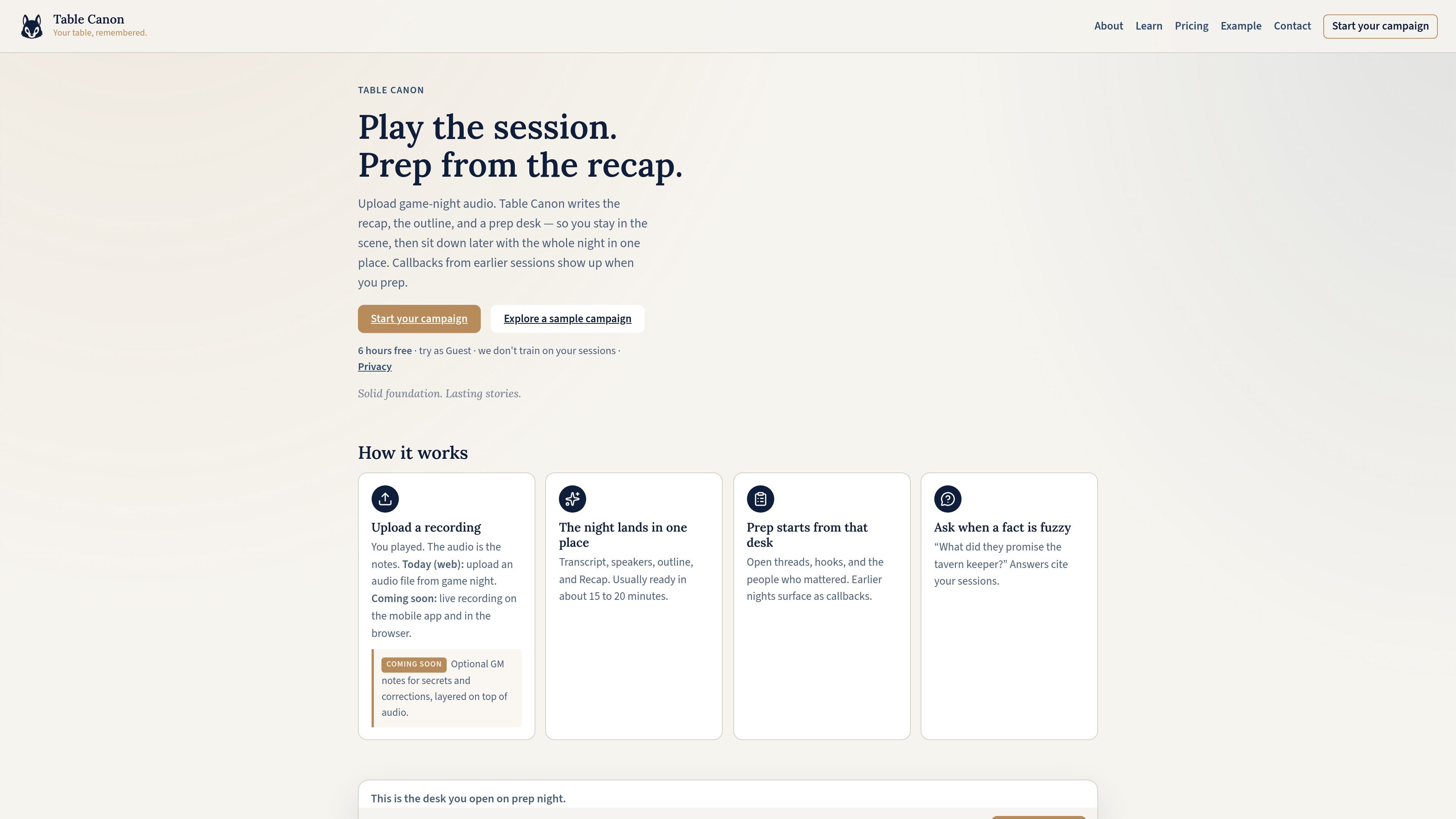
Table Canon is a campaign-memory and session-recap tool for tabletop RPG game masters. In its current web beta, a GM uploads game-night audio, and the service turns it into a transcript, outline, recap, and structured campaign information instead of requiring the GM to reconstruct the session from handwritten notes or scattered chats.
The resulting campaign desk combines night-by-night session material with longer-running World and Story information. GMs can review what happened, find open threads and callbacks while preparing, and ask questions about earlier events with references to the relevant sessions. Live recording for the browser and mobile app is planned but is not yet available according to the site.
Upload an audio file from game night in the current web beta. Table Canon transcribes and enriches the recording rather than treating it as an unprocessed file.
Review the night through a transcript, speaker information, a structured outline, and a readable recap. The site says uploaded sessions are usually ready in about 15 to 20 minutes.
Use campaign-level World and Story views to follow people, places, factions, narrative arcs, plot threads, and other details that accumulate across sessions.
Open Prep for open threads, hooks, callbacks, and suggested next-session ideas. The sample campaign shows ideas with supporting context and an option to resolve or dismiss them.
Ask questions about the campaign's memory or a specific session. Answers include references such as the relevant sessions, allowing a GM to trace a detail back to the recorded play.
Upload the previous game night's recording and read the generated recap and outline before planning the next scene. This provides a single review point for what happened without requiring complete notes from the table.
Use World and Story to investigate a name, location, faction, promise, or unresolved event that appeared several sessions ago. Ask can return a cited answer while the GM remains in the campaign desk.
Review Prep for open hooks and generated next-session ideas, then examine the associated context and involved entities before deciding which thread to develop.
Keep a long-running campaign's people, places, arcs, and plot threads in one accumulating workspace rather than rebuilding a campaign summary after every session.
Today, Table Canon's web beta accepts uploaded audio files from a game session. Live recording in the browser and mobile app is described as coming soon.
After upload, Table Canon produces a transcript, speaker information, a session outline, a recap, World and Story updates, Prep notes, and campaign-wide Ask access. The site says results are usually ready in about 15 to 20 minutes.
Ask searches the campaign memory and returns answers with references to the relevant sessions. It can be used for questions about a character, place, event, or earlier promise.
The Free plan includes 6 hours of processed audio for the lifetime of the account. Starter includes 7 hours per month for $8.99, and Pro includes 20 hours per month for $19.99. One-time hour packs are also available and do not expire.
The site says session audio and campaign content are used to run the account and are not used to train generalized public models. It also states that paid subscriptions can be managed or canceled at any time, with access continuing through the billing period.

Tactiq is an AI note taker for Google Meet, Zoom, and Microsoft Teams that transcribes meetings live and turns them into summaries, action items, and follow-up outputs. It is built around a Chrome extension and supports team workflows through sharing and integrations.

SpeakoFlow is a free, open-source desktop voice-to-text app for Windows, macOS, and Linux. It supports dictation into any app, voice-driven writing with Flow, cleanup, translation, and a screen-aware assistant.

Goldfish is an AI memory app for macOS that helps you reply, write, summarize, and continue using the context already on your Mac. It stores memory locally and writes in your tone.

Lasso is an ecommerce product data platform for enriching catalog records, processing supplier files, generating product content, and monitoring competitors. It combines a web app with a REST API, SDK, and MCP server for teams and developers.

ArtDeck is a visual reference board app for iPhone, iPad, and Mac that lets artists collect mixed reference material on one canvas and study it with ToolBox lenses. It works offline, supports optional iCloud sync, and is sold as a one-time purchase with no account required.

Struere is an AI-native platform for turning spreadsheet data into structured operational software with dashboards, alerts, and automations. It is aimed at teams that want to replace manual spreadsheet workflows without building custom tools from scratch.