
Scenario-based conversation practice
Practice everyday Japanese in situations such as ordering food, checking into a hotel, or making small talk. You can speak by voice or type, depending on how you want to practice.

TAMA is a desktop app for practicing realistic Japanese conversations by voice or text. It helps learners review vocabulary and get feedback after each session.
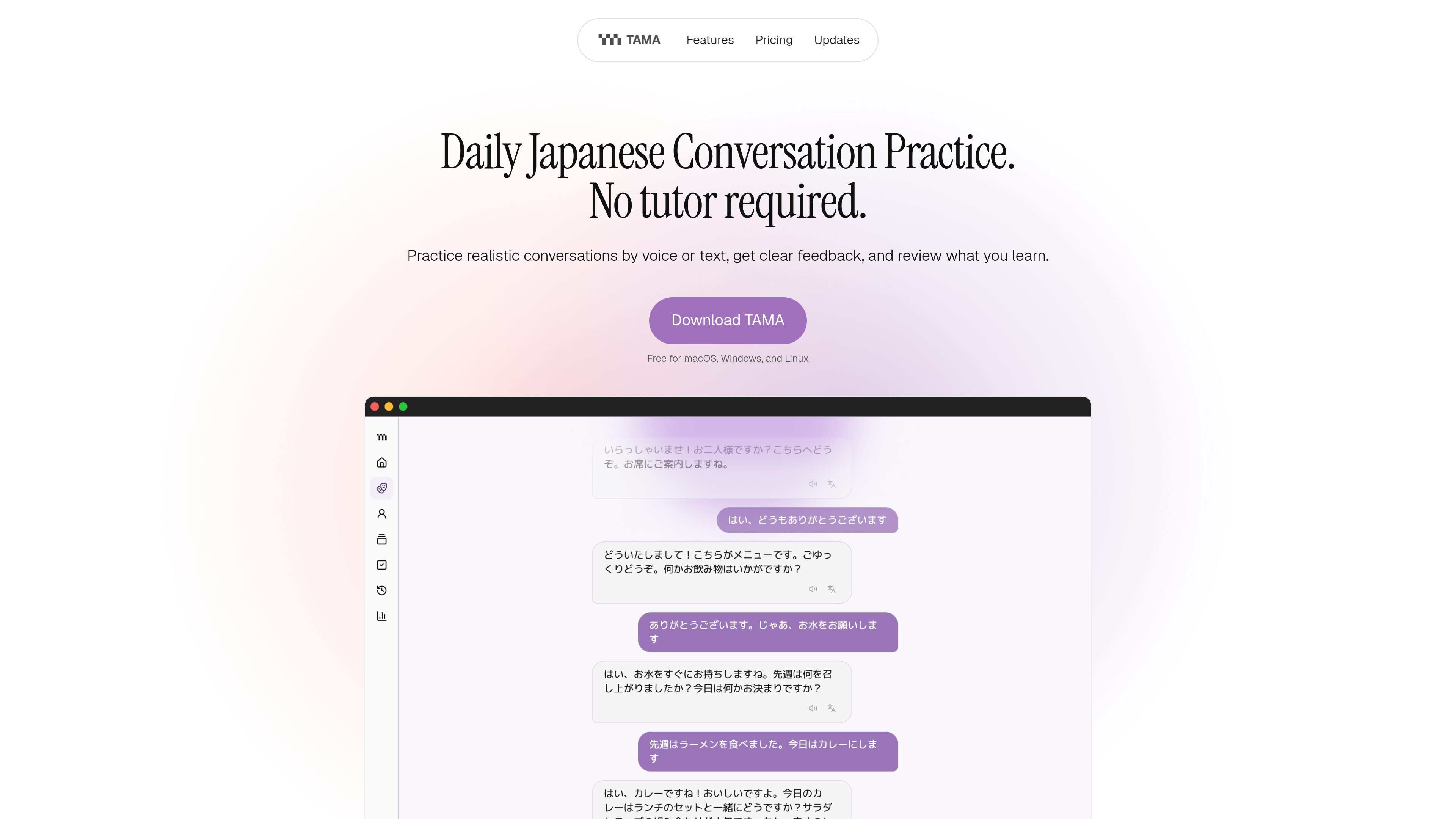
TAMA is a desktop app for daily Japanese conversation practice. It is designed to help you rehearse realistic situations by voice or text, get feedback on what to improve, and review vocabulary through flashcards and spaced repetition.
The product focuses on practical language use rather than isolated drills. You can choose a scenario, have an AI conversation partner respond, save useful words from the exchange, and return to your next practice session from a dashboard that keeps your recent conversations and due flashcards together.
Practice everyday Japanese in situations such as ordering food, checking into a hotel, or making small talk. You can speak by voice or type, depending on how you want to practice.
After each session, TAMA summarizes what happened and gives a clear suggestion for what to practice next. This turns each conversation into a specific follow-up step instead of an open-ended chat.
Words you save from a conversation become flashcards, and the app uses spaced repetition to bring them back at the right time. This supports review of vocabulary that came up naturally in practice.
The dashboard brings the daily plan, recent conversations, and due flashcards into one place. That makes it easier to continue a session or jump into review without rebuilding your study plan each time.
The Free version supports local models or your own API keys, and the support and privacy pages note local voice options and local study storage. That gives users a path to keep some workflows on their own device.
TAMA is available as a desktop download for macOS, Windows, and Linux. The site also says public builds exist for macOS on Apple Silicon, Windows x64, and Linux x64.
Use TAMA to rehearse the kind of conversations you are likely to face while traveling or living in Japan, such as ordering food, checking in, or asking for basic help.
Use the voice option when you want to practice speaking out loud and get feedback on what to improve after the conversation ends.
Use typed conversations when you want a lower-pressure way to work through a scenario or when speaking aloud is not convenient.
Save unfamiliar words from the chat and review them later as flashcards, so vocabulary from the conversation becomes part of your study routine.
Return to the dashboard to pick up where you left off, check recent sessions, and move into the next review activity without rebuilding your study plan.
TAMA is a desktop app that lets you choose a scenario, practice a conversation by voice or text, and then receive feedback. It also identifies useful vocabulary from the session and can turn saved words into spaced-repetition flashcards.
The source says TAMA works best once you know a few basic words and phrases. It is described as especially useful from beginner through intermediate level, with the option to choose simpler or more challenging situations as you improve.
Yes. The page says TAMA has public builds for macOS on Apple Silicon, Windows x64, and Linux x64, and that every available installer is on the GitHub Releases page.
In the Free app, study history, flashcards, personas, and settings stay on your device. Requests go only to the AI or speech provider you choose. The privacy page also says conversation and speech data are sent to the configured providers.
The core practice tools are the same. Free lets you use local models or connect your own API keys. The planned Managed option removes that setup and provides the AI service for you. The pricing section lists Managed at $8 per month, and says joining the beta list is only a reservation signal, not a charge.
No exact pricing details are shown on a working pricing page. The homepage lists a planned Managed beta at $8 per month and says Free is free forever, but the pricing URL itself returns a not found page.

Talkpal is an AI-powered language learning web and mobile app for practicing speaking, listening, writing, and pronunciation. It offers guided courses, roleplays, and call-style conversation practice across 130+ languages.

Ably Chat is a chat API platform for building custom realtime chat applications. It supports room-based messaging, typing indicators, presence, reactions, and message updates, with usage-based pricing options for different deployment stages.

LangPanda is a browser extension for learning languages from streaming video and other supported sites. It combines instant subtitle lookup, flashcard creation, vocabulary tracking, and spaced-repetition review for 36 languages.

Claude Overlay is a Windows desktop overlay for Claude Code that reads your screen so you can ask questions, inspect content, and request edits without leaving the current app. It runs on your existing Claude subscription through the Claude CLI, so no separate API key is required.

Asụsụ Ọma is a free guided Igbo learning app for beginners, with short lessons, native-speaker audio, memory practice, games, and speaking rehearsal. It is designed for adult and young-adult learners, diaspora learners, children, and families studying Igbo at home or abroad.

Grok es un asistente de IA gratuito desarrollado por xAI, diseñado para priorizar la verdad y la objetividad al tiempo que ofrece capacidades avanzadas como acceso a información en tiempo real y generación de imágenes.