
RAW-first capture
Captures unprocessed Bayer RAW imagery, with the page describing DNG output up to 16-bit and JPEG output at 8-bit.

MBL is a free Android camera app from VWFNDR that captures unprocessed Bayer RAW images, offers manual controls and aspect-ratio options, and embeds Content Credentials for verifiable provenance. It is aimed at photographers who want a more direct, phone-based capture workflow.
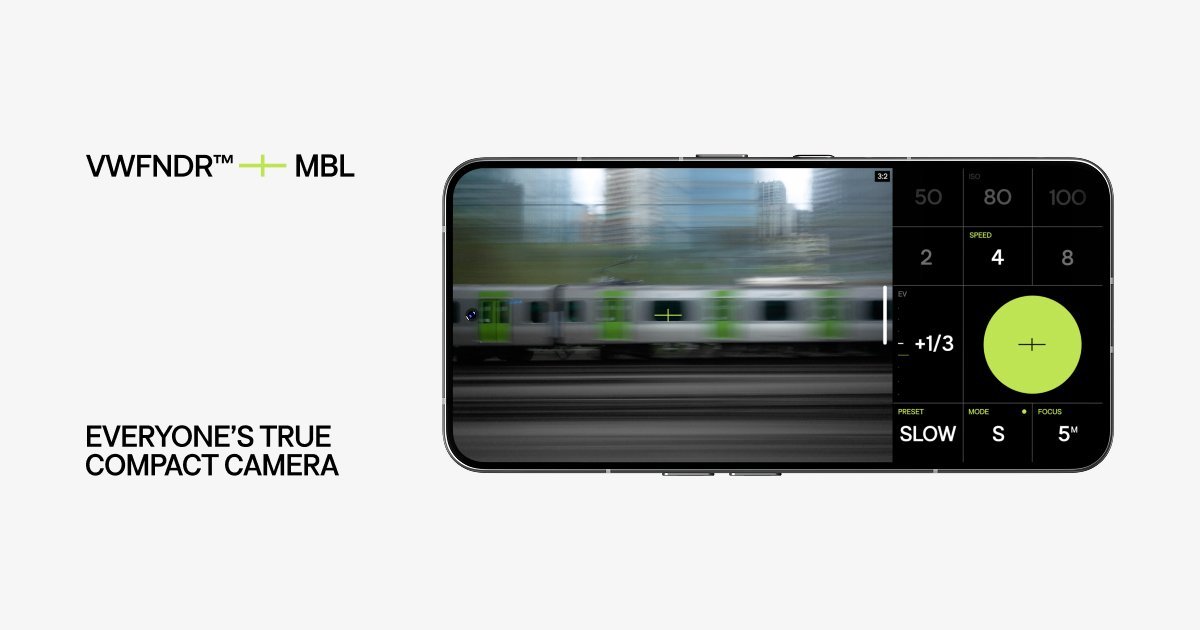
MBL is VWFNDR’s first product: a free Android camera app built around Bayer RAW capture, manual controls, and transparent provenance through Content Credentials. The product is positioned as a compact camera experience for people who want direct, unprocessed photography on a phone.
The page frames MBL as a response to computational photography and AI-generated imagery, aiming to restore a direct relationship between photographer and image. It captures DNG and JPEG files, supports traditional aspect ratios, and places capture controls, focus, exposure, and layout options on a single screen.
Captures unprocessed Bayer RAW imagery, with the page describing DNG output up to 16-bit and JPEG output at 8-bit.
Supports manual exposure settings, including Program AE, shutter-priority AE, and manual exposure modes, plus ISO and shutter speed control.
Lets users choose from six traditional aspect ratios in both horizontal and vertical orientations, with framing matched to the capture area.
Includes a fully reorderable interface with a custom button layout and on-screen controls designed to keep capture actions accessible.
Attaches provenance metadata via Content Credentials, with verification available through verify.vwfndr.camera.
Works as an Android app on Android 10 (API 29) or higher, using the main back sensor on the device.
Useful for photographers who want to shoot with a phone but keep the file closer to a traditional digital negative, especially when they plan to edit in Lightroom or another RAW workflow.
Fits quick handheld shooting where the user wants to set framing, exposure, and focus from the same screen without switching between separate camera modes.
Works for documentation or editorial capture where the provenance record matters and the image needs to be verifiable after capture.
Useful when the framing needs to follow a standard print or social format, since the app offers six traditional aspect ratios.
Supports users who prefer a simpler capture approach with no HDR stacking or computational tone mapping, keeping the image closer to what the sensor records.
MBL is an Android camera app, and the source says it supports Android 10 (API 29) or higher.
The product page describes MBL as using Bayer RAW capture, with DNG output up to 16-bit and JPEG output at 8-bit.
The page says MBL includes manual controls, priority modes, a customisable interface, and a fully reorderable layout on a single screen.
The source states that images can be verified at verify.vwfndr.camera using Content Credentials built on the open C2PA standard.
The pricing page does not show a product offer or price; it returns a not-found message, so the source only confirms that MBL is described as a free Android camera on the product page.

Pixelcut is an AI photo editor for creating and editing product images, social content, and video assets. It offers free and paid plans, plus mobile app and browser access for individual users and teams.

Petalica Paint is a web service for automatically coloring line art and tracing line drawings from photographed images. The home page says it can be used under the stated terms for commercial and noncommercial work, but it is scheduled to end on 2025-07-31 at 16:00 JST.

Wearvue AI generates personalized outfit previews from a photo, lets users refine the style for an occasion, and surfaces similar real products to shop. It is aimed at people who want to preview outfit ideas before buying and compare them with shoppable alternatives.

Upscale.media is an AI image upscaling and enhancement tool from Pixelbin that enlarges low-resolution or pixelated images and improves clarity in the browser. It offers free individual image use, paid credit plans, and team-oriented workflows such as bulk processing and API integration.

PhotoAid’s AI Image Enlarger is a free browser-based tool for upscaling images without a standard blur-heavy resize. It supports JPEG, WEBP, and PNG uploads and is described as working best for photos with faces.

Magic Eraser es una herramienta impulsada por IA que permite a los usuarios eliminar rápidamente objetos no deseados, personas, texto y manchas de fotos con facilidad.