
Runs real Win32 executables
Interprets x86 Windows 98 PE code in WebAssembly instead of relying on source recompilation or a porting layer.

Wine-Assembly is a browser-based Windows 98 emulator that runs real Win32 executables through WebAssembly. It helps users launch classic Windows programs and demos directly in the browser without recompilation or a local Windows install.
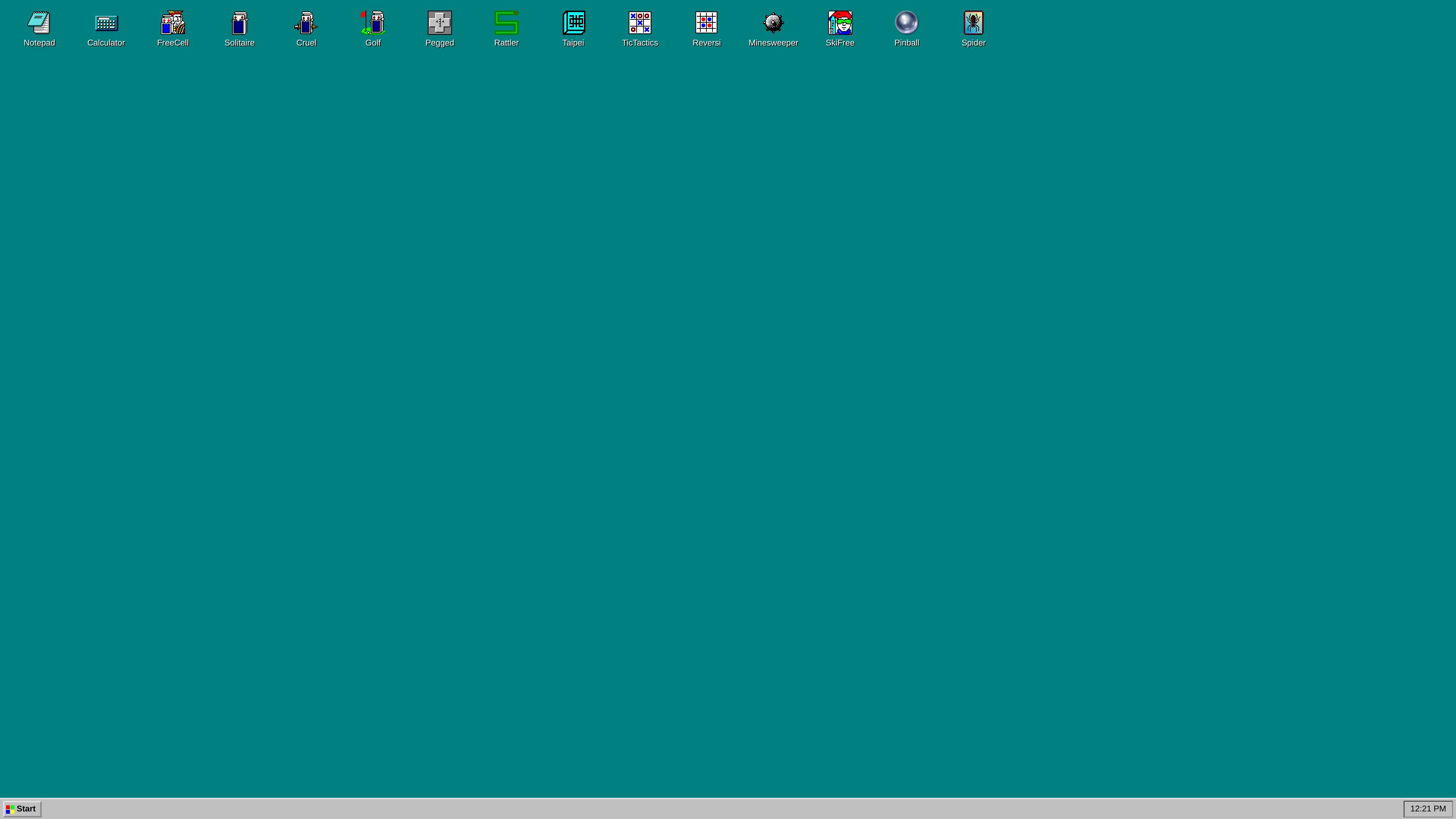
Wine-Assembly is a browser-based Windows 98 emulator that uses WebAssembly to interpret x86 code and reimplement Win32 behavior inside the module. Its stated purpose is to run real Windows executables in the browser without source changes, recompilation, or a separate porting layer.
The product is positioned as a working platform for classic Windows applications and demos rather than a simple visual mockup. The homepage surfaces a selectable program list that includes utilities, games, multimedia apps, installers, and sample DirectDraw/3D demos, showing that the emulator is meant for interactive use and experimentation.
Interprets x86 Windows 98 PE code in WebAssembly instead of relying on source recompilation or a porting layer.
Reimplements the Win32 API inside the WASM module so Windows programs can boot and interact in the browser.
Exposes a catalog of built-in programs and demos, including classic Windows utilities, games, installers, and multimedia tools.
Includes controls for launching and stopping programs, taking profile input, recording, and MIDI playback.
Shows a debug mode and story page, which together document the emulator’s internal progress and current state.
Open classic Windows utilities or games in a browser session without installing a local Windows environment.
Check how a Win32 executable behaves when interpreted in the emulator, especially when testing classic UI or API paths.
Launch bundled demos and sample apps such as DirectDraw, D3DIM, or old multimedia software to see how they render and sound.
Use the interactive controls and debug mode to observe execution, profile input, or record sessions while working through the emulator.
It is a browser-based Windows 98 emulator built with WebAssembly that interprets x86 code and reimplements the Win32 API inside the module.
The site presents it as running real Win32 executables in the browser, with examples such as Notepad, Calculator, Solitaire, Minesweeper, SkiFree, Paint, Pinball, and Winamp.
The homepage includes a debug mode and controls for launching programs, stopping them, recording, MIDI playback, and profiler input, which suggests it is meant for interactive experimentation as well as viewing apps.
The pricing page returned "File not found," so there is no supported pricing information available from the provided source.
The story page describes the project as a retrospective for a rapidly evolving emulator with real Win32 behavior, but it does not present a separate support or integration matrix.
GameGrad turns PDF study material into quiz questions that appear inside arcade games, so users can practice active recall while they play. It offers a free tier with one PDF and a Pro plan with more uploads, more questions, and answer explanations.

DailyPlay.ai is a behavioral growth platform that uses AI site scanning and micro-games to help brands improve engagement and conversion. It supports web, mobile, and other digital touchpoints, with a one-line script setup and a free engagement scan.

ChessWoodie is a chess tactics training app based on the Woodpecker Method. It helps players build pattern recognition through repeated puzzle cycles, track speed and accuracy, and review missed tactics from their own games.

PixelForge turns a single photo into a game-ready 2D character sprite pack, including a 4×4 sheet, transparent frames, direction strips, and looping walk GIFs. It is designed for engine-ready use in Godot, Unity, Phaser, GameMaker, and web games.

Loniva is a mobile puzzle app that offers a calm daily mix of games across memory, attention, language, speed, logic, and focus. It runs on iPhone, iPad, and Android, with a free 7-day trial and a free daily workout after the trial.
RageLayer is a framework-neutral JavaScript package that turns a captured web page into a destructible canvas with 15 procedural tools, rigid-body debris, and browser effects. It is intended for developers building interactive website experiences, creative coding projects, and custom browser tools.