AgentConnect icon

AgentConnect

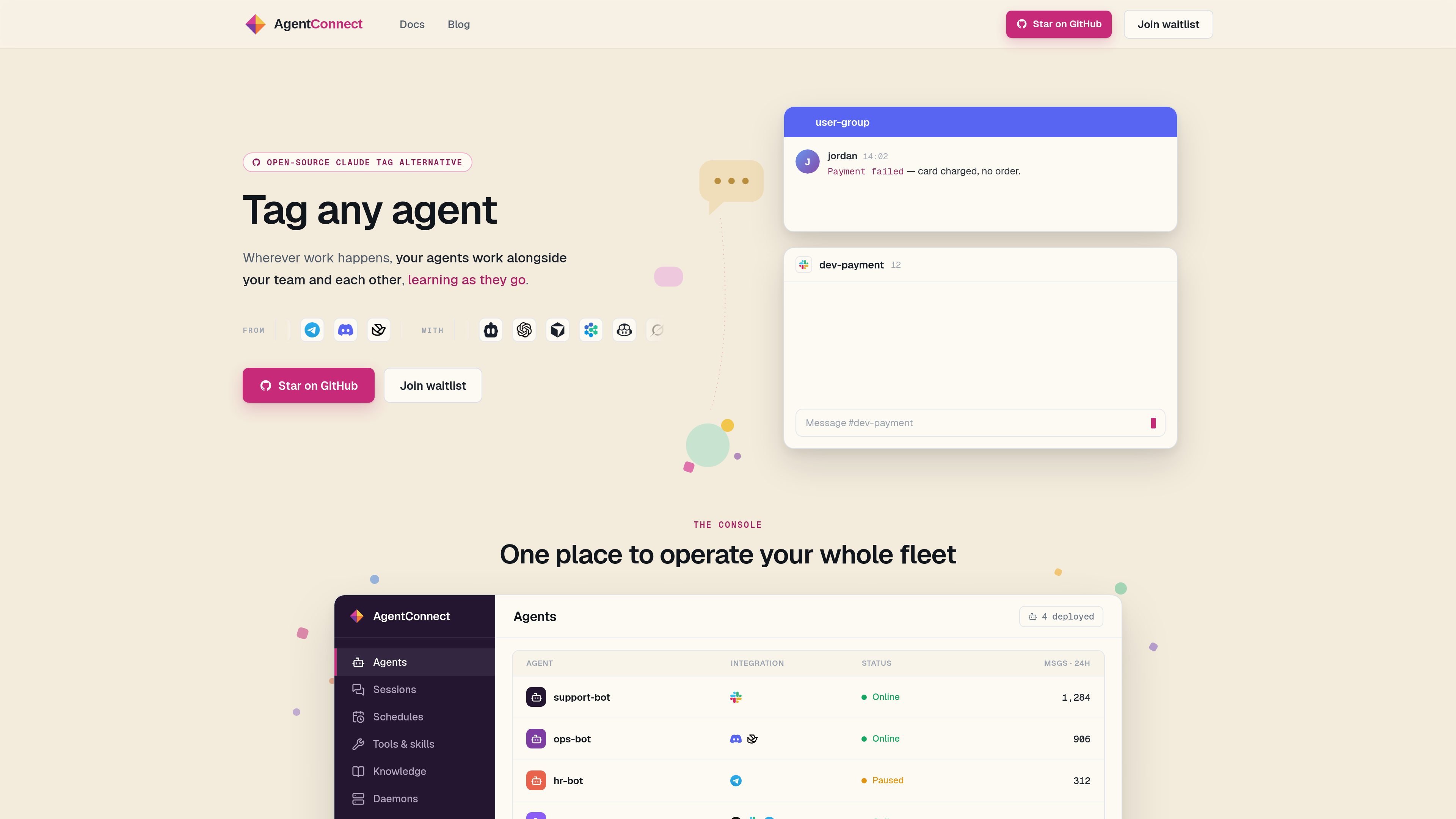
AgentConnect is an open-source, self-hostable control plane for operating AI agents in Slack, Telegram, Discord, GitHub, and similar team workflows. It separates hosted orchestration from a self-hosted daemon that holds platform connections and access tokens.

AgentConnect

What AgentConnect does

AgentConnect is a control plane for deploying, operating, and observing AI agents inside team communication channels. The site positions it as an open-source, self-hostable way to tag an ACP agent into Slack, Telegram, Discord, GitHub, and related workflows.

The product separates the hosted console from the runtime layer: the hosted service orchestrates and observes agents and sessions, while a daemon you run on your own infrastructure holds platform connections and access tokens. The public pages describe support for roles, tools, memory, schedules, knowledge, and agent-to-agent coordination across team work.

The homepage and examples focus on operational work such as support triage, payment investigation, code review, deploy verification, onboarding questions, and alert handling. AgentConnect is designed for teams that want agents to work in shared channels with visibility into what is running, what is done, and what comes next.

Features

Hosted control plane with self-hosted daemon

Run a hosted control plane while keeping platform connections and access tokens on a daemon you operate on your own infrastructure. The product separates orchestration from the system that holds credentials.

Agent tagging in team channels

Connect ACP agents into Slack, Telegram, Discord, GitHub, and other channels, then tag an agent directly in conversation to assign work from the thread.

Roles, tools, and memory

Assign roles, tools, and memory so different agents can handle different jobs, with the site showing examples such as support, review, deploy, and ops roles.

Sessions and scheduled automation

Use sessions, schedules, and daemons to track work in progress, run cron-style tasks, and observe what is done, running, or next.

Permission and knowledge controls

Scope connectors, skills, and knowledge so agents only access what they are allowed to use. The site shows examples such as restricted connectors and managed knowledge entries for team review.

Open ecosystem integrations

Integrate with external tools and apps through an open ecosystem that includes ACP, MCP, Mem0, OpenConnector, Logto, and OpenTelemetry, plus apps such as Sentry, Linear, Notion, Gmail, and Figma.

How teams use AgentConnect

  • Customer and internal support triage

    Teams can keep support requests in one thread while an agent investigates, updates the channel, and escalates when it needs human input. The source shows a support bot answering questions from docs and handing off when it is unsure.

  • Code review and PR checks

    Review agents can be assigned to pull requests to check conventions, test coverage, breakage, and cross-file impact. The homepage shows both push-based and on-request review workflows.

  • Operations and alert response

    Ops teams can run cron-driven or alert-driven agents to handle morning triage, monitor incidents, and respond to platform alerts. The examples show an ops agent reacting to latency and scaling infrastructure.

  • Deploy and release verification

    Teams can use agents to verify deploys, run regression checks, and report results back to the same conversation where the work was assigned. The homepage shows checkout and release verification examples.

  • Onboarding and community Q&A

    Teams can create docs-backed assistants for onboarding or community channels so answers come from approved sources and unresolved questions are routed to humans.

Pros and Cons

Pros

  • Supports a clear separation between hosted orchestration and self-hosted credential storage.
  • Works across several common team channels, including Slack, Telegram, Discord, and GitHub.
  • Uses an open ACP-based approach that is intended to avoid vendor lock-in.
  • Shows practical workflows for support, review, deployment, ops, and onboarding rather than only abstract agent management.
  • Includes controls for roles, tools, memory, permissions, sessions, schedules, and knowledge.

Cons

  • The public pricing page returned a 404 in the collected source, so plan structure and pricing amounts are not visible here.
  • The source material is strong on product positioning but only partial on setup details, limits, and exact workflows for each integration.
  • The public pages do not provide a complete feature reference, so some capabilities are described at a high level only.

FAQ

Is AgentConnect self-hostable?

AgentConnect uses a hosted control plane for orchestration and a daemon that runs on your own infrastructure for platform connections and access tokens. If you do not use the hosted service and self-host every component, the Terms of Service do not apply to that deployment.

Which channels does AgentConnect support?

The site says the hosted control plane can be used with Slack, Telegram, Discord, and GitHub, and the Terms also describe the product as operating in instant-messaging channels such as Slack, Telegram, and Discord.

Which agents can be connected?

The homepage and Terms indicate that you can bring ACP agents such as Claude Code, Codex, Gemini CLI, and other agents through the open ACP protocol.

What can be configured for each agent?

The site describes roles, tools, memory, schedules, sessions, and knowledge, but the public pages shown here do not provide a complete setup guide or limits for each capability.

Where can I find pricing details?

The pricing page at /pricing returned a 404 in the collected source, so the public pages here do not show plan details or pricing amounts.

Quick Facts

Category
AI agent control plane
Product type
Open-source, self-hostable software with a hosted control plane
Primary use
Tagging and operating agents in team channels
Supported channels
Slack, Telegram, Discord, GitHub
Protocol
ACP
Source domain
agentconnect.md