
Caps Lock as a sleep toggle
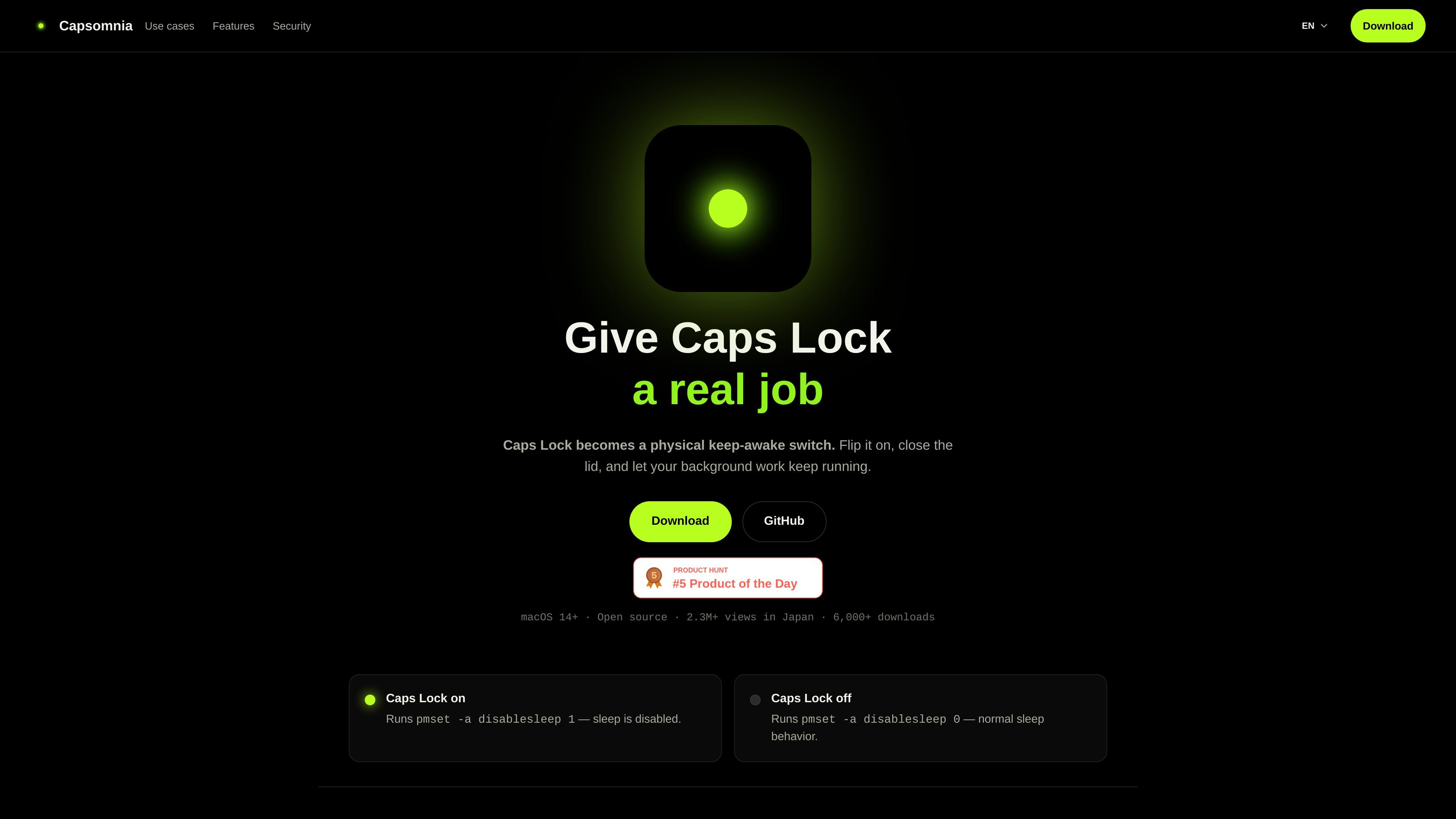
Turn Caps Lock on to disable sleep, and turn it off to return to normal sleep behavior. The site shows the underlying pmset commands used for each state.
Capsomnia is a macOS utility that turns Caps Lock into a physical keep-awake switch for closed-lid MacBook work. It helps users keep local jobs, SSH sessions, and AI coding agents running without sleep.
Capsomnia is a macOS utility that turns Caps Lock into a physical keep-awake switch. It is intended for MacBook background work that should continue even after the lid is closed.
The product’s core job is simple: toggle sleep prevention on and off from the keyboard, with the Caps Lock LED showing the current state. The site positions it for local workflows such as AI coding agents, SSH sessions, builds, downloads, and unattended scripts.
Capsomnia is presented as open source and free, with documentation links for the repository, README, and security policy. The site also states that it supports macOS 14+ and uses a small privileged helper for the sleep-setting change.
Because it disables sleep for closed-lid continuity, the site warns that heat and battery drain can increase and suggests paying attention to airflow, power, and runtime.
Turn Caps Lock on to disable sleep, and turn it off to return to normal sleep behavior. The site shows the underlying pmset commands used for each state.
Keep long-running work active after closing the lid, which is the main use case the product is built around.
The Caps Lock LED reflects the keep-awake state, so you can check whether sleep prevention is active without opening the app.
The site describes a custom shortcut option for people who do not want to use Caps Lock itself as the trigger.
The app is open source under the MIT License, and the site links to source, README files, issues, releases, and a security policy.
Capsomnia says the app runs as the current user, while a limited helper handles the privileged pmset calls through passwordless sudo.
Keep Codex or Claude Code tasks running while the MacBook lid is closed, rather than relying on the machine to stay awake by itself.
Maintain remote access during an SSH session so the Mac does not fall asleep in the middle of an interactive or unattended connection.
Let large builds, compiles, and downloads continue to completion without having to keep the screen open.
Keep mobile remote sessions connected when you need an always-awake Mac for tools such as Codex Mobile or similar workflows.
Use the keyboard shortcut as a quick way to prevent sleep only when you need it, then switch back to normal sleep behavior afterward.
Capsomnia turns Caps Lock into a physical keep-awake switch. When it is on, the app runs pmset -a disablesleep 1 through a small privileged helper; turning it off restores normal sleep behavior.
The site says Capsomnia is for macOS 14+ and is focused on MacBook background work, especially when the lid is closed.
It is designed for local workflows that need continuity, such as Codex, Claude Code, SSH sessions, builds, downloads, and unattended scripts.
Capsomnia is open source under the MIT License. The site also states that the app itself runs as the current user and uses one fixed root-owned helper with passwordless sudo for the sleep-setting changes.
The product notes that closed-lid, sleep-disabled use can increase heat and battery drain, so airflow, power, and runtime should be considered.

Goldfish is an AI memory app for macOS that helps you reply, write, summarize, and continue using the context already on your Mac. It stores memory locally and writes in your tone.

Biji est une plateforme polyvalente conçue pour améliorer la productivité grâce à des outils et des fonctionnalités innovants.

MacSpoof change ou randomise l’adresse MAC Wi‑Fi sur macOS pour reconnecter aux réseaux et limiter l’enregistrement de votre identité sur Wi‑Fi public.

Redline is a budgeting tool for Claude Code that paces sessions to stay within time, token, cost, or plan-percentage limits. It uses Claude Code’s native hooks and statusline to help sessions finish with a usable result instead of stopping abruptly.

Claude Overlay is a Windows desktop overlay for Claude Code that reads your screen so you can ask questions, inspect content, and request edits without leaving the current app. It runs on your existing Claude subscription through the Claude CLI, so no separate API key is required.

NomNak est une app iPhone gratuite pour découvrir des restaurants grâce aux recommandations d’amis, avec spots enregistrés, passeport food et recherche par ville.